microsoft
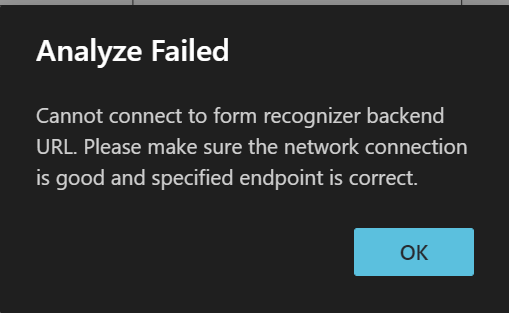
Some of the error messages returned by the sample labelling tool do not provide actionable details
Describe the bug Some of the error messages returned by the sample labelling tool do not provide actionable details to the user. It would be helpful if the tool had additional error handling, and more specific error messages. A few examples from customer cases: - Using a SAS URL without a container name gives the error message "resource name is invalid", and it isn't clear this error message is from Azure Storage. Because the SAS URL has no container name, the tool tries to use the default "{containerName}", which is invalid because of the curly braces. It should check to make sure the URL has a container name, then let the user know the provided SAS URL is invalid so they can create the correct type of URL. - Customer is getting back "cannot read property 'importKey' of undefined." It sounds like an encryption key is missing, but we're not sure what the problem is based on the error message, and everything seems to be set up correctly. Still under investigation. - As I recall, when customer uses the wrong key in the wrong place in the tool, such as putting the Storage Account key where the Form Recognizer key is supposed to go, it gives a non-specific "access denied/403" error message.
To Reproduce Steps to reproduce the behavior:
- Go to '...'
- Click on '....'
- Scroll down to '....'
- See error
Expected behavior A clear and concise description of what you expected to happen.
Screenshots If applicable, add screenshots to help explain your problem.
Desktop (please complete the following information):
- OS: [e.g. Win10/Linux-flavor]
- Docker version
- Browser [e.g. chrome, safari]
- Version [e.g. 22]
Additional context Add any other context about the problem here. e.g, your Azure Resource region

An addition to this issue would be the error message when you hit a 400 (Bad Request) via https://fott-preview.azurewebsites.net/layout-analyze. The current message is not very helpful.