

 microsoft
Calibration Instability with elgato HD60S
I'm attempting to get the Spectator View working using an Elgato HD60S and stuck trying to get the Calibration app to successfully work.
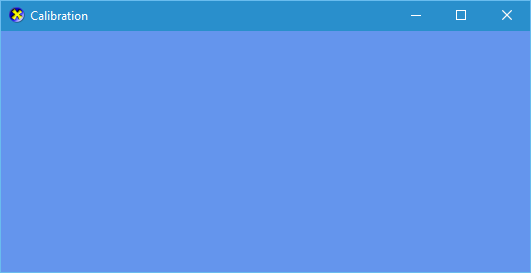
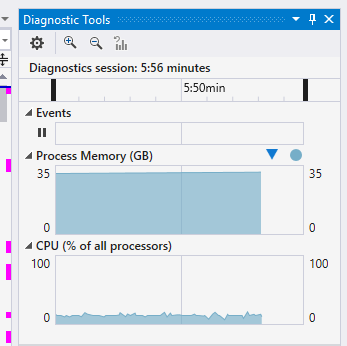
The sln builds fine, but it very seldom actually works. Sometimes it is able to view the feed from the capture device, but most of the time it just gives a blue screen, eats up a bunch of memory, and ends up crashing.
I was able to get it to run successfully and actually get the Hololens to work with the camera. I was so surprised it actually worked, I then went to hold the checkboard in various locations, when done I pressed enter, waited for it to write the files to the CalibrartionData.txt file which it did.
After moving the camera/Hololens rig, I wanted to run the process again, so I simply pressed the "Local Windows Debugger" with Release/x64 settings (same as I did just moments previously) and it no longer works. I have been trying for 2 days now to get it working again with no luck.
Does anybody know the magic trick to get this to work using this hardware?

I can confirm these issues. Also using Elgato HD60S. It just randomly works, most of the time it won't. I managed to workaround the blue screen issue by only turning the input camera device on when the calibration app is already running:
- Start the calibration app
- Wait for the "no signal" screen
- Turn on camera connected to Elgato HD60S
Unfortunately it then still won't recognize the checkerboard and won't capture anything. Also by setting to use OpenCV frame capture instead of Elgato frame provider in the shared headers I am not having any issues with capturing checkerboard or getting the camera feed. Unfortunately OpenCV will produce a broken video feed from the Elgato capture card, so this is no solution.

Currently attempting to use the calibration app myself. Finally got the app to build successfully and run, but it's only shown me just a light blue screen. After running for about a minute, it pops up with this breakpoint that causes the crash.

Did you guys face this issue?

Sorry, but I haven't replied since none of these issues occurred with my HD60 S and Canon 60D. I didn't use openCV, only the files from the Elgato github. Then again, I have only calibrated it once, but will do again in the next couple of days/weeks. I'll let you know if I stumble across the same issues.

@eirikhollis @FejZa @BrettSheleski Which version of 'Elgato Game Capture HD' are you guys running? I currently have version 3.70.8(3008)64bit which might be the issue...
I actually just updated to the latest - 3.70.8 (3008) 64-Bit (same as yours).
Just tried again, just a big blue screen, eats up tons of memory, and eventually throws an exception (assuming due to the apparent large amounts of memory used).
No issues with 3.70.8 (3008) 64-bit on my end. Have you downloaded the filters from Elgato github and added them to the header files?
Yes, I cloned that repo and updated the paths in dependencies.props.
Is there anything else that needs to be done?
I later tried getting the Compositor working within Unity and having troubles there as well. I'm able to get the feed from the camera (using the Elgato card) to display just fine in Unity. However at that point I'm unable to get it to communicate with the Hololens to get any holograms to be overlayed (that's a topic for another day). But what this leads me to believe is that the I'm able to use the Elgato files just fine and thus the issue is not with the Elgato software.
@fieldsJacksonG had mentioned this in issue #188 :
"The Elgato SDK does not always terminate gracefully. Try killing the "Elgato Game Capture HD" process before starting the calibration app."
I randomly got the feed to come through to the calibration app after I switched USB ports for the Elgato, but then ran into a HoloLens issue and had to rebuild. Since then, I haven't been able to get it to work even when killing anything Elgato related in the task manager.
@fieldsJacksonG , Is there anything else that could be causing interference? Or something we are missing?
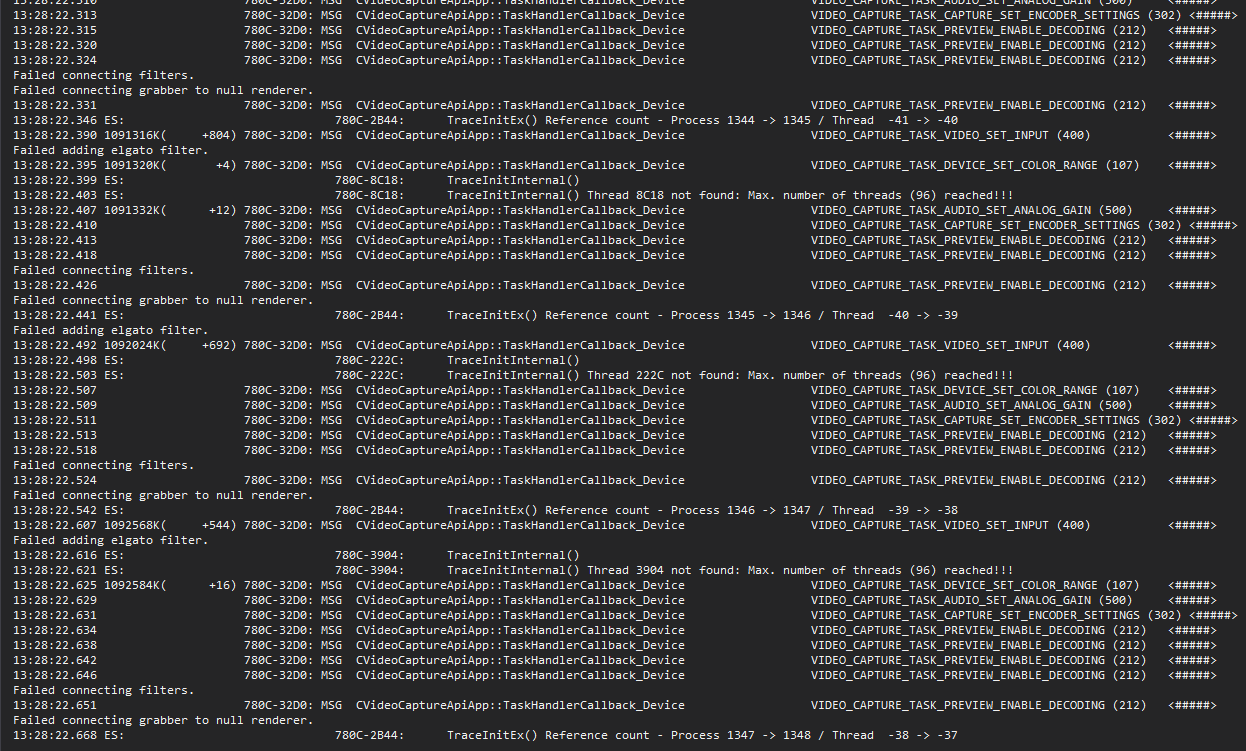
When not working, the output log from visual studio repeatedly mentions
"Failed connecting filters"
"Failed connecting grabber to null renderer"
"Failed adding elgato filter"
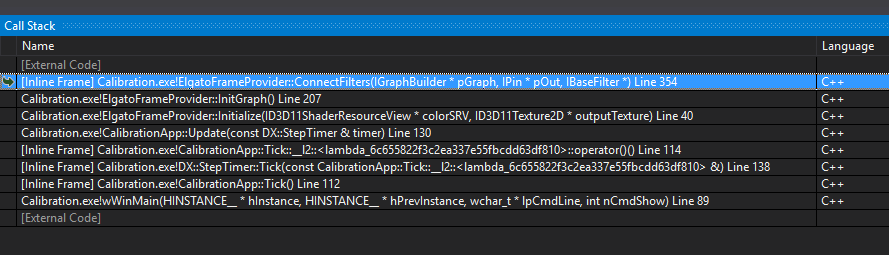
After returning to the calibration app with my Elgato HD 60 S and Canon 60D, I no longer seem to get it to work. I am experiencing the same blue screens as you guys have mentioned.
I've now tried different releases and the master branch, as well as all different configurations in both VS2015 and VS2017 with no luck. Did any of you manage to get it working?
I have access to the Canon SDK, but nothing changes when setting them FALSE/TRUE.
Ok, managed to get it working now on a different computer. Same Windows versions on both, but instead of VS2017 15.5.6 and Elgato Game Capture 3.70.8 (3008) 64-bit, I was running VS2017 15.5.2 and Elgato Game Capture 3.70.1 (3001) 64-bit.
Needless to say, I won't be updating the Elgato software anytime soon, since I presume that's the reason it is not working.
I will try to roll back to that version of Elgato and see if that resolves it for me too. However, I have my doubts as the Compositor within Unity brings in the feed from the capture card without issues (I don't think that has ever failed for me).
@BrettSheleski The calibration app is the only thing not working on the newest Elgato software. The compositor view in Unity works flawlessly with both versions of the Elgato software.
I'm trying to think of other factors as to why it would work on the one computer, and not the other, but other than the VS and Elgato version, I don't think there is any.
UPDATE: I downgraded from 3.70.8 to 3.70.1 and can confirm, it is now working. Apparently there is something in the newest Game Capture software that breaks the calibration app.
UPDATE2: After about 20-30 successful calibrations, it suddenly stopped working. On my Canon 60D, I tried using Live View in Manual Mode instead of Video Mode, and somehow that broke the code (only change I made). Experiencing the same blue screen as before and increasing memory usage. Returning to Video Mode did not fix the problem, and an hour of debugging resulted in no new information. Weird. Maybe re-installing the Elgato software can fix it..
Was anyone able to figure out a fix for this? I'm having the same issues. I have tried both USB and wifi, downgrading Elgato software and unplugging camera before running the build.
I have never had it get past the blue screen, with it eating up a bunch of memory and spitting out:
"Failed connecting filters" "Failed connecting grabber to null renderer" "Failed adding elgato filter"
I'm going to try rolling back Elgato software further. Compositor works in Unity.
EDIT:
Switching to OpenCV seems to allow the camera feed to get through properly. I can take a bunch of pictures but I'm now having issues with not having "valid data" to complete the calibration after hitting 'Enter'. I'm guessing this is because I can't connect to the Hololens.
EDIT 2:
Fixed hololens connectivity issues. I now have stable calibration using Elgato HD60S using the OpenCV capture mode.

I also have the same blue screen with Elgato and getting the following error. "Failed connecting filters" "Failed connecting grabber to null renderer" "Failed adding elgato filter
and tried everything mentioned here https://github.com/Microsoft/MixedRealityCompanionKit/issues/188
Was anyone able to solve the issue?

Same blue screen problem
My hardware: Canon 1300D Elgato 60hd s (I am able to see the live video feed from the camera in the elgato app)
Software: VS 2017 15.6.2 (Got all needed tools installed) Elgato 3.70.1 (Suggested version by @eirikhollis )
Tests: OpenCV, I get 3 different camera views next to each other in the calibrations app but I am able to take pictures and save them. ( I dont know if this result will work properly) Elgato videoFilters, Blue screen not yet able to see the view from the camera in the calibration app..
