
BotFramework-Emulator

BotFramework-Emulator copied to clipboard
 microsoft
Emulator UI: navbar icons should lose focus after they are pressed
Build 4.0.262-nightly
Click "Bot Explorer" icon top open/close pane. The blue bar stays present until you click on a different part of the app. The blue bar should appear when pressed and disappear when not pressed. Occurs in all themes.
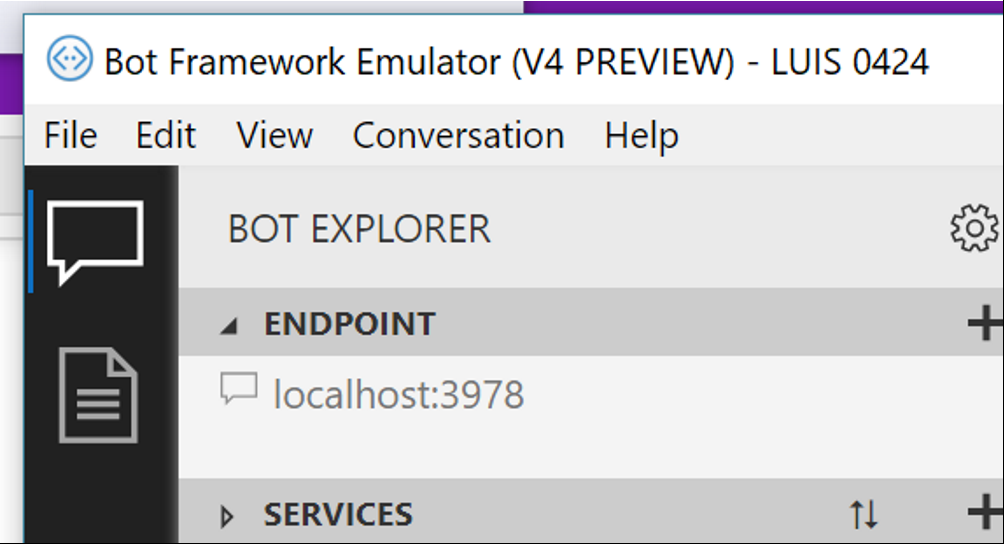

focus events occur by default when any item is clicked. Overriding this default browser behavior is not trivial because:
-
focusevents occur before click events which means a flash of the focused state on the button will occur before it is removed manually each time it is clicked. - Preventing the focused state flash would mean implementing additional logic to track
mousedownevents, switch a flag and then prevent focus usingevent.preventDefault()in the focus handler.

@vishwacsena move this to 4.1? There are other pieces of UI that stay focused after they are pressed.
Looks like it got fixed due accessibility updates. Now focus lands on the changed page UI
