microsoft
Restart and Update doesn't work
Version
4.4.2-67841 Windows 10
Describe the bug
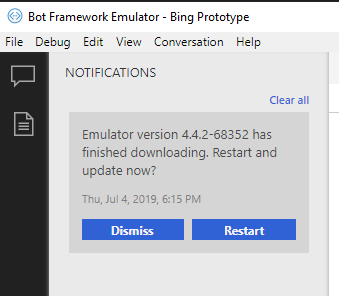
Emulator shows a notification that a new version is available (4.4.2-68352) but clicking Restart doesn't do anything.
Expected behavior
The emulator to close, install and restart.
Screenshots
[bug]

I've seen this bug before, but I was unable to repro it reliably. I'll keep an eye out for it, and see if I can track down what's causing it.
If you click either one of the buttons, nothing happens, correct?
Regardless of whether the notification buttons work, the Emulator should update on the next startup.


This is still an issue with Version 4.7.0 --> 4.8.1
I get a similar behaviour as in #2096, only for me after this step:
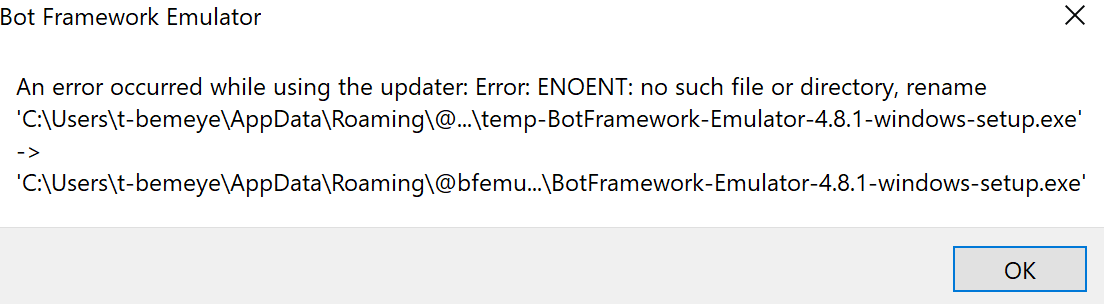 closing / reopening, clicking on Check for updates --> Updates downloading --> notification, clicking Restart this pops up: