

 microsoft
Link to install Microsoft.AspNetCore.App', version '3.1.0' (x64) .NET is incorrect in the error message
Describe the bug
In Bot Framework Compose, I created a simple bot and tried to execute it and I received the following error:
Error occurred building the bot
You must install or update .NET to run this application. App: C:\Users\sujalp\OneDrive - Microsoft\Documents\GitHub\PVACustomerSuccessRepo\TranslationBot\Middleware\Bot\TranslationBot\TranslationBot\bin\Debug\netcoreapp3.1\TranslationBot.exe Architecture: x64 Framework: 'Microsoft.AspNetCore.App', version '3.1.0' (x64) .NET location: C:\Program Files\dotnet The following frameworks were found: 6.0.8 at [C:\Program Files\dotnet\shared\Microsoft.AspNetCore.App] Learn about framework resolution: https://aka.ms/dotnet/app-launch-failed To install missing framework, download: https://aka.ms/dotnet-core-applaunch?framework=Microsoft.AspNetCore.App&framework_version=3.1.0&arch=x64&rid=win10-x64
I then tried to install using the link above. However, it redirects to a page where the downloads simply install .NET core runtime and not ASP.net. I had to use the following link to download the correct version: https://dotnet.microsoft.com/en-us/download/dotnet/thank-you/runtime-aspnetcore-3.1.28-windows-x64-installer
The documentation (or the aka.ms link) needs to be updated.
Version
Version: 2.1.2
Browser
N/A
OS
- [ ] Windows
To Reproduce
See above
Expected behavior
See above
Screenshots
N/A
Additional context
N/A

Hi @lajusp
We reviewed the code and found that when the bot starts, the command "dotnet run --project" is executed. The error is thrown by this command and shown in Composer. This command also returns the link, therefore there is nothing to change on the Composer side.
Here we can see the same error executing the command through the terminal.
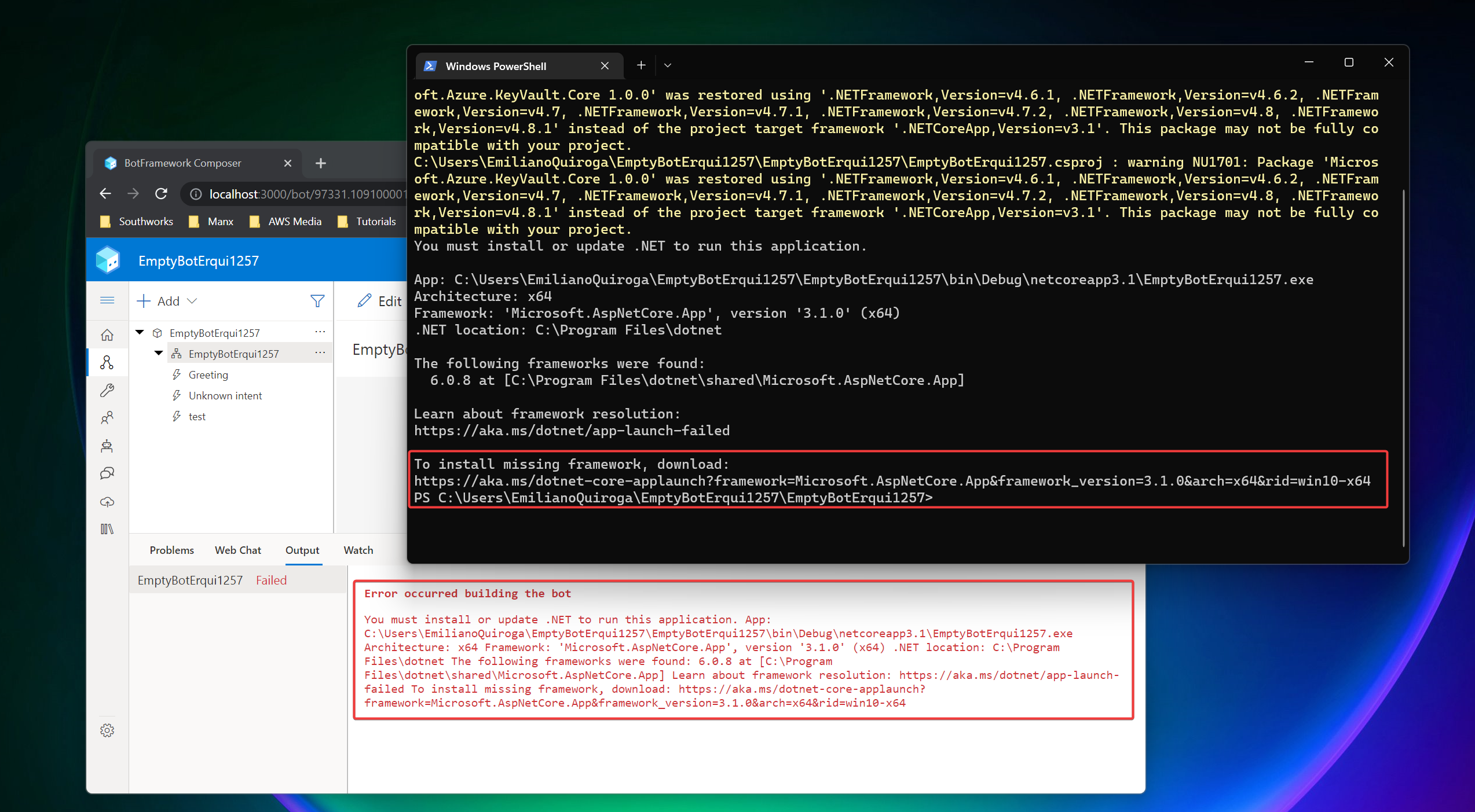
Regards.
