

 microsoft
Difference between Microsoft App registration vs 'Azure bot' ?
Create a new Assistant bot Add LUIS key etc via rocket menu Create provisioning profile Create new Notice that we do not ask for 'App registration' in the wizard. Notice that in the 'review' screen, it lists 'Microsoft App registration ID'
As a user, I have no idea where this comes from. I am creating an AZURE bot, why do I need a MSFT app registration?? Can we call this Azure Bot registration?
(note : In R11 and in the documentation this is still called 'web app bot' but moving forward this will be Azure bot)
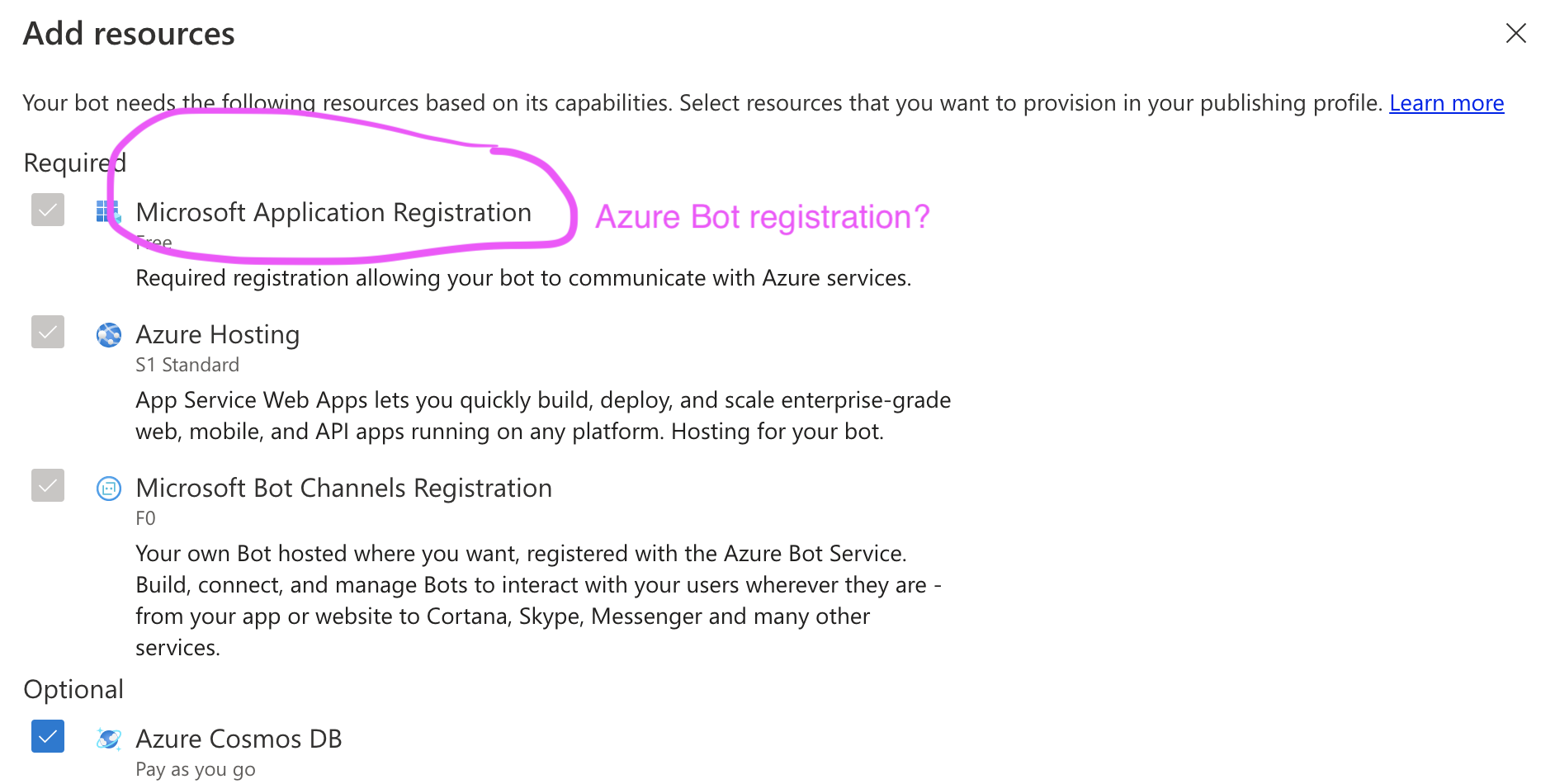
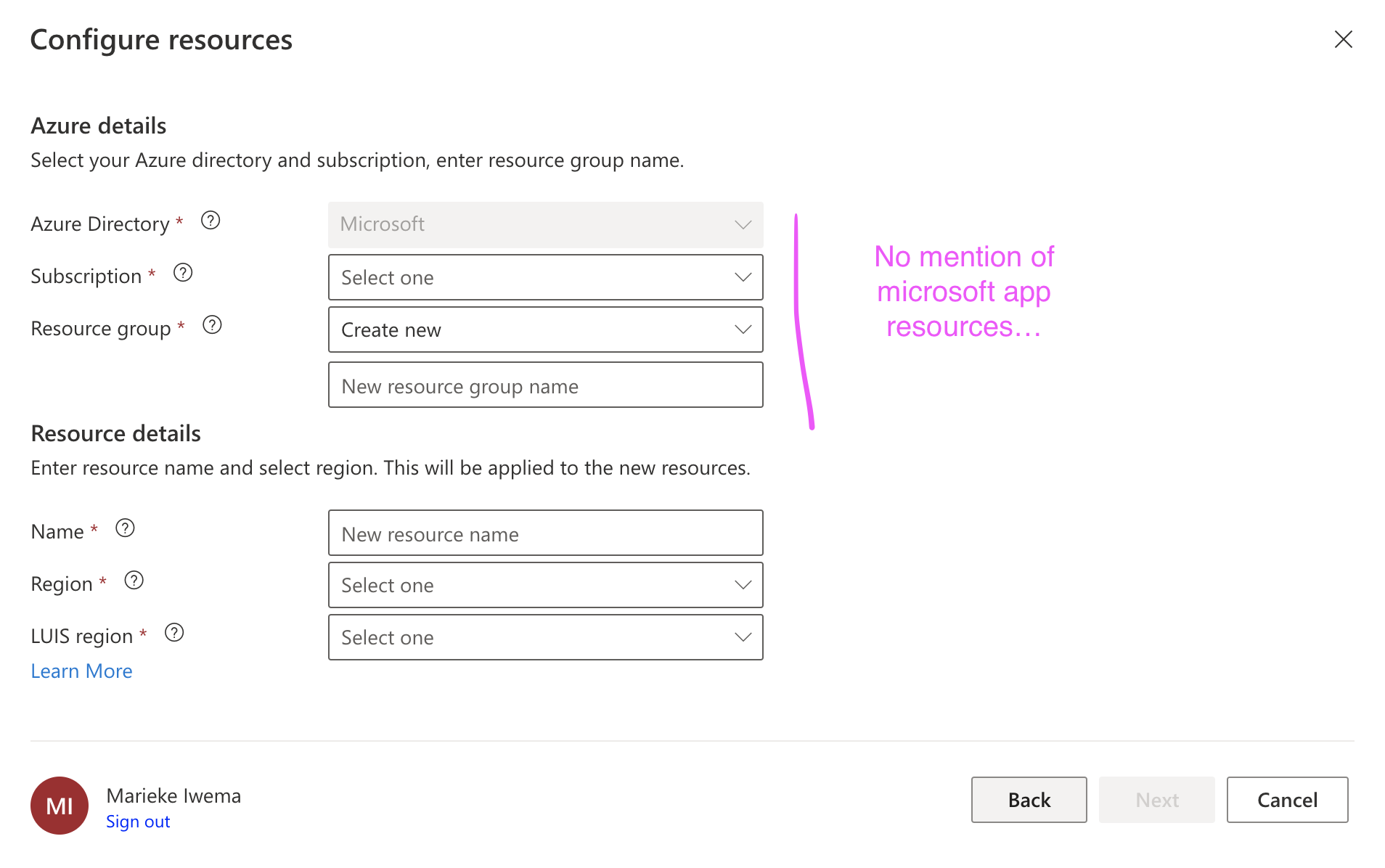
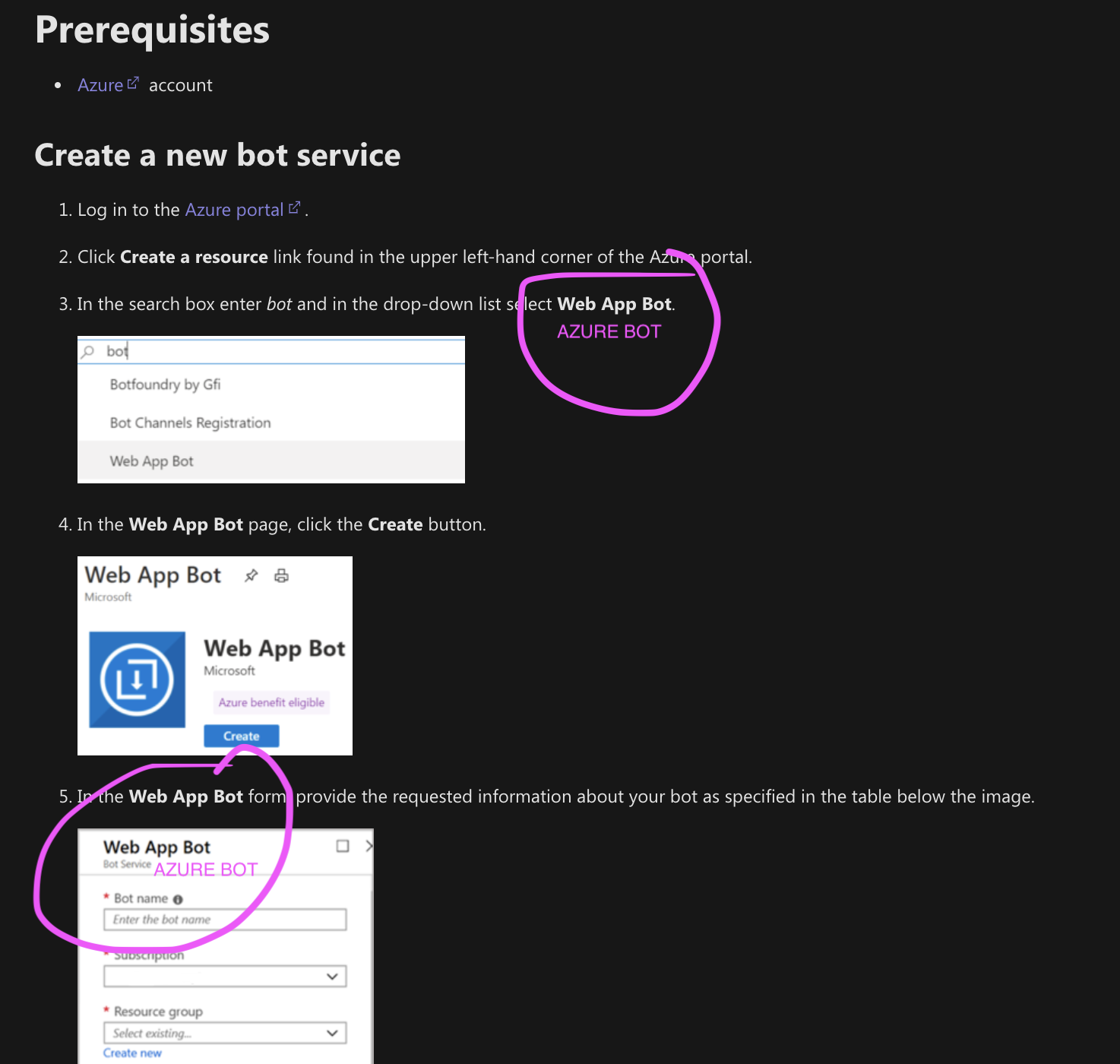
it asks for a n Microsoft App registration while we're registering an 'Azure bot' and are asking for App/Azure app ID in other places?
hy are we calling this a Microsoft App registration while we're registering an 'Azure bot' and are asking for App/Azure app ID in other places?

This is a Microsoft App Registration which is separate from Azure. We need to discuss further how to make this easier to understand in the next release.

Bot Channel Registration: When you register a bot in Azure, for example via the Bot Channels Registration, Azure creates an Active Directory (AD) registration application. This application has an app id (MicrosoftAppID) and a client secret (MicrosoftAppPassword). You use these values in the bot configuration files as described below. Notice that you can achieve similar results by creating a Web App Bot.
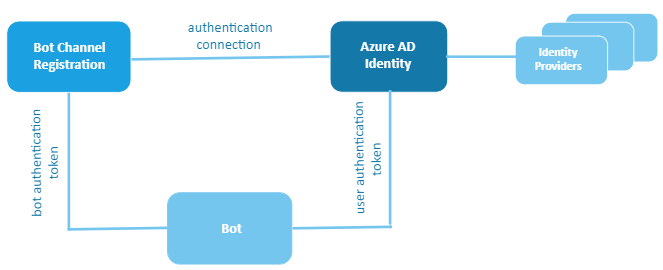
Azure AD Identity. The Azure Active Directory (Azure AD) is a cloud identity service that allows you to build applications that securely sign in users using industry standard protocols like OAuth2.0. You create an AD application and use its app Id and password to select an identity provider and generate an authentication connection. You add this connection to the bot channel registration settings. You also add the connection name in the bot configuration files as described below.
Bot. A bot is identified by its channels registration (or web app) app Id and password. You add the related values in the bot's configuration files (appsettings.json (.NET), .env (JavaScript), config.py (Python)) or in Azure Key Vault. You also add the connection name to the files. The bot uses the token based on the app id and password to access protected resources. Also, the bot uses the token based on the authentication connection to access user's protected resources.

