

 microsoft
k4a_device_get_installed_count() return 0
Describe the bug
I created a console application with c++ on Windows 11. Everything is working as expected. The camera is connected and we can use the camera. So i created another project with an UI for Universal Windows App. I implemented the same code as in the console application. But if i call the function "k4a_device_get_installed_count()" i get 0 back. But if i debug the console application everything is working fine.
What is the problem here?
To Reproduce
Expected behavior
Logs
Screenshots
Desktop (please complete the following information):
- OS with Version: Windows 11
- SDK Version:
- Firmware version:
Additional context

Are you running both applications at the same time? Only one application can run the camera at a time.

No i only run one application. Have you experience with the same problem? Do I have to set any properties for the project to use the camera in an windows app or to find the camera?
I attached the error message from the console. Hope you can help me with this issue. Do you need any other settings from the project?
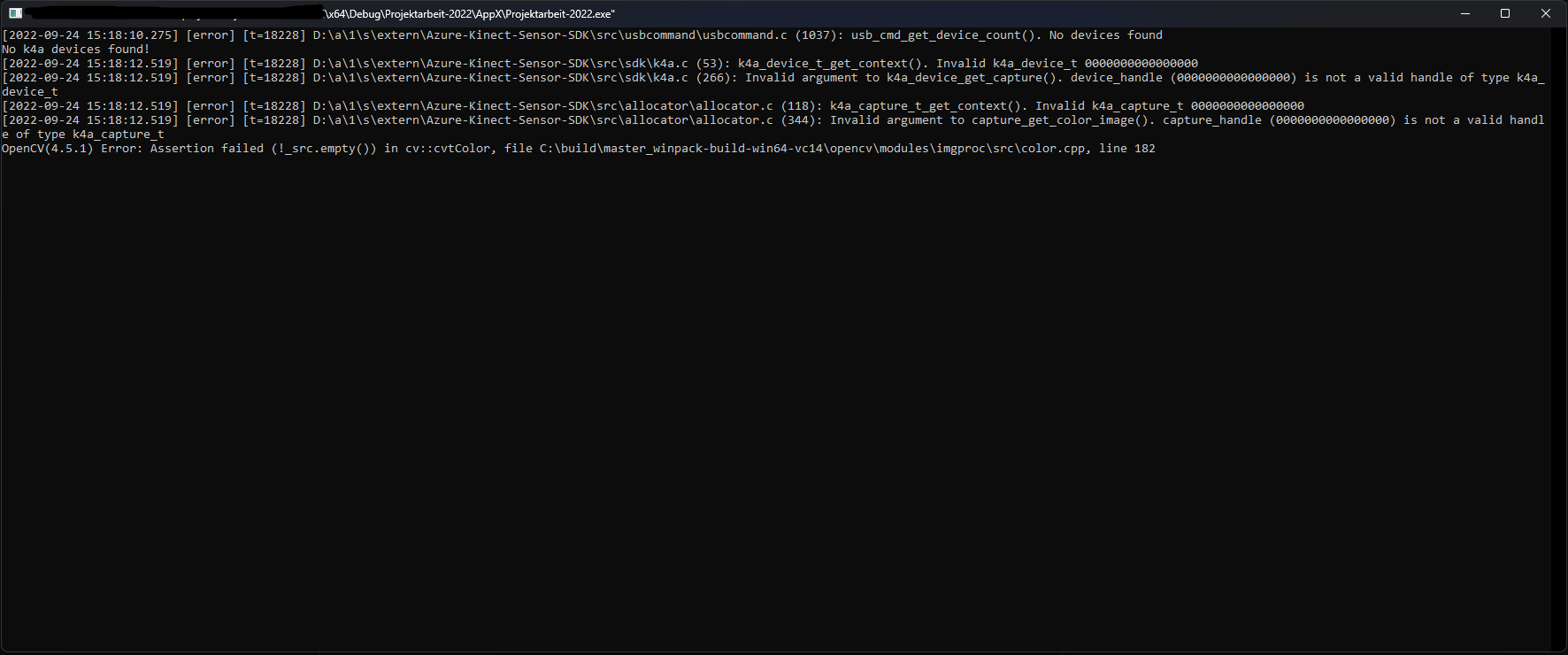
The Azure Kinect SDK uses WinUSB to communicate with the camera and unfortunately there are limitations when using WinUSB with UWP that are critical to the Azure Kinect's operation.
You can read about this here: https://learn.microsoft.com/en-us/windows-hardware/drivers/usbcon/writing-usb-device-companion-apps-for-microsoft-store
Thank you. Can you describe it a little bit more? Is the solution to add "DeviceCapability" in the app manifest for usb or are there further steps which has to be executed?