

 microsoft
AzureKinect cannot be found in AzureKinect Viewer
Since yesterday AzureKinect cannot be found in AzureKinect Viewer.I could use it normally for a long time.I'm not sure if it's related to the update of windows.
As shown in the figure below,AzureKinect cannot be found in AzureKinect Viewer .
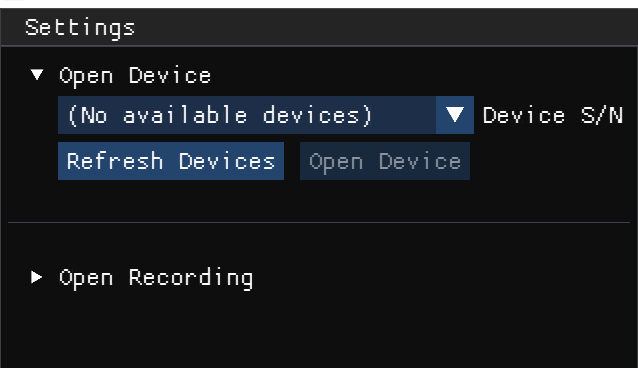
The log is as follows [ error ] : RuntimeClassInitialize(). Failed to find color camera in open camera: 0xc00d36d5 [ error ] : SUCCEEDED( Microsoft::WRL::MakeAndInitialize<CMFCameraReader>(&color->m_spCameraReader, (GUID *)container_id)) returned failure in color_create() [ error ] : color_create( device->tick_handle, container_id, serial_number, color_capture_ready, handle, &device->color) returned failure in k4a_device_open()
When I use AzureKinectFirmwareTool.exe, you can see that the device is connected
As shown in the figure below
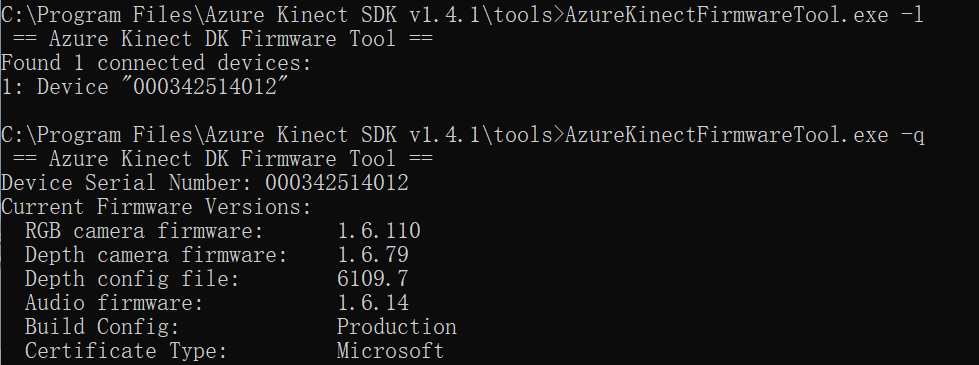
And it's normal for me to use 's color camera in the camera program in win11.
Azurekinect can also be correctly recognized in the device manager.
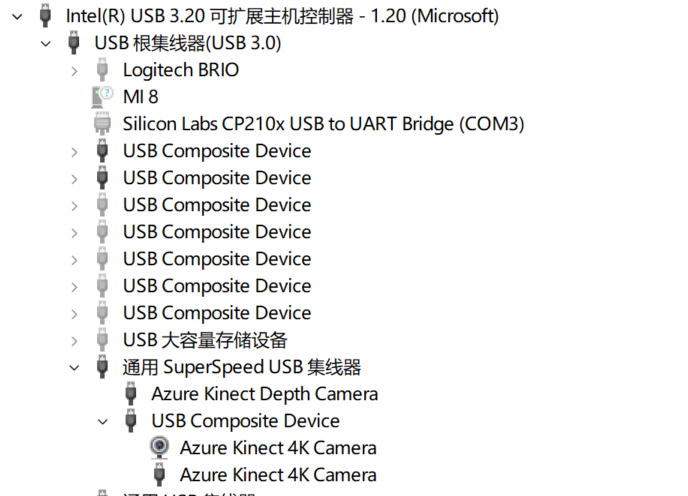
Desktop
- OS with Version: Windows 11 professional 21H2 22000.556
- SDK Version: SDK v1.4.1
- Firmware version: Current Firmware Versions: RGB camera firmware: 1.6.110 Depth camera firmware: 1.6.79 Depth config file: 6109.7 Audio firmware: 1.6.14 Build Config: Production Certificate Type: Microsoft

Are you powering the unit using the round DC power connector? What color is the LED on the back side of the unit above and in-between the USB-C and round DC power connectors? It should be white.

Thank you for your reply.I make sure that the DC power supply is connected and the LED on the back is white. There may be some details I didn't mention before. I can use the azurekinect viewer when I use this device on the win10 system, just body tracking It cannot be used normally. In issue, I think is the problem of the graphics card driver, but I haven't tested it yet.At present, there is no clue about the problem that azurekinect viewer cannot be used on win11
Was upgrading to Windows 11 from Windows 10 the only thing that changed on that system before the viewer stopped working? If so, checking the graphics card driver would be a good next step to investigate. We are able to run the viewer in Windows 11 on several systems with no problem.