microsoft
How to show F4 snow texture in AirSim "scene" camera
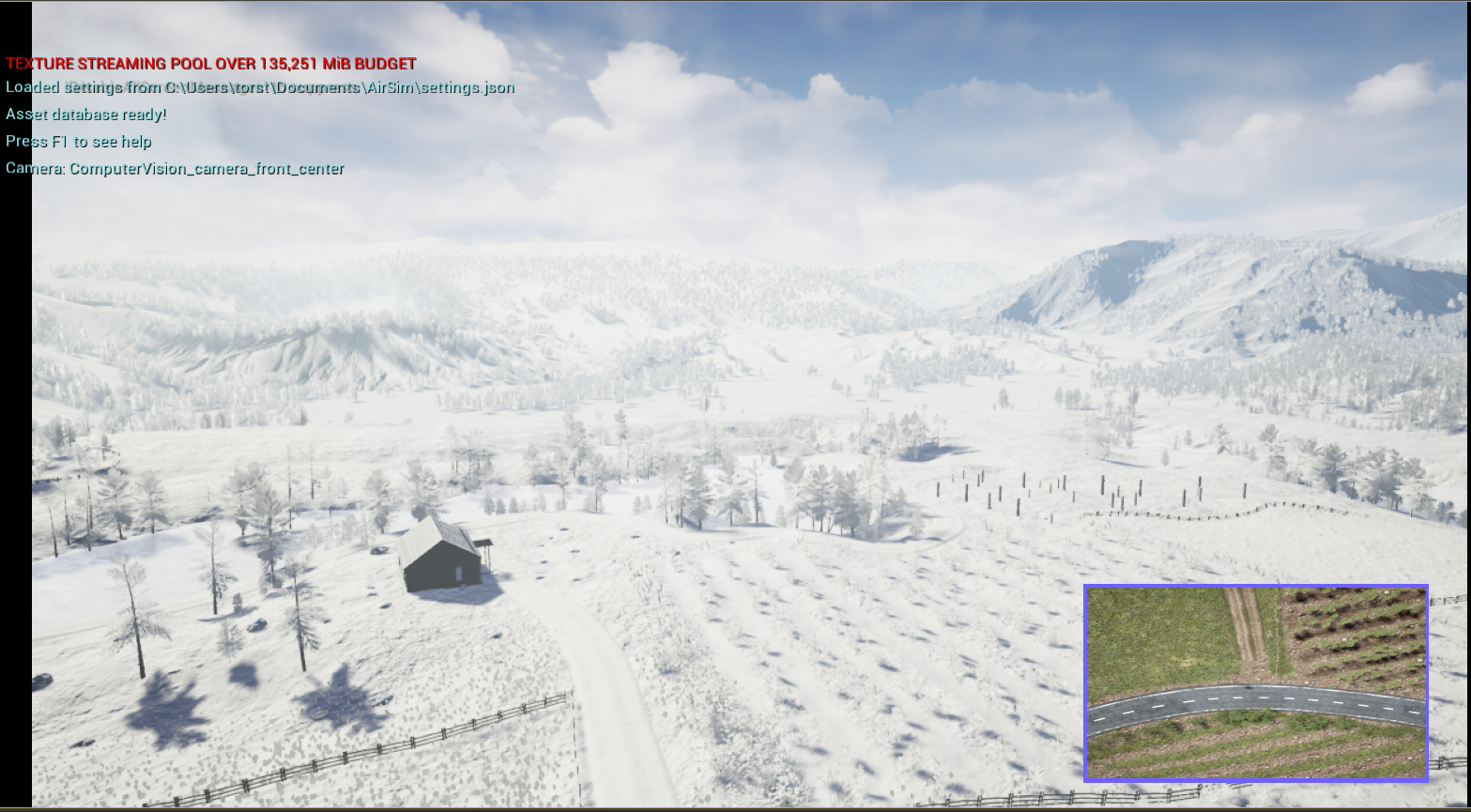
How do you make the snow texture that is shown when pressing F4 appear when taking pictures using AirSim (scene camera) ?
Is there any way to programmatically enable this snow texture with code ?
When in ComputerVision mode, pressing F4 gives you an overlay on the map that puts snow on all the textures. However, this snow texture does not show in the live camera-view or when taking pictures using AirSim. The issue is shown in the image below (downward facing camera).
I have tried all the simSetWeatherParameter options, but these only show a "filter" over the camera with showfall etc.
Airsim version (pip package): 1.6.0 OS: Windows 11 Home 21H2 1000.22000.675.0 Python version: 3.6.13 Unreal version: 4.27.2
settings.json below
{
  "SeeDocsAt": "https://github.com/Microsoft/AirSim/blob/master/docs/settings.md",
  "SettingsVersion": 1.2,
  "SimMode": "ComputerVision",
  "CameraDefaults": {
      "CaptureSettings": [
        {
          "ImageType": 0,
          "Width": 500,
          "Height": 500,
          "FOV_Degrees": 90,
          "AutoExposureSpeed": 100,
          "MotionBlurAmount": 0,
          "TargetGamma": 2.0
        },
        {
          "ImageType": 5,
          "Width": 500,
          "Height": 500
        },
        {
          "ImageType": 3,
          "Width": 500,
          "Height": 500
        }
    ]
  },
  "SubWindows": [
    {"WindowID": 0, "CameraName": "3", "ImageType": 3, "VehicleName": "", "Visible": false, "External": false},
    {"WindowID": 1, "CameraName": "3", "ImageType": 5, "VehicleName": "", "Visible": false, "External": false},
    {"WindowID": 2, "CameraName": "3", "ImageType": 0, "VehicleName": "", "Visible": false, "External": false}
  ]
}