

 microsoft
No optical flow in certain directions
Bug report
- AirSim Version/#commit: Windows 1.6.0/ Binary 1.7.0
- UE/Unity version: 4.27.2
- autopilot version: ComputerVision
- OS Version: Windows 10
What's the issue you encountered?
In the OpticalFlow setting, the optical flow cannot be returned when the camera moves in a certain direction. Here is a video example https://www.youtube.com/watch?v=HT5wWK1M5AI:
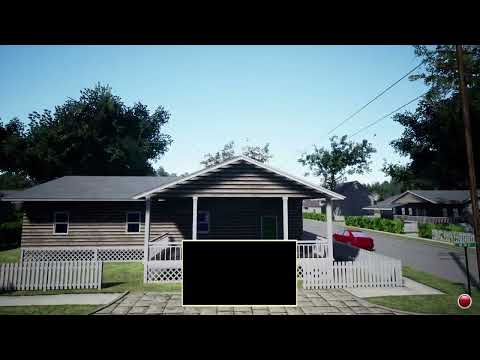 The problem could be that the velocity is mapped between the -1 and 1, but the Unreal Engine Material only returns the black color when the velocity is non-positive, even though
 AllowNegativeEmissiveColor is enabled.
Settings
"SeeDocsAt": "https://github.com/Microsoft/AirSim/blob/master/docs/settings.md",
  "SettingsVersion": 1.2,
  "SimMode": "ComputerVision",

  "CameraDefaults": {
    "CaptureSettings": [
      {
        "ImageType": 8,
        "Width": 64,
        "Height": 64,
        "FOV_Degrees": 120
      }
    ]
  },

  "SubWindows": [
    {"WindowID": 1, "CameraName": "", "ImageType": 8, "VehicleName": "", "Visible": true, "External": false}
    ]
}
How can the issue be reproduced?
- Run AirSim in ComputerVision Mode
- Move the camera horizontally or vertically
Include full error message in text form
What's better than filing an issue? Filing a pull request :).

@BBBBBBob optical flow is not intended for visualization. Please try with OpticalFlowViz (which corresponds to ImageType 9 instead of 8 )

@BBBBBBob optical flow is not intended for visualization. Please try with OpticalFlowViz (which corresponds to ImageType 9 instead of 8 )
@jonyMarino Hi, thanks for your reply! Indeed, I would like to retrieve the optical flow velocity from the image, so what is the right way to get the velocity information?
Hi @BBBBBBob, were you able to find a solution to get the optical flow from AirSim?

Hi @BBBBBBob, were you able to find a solution to get the optical flow from AirSim?
Sorry for the late reply, we have not found a feasible solution and turned to calculate the optical flow between two frames.
@BBBBBBob optical flow is not intended for visualization. Please try with OpticalFlowViz (which corresponds to ImageType 9 instead of 8 )
Though it is not meant for visualizing, but mind explaining about how to read optical flow from an png file ( a file that only has positive values from 0 to 255). I know that there is an option of using pfm files, but the pfm files it gave me only have one channel and I have no idea if it is vx or vy.
Thanks!
