

 microsoft
Preview all modes (s/m/l, light/dark/high contrast) at the same time

@KesemZ
Do we want the ability to enable/disable this feature? If we always have this feature enabled, #7538 might not be necessary.
However, I do think it would be fair to disable all 6 views at once since that would be a crowded UI.

Proposal
The customer wants to be able to view all 9 versions of the card from one container. Since all 9 options will not fit on one display, I propose we display all of the card sizes (small, medium, and large) and have a drop down menu to select the color mode (light, dark, and high contrast).
Here is an example of what it would look like in light mode:
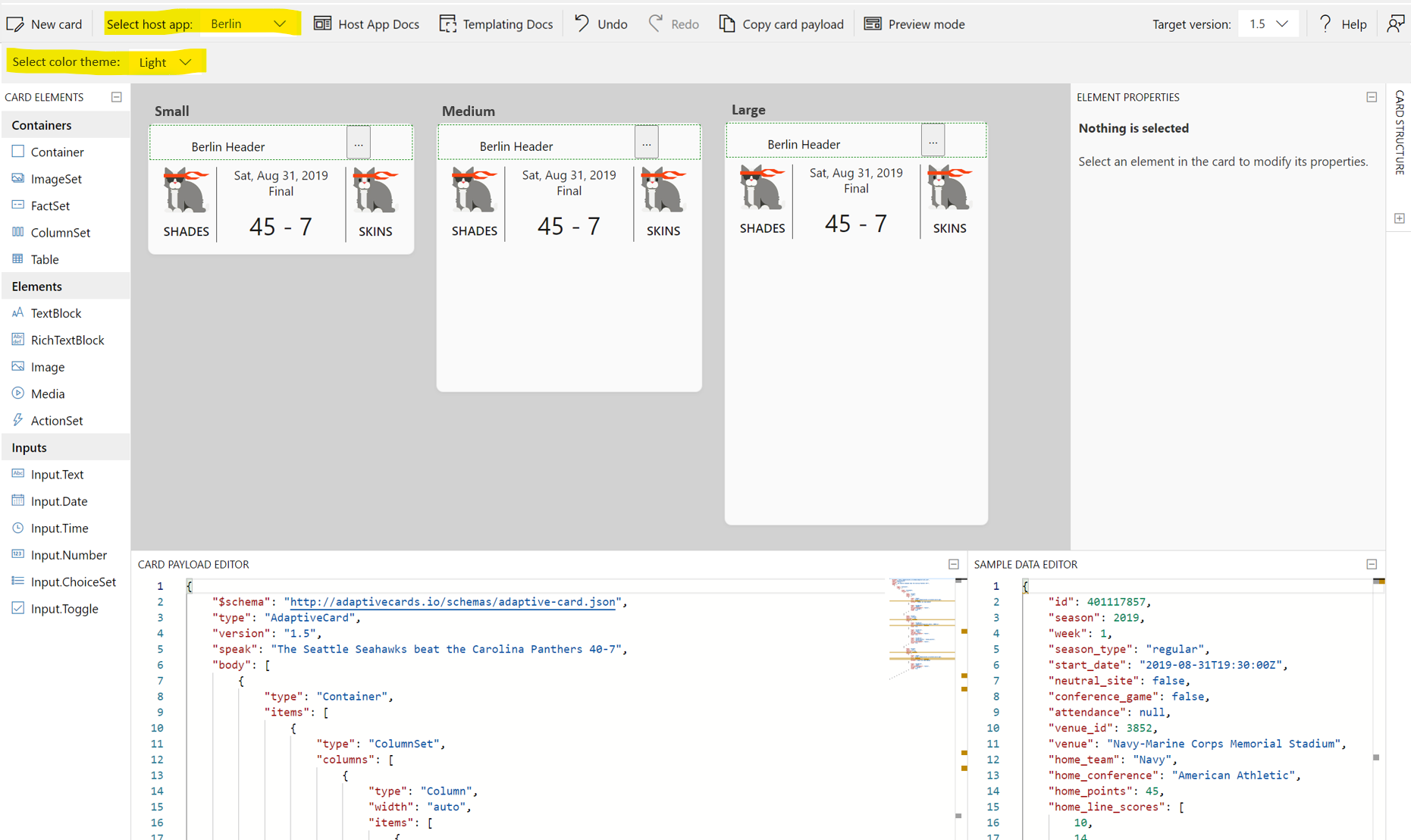
I don't think you can do HC preview. So we only have 6.
For any Berlin conf, after user clicks Preview button, we may have a group preview combobox which includes selections: dark group, light group and dark & light group, and none.
Below is an example of using combbox
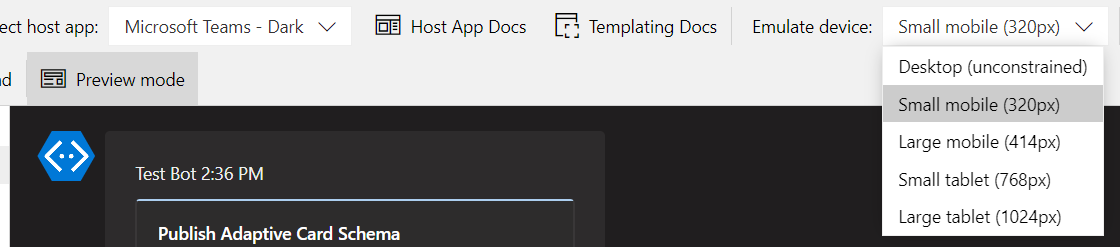

@licanhua - the ask was to consolidate these, though I'm not sure if the purpose is actually to show all sizes at once, as in the proposal above (which actually makes sense to me as a user) or just get rid of the clutter in the drop down where you have Berlin-dark-small, Berlin-light-small etc.
@anna-dingler - can you please run the proposal by the PMs ? If the are good with it then so am I :)
@KesemZ I ran it by @kat-y this morning. @adambarlow @rahulamlekar @JeanRoca what do you think?
consolidation is hard. @anna-dingler can you post screenshot in design mode (not preview) for your design?
consolidation is hard. @anna-dingler can you post screenshot in design mode (not preview) for your design?
@licanhua I assumed the design mode would also display all three sizes so it would essentially look the same. If this is too difficult, I would add another drop-down menu to select the size, and then preview mode would display all three at once.
@paulcam206 do you have any context here?
@licanhua is right about HC -- currently the only way to test it is to turn it on in Windows. supposedly you'll eventually be able to test it with Dev Tools (see "Testing for High Contrast" in this post), but I don't think it's there yet...
I don't think I have any real additional context here, but I do have questions and opinions :)
I think it makes sense to allow card authors to change the set of sizes they interact with. If possible, we should allow drag/drop editing of any size at once. We should think through what happens of the author drops a TextBlock into the Medium card -- should the generated markup have a $when? I think MVP doesn't need this, but it's interesting to consider how we might implement this in the future. If it's not possible to support multiple sizes for editing, we'll need to provide a way for the author to choose which size they want to interact with.
Same thing goes for theme, though I think that it's ultimately less important than size. I wonder if we can come up with a good way to preview all sizes X all themes at the same time, given the limited real estate. Open to ideas of how we might be able to accomplish that...
Another thing to keep in mind here is that, where possible, we should structure these changes as close to the container code as possible -- it would be nice if e.g. the Teams container used the same functionality to provide a more comprehensive authoring experience (merging light/dark as well as device size emulation).

I'll investigate how difficult it is to edit all views at once. I'm thinking that if you drop an element onto one of the cards we would update the card payload and then render all of the cards again. My only concern is working with multiple card designer surfaces.
If this doesn't seem feasible, we can expose all of the options via combo boxes and only allow the user to view all sizes at once during preview mode.
Another thing to consider is how this feature will behave with the $host parameters. To adjust for this, we could include a size combo box with two-way data binding between the combo boxes and the host data. For instance,
- If you select a size from the combo box, the host data json will reflect that change.
- If you change the json, we will update the combo box
- If you want to view all sizes at once, size will be removed from the host data