

 mendix
Unable to build image using mda file
Hi, I am able to build image by copy entire project folder into buildpack folder. But i am not able to build image using .mda file . In detail,
- Created .mda file from Mendix pro
- Created one project folder under Mendix-buildpack folder
- Copied and paste that mda file into project folder under mendix-buildpack
- Run build command from cmd, its executing commands one by one from Dockerfile finally throws an error as "Exception: No model/metadata.json or .mpr found in archive"
Is there possibility to build image from mda file or not. Please clarify my doubt.
======================= This is the error i am facing
Traceback (most recent call last): File "/opt/mendix/buildpack/buildpack/runtime.py", line 89, in get_version with open(file_name) as file_handle: FileNotFoundError: [Errno 2] No such file or directory: '/opt/mendix/build/model/metadata.json'
During handling of the above exception, another exception occurred:
Traceback (most recent call last):
File "/opt/mendix/buildpack/buildpack/compile.py", line 141, in

From the documentation:
"BUILD_PATH indicates where the application model is located. It is a root directory of an unzipped .MDA or .MPK file. In the latter case, this is the directory where your .MPR file is located. Must be within build context. Defaults to ./project."
With emphasis on unzipped ;-)

Hi .
Thanks for the quick reply.
In Dockerfile mentioned like create image by source code or mda file. Please have a look at following 2 cases
case 1:
 In this case1 when i am trying to build it is working
case 2:
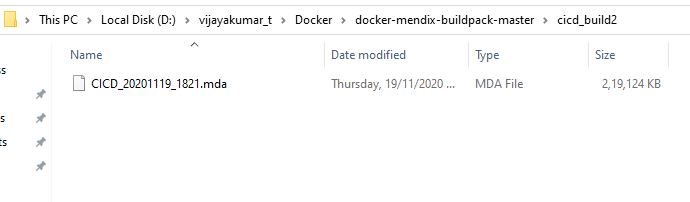 In this case2 i am not able to run command successfully.
This is the screenshot of Docker file

Please clarify me whether we build from mda file or not.
Thanks.
As documented, you have to unzip the .MDA file into a subdirectory of the buildpack (e.g. using winzip or something) . Then you can build from that as well.
