

 mbrn
mbrn
The `fixedColumns` property is not working correctly
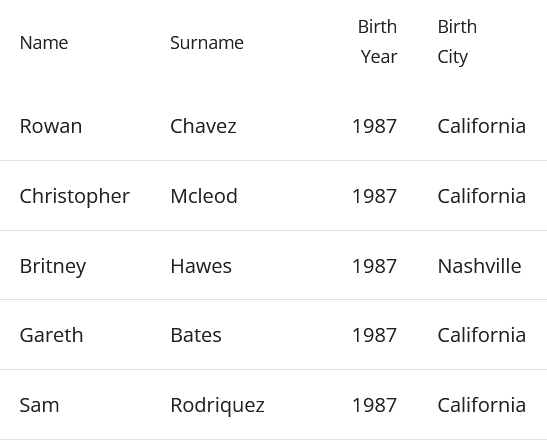
This is how the Material Table looks without using the fixedColumns prop. Notice that the first column is 'Name'.
This is how it looks when I try to make the first column on the left fixed.
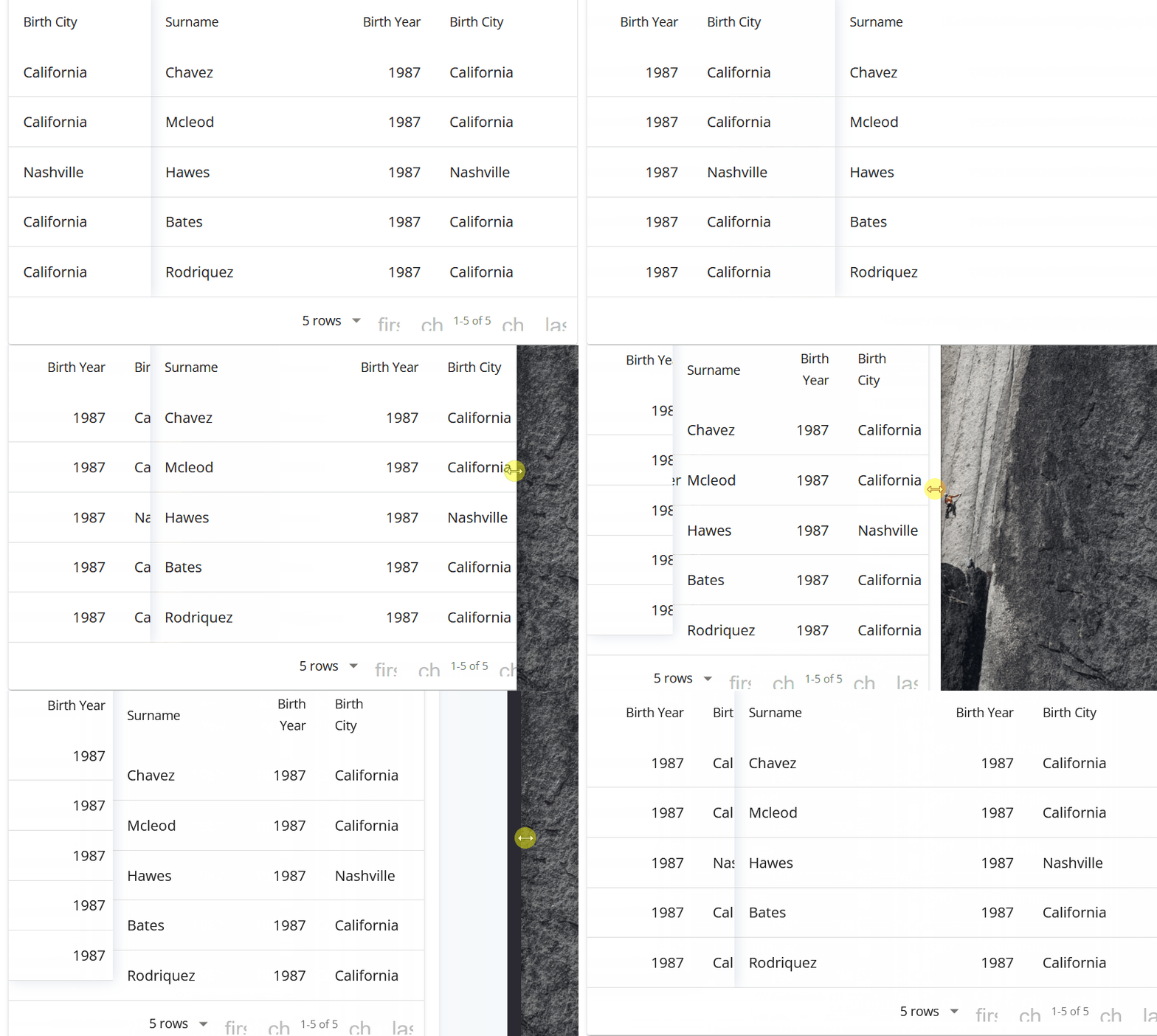
- It is rendering the last column of the table 'Birth City' instead of 'Name'.
- On resize the content of the fixed column changes with another part of the content of the table.
- On resize the fixed column size changes from the non-fixed columns.
Here is the code to the example with dummy data
export const MuiTable = (): JSX.Element => {
    return (
        <MaterialTable
            columns={[
                { title: 'Name', field: 'name' },
                { title: 'Surname', field: 'surname' },
                { title: 'Birth Year', field: 'birthYear', type: 'numeric' },
                { title: 'Birth City', field: 'birthCity', lookup: { 34: 'Nashville', 63: 'California' } }
            ]}
            data={[
                { name: 'Rowan', surname: 'Chavez', birthYear: 1987, birthCity: 63 },
                { name: 'Christopher', surname: 'Mcleod', birthYear: 1987, birthCity: 63 },
                { name: 'Britney', surname: 'Hawes', birthYear: 1987, birthCity: 34 },
                { name: 'Gareth', surname: 'Bates', birthYear: 1987, birthCity: 63 },
                { name: 'Sam', surname: 'Rodriquez', birthYear: 1987, birthCity: 63 }
                ]}
            title="Demo Title"
            options={{
                fixedColumns: {
                    left:1,
                    right:0
                }
            }}
        />
    )
}
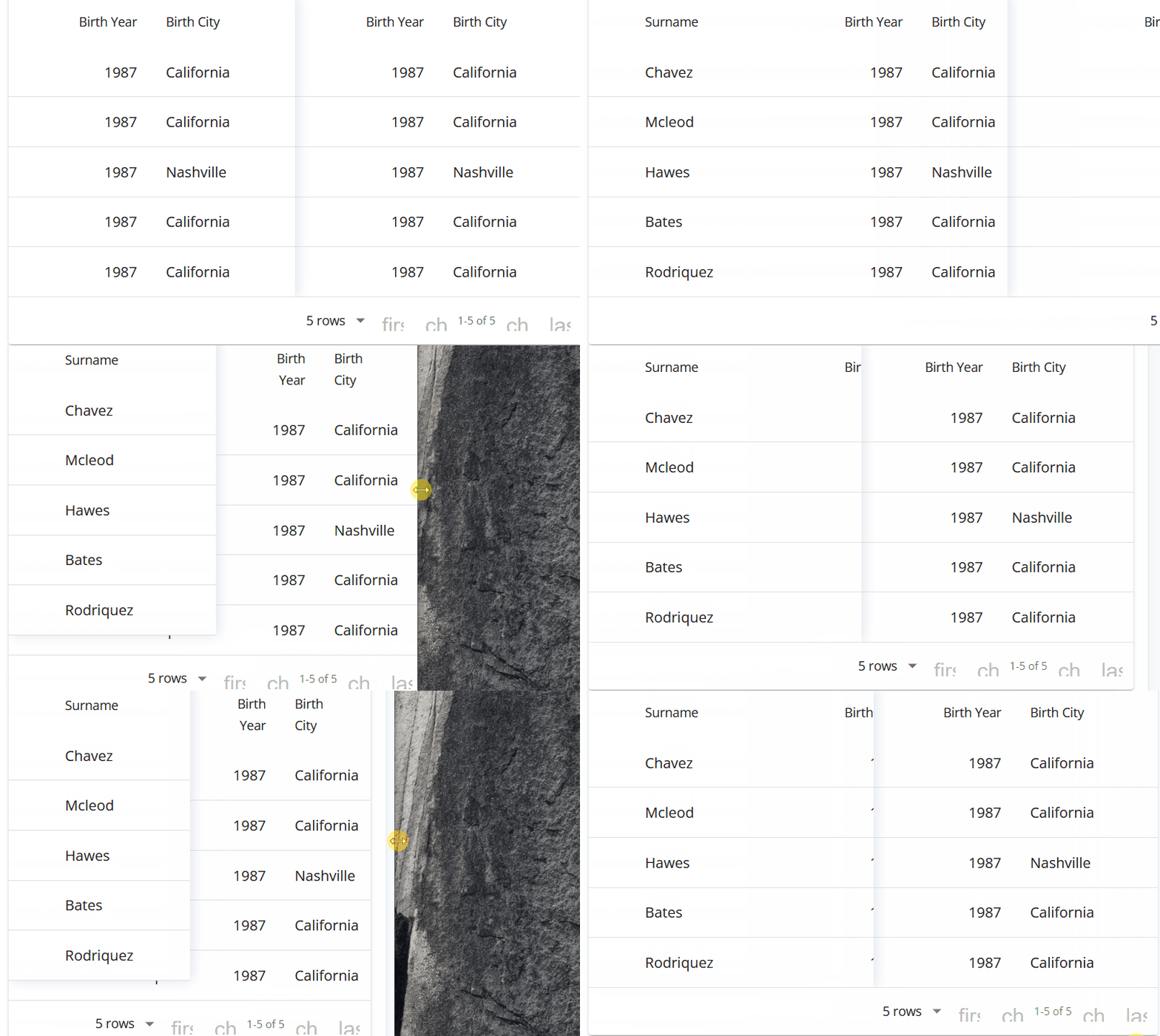
The same behavior appears when I try to fix two column on the left.

I've copied your example and I can't reproduce the bug. Which version of Material-UI are you using? Are you using the CssBaseline component in the root of your project? Do you have styles that can be affecting the behaviour of your material-table?

This issue has been automatically marked as stale because it has not had recent activity. It will be closed if no further activity occurs. Thank you for your contributions. You can reopen it if it required.
![stale[bot] avatar](https://avatars.githubusercontent.com/in/1724?v=4 "Published by a pub.dev verified publisher")