maxs15
the keyboard will cover the modal
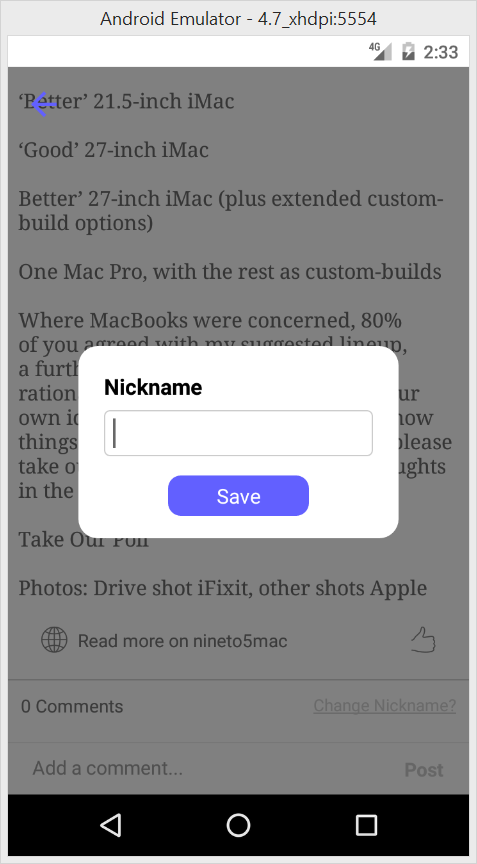
when i put a TextInput in the modal, when textinput focus,the keyboard show, and it will cover the modal, i can't see the modal any more, how can i fix it?

I do not even see the keyboard, nothing happens. Also, the TextInput shows no value, whatever I may use as 'value' there.

Same for me, I tried to use 'KeyboardAvoidingView' but all the view goes up, it would be nice that only the modal moves up but I'm not able to do it with 'KeyboardAvoidingView'. The best way would be to animate it manually modifying the bottom position.

I found a way to do it! The keyboard goes up on my side with this code.
<KeyboardAvoidingView style={FiltersStyles.container} contentContainerStyle={FiltersStyles.container} behavior={'position'}>
  <Modal isOpen={this.props.open} style={styles.modalContainer} backdrop={false} position={"bottom"}
         entry={"bottom"}>
    <Text>Test modal with keyboard</Text>
  </Modal>
</KeyboardAvoidingView>
and the style
const styles = StyleSheet.create({
  container: {
    position: 'absolute',
    bottom: 0,
    left: 0,
    flex: 1,
    width: Dimensions.get('window').width,
    height: Dimensions.get('window').height,
  },
  modalContainer: {
    height: Dimensions.get('window').height * .3,
    width: Dimensions.get('window').width,
    backgroundColor: 'red'
  }
});
fond one way as a workaround:
constructor(props) {
        super(props);
        this.state = {
            keyboardSpace:0
            nicknameModalVisible:true,
        };

        //for get keyboard height
        Keyboard.addListener('keyboardDidShow',(frames)=>{
            if (!frames.endCoordinates) return;
            this.setState({keyboardSpace: frames.endCoordinates.height});
        });
        Keyboard.addListener('keyboardDidHide',(frames)=>{
            this.setState({keyboardSpace:0});
        });
}
<Modal
  isOpen={this.state.modalVisible}
  style={{
         position: 'absolute',
         bottom: 0,
         //change modal position by keyboardspace
         top:this.state.keyboardSpace?-10-this.state.keyboardSpace: -250,
         padding:20,
         width:250,
         height:150,
         borderRadius:15
        }}
        position={"bottom"}
        ref={"modal"}
        onClosed={()=> {
            this.setState({modalVisible:false});
  		}}
          >
            //your content
</Modal>