

 matth-x
ocpp1.6 / Remote Start Transaction
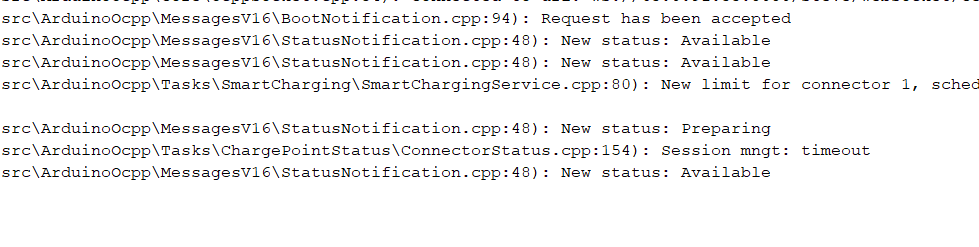

Hi, the RemoteStartTransaction checks the charge plug before it tries to start a transaction. There are two possibilities:
- An EV is plugged: the transaction starts immediately
- No EV is plugged: the charger is put into Preparing state and waits until an EV is plugged. After a timeout of 30s though it stops waiting and discards the RemoteStartTransaction. You can extend that timeout with the Configuration Key
ConnectionTimeout.
To tell the OCPP library that a vehicle is plugged, use the function setConnectorPluggedSampler(cb). Whenever the callback cb returns true, the OCPP library assumes that the charger is connected with an EV.

You give the library a callback function so that the library can use it to query if a connector is plugged. See this example:
//global definition
bool connectorPlugged = false; //example for the variable where you keep the connector state
//... in setup()
setConnectorPluggedSampler([]() {
    return connectorPlugged;
});
Now, every time the library needs to know if a connector is plugged it executes []() { return connectorPlugged; }. That way you give the library access to connectorPlugged which you can set whenever the user plugs or unplugs the vehicle.
Hello to all. i am also was this problem, but i solved it like told "matth-x", only i used function "setConnectorPluggedInput" from class: "ArduinoOcpp". I think the issue con be closed;
setConnectorPluggedInput([]() {

   return true;
});
