

 material-components
[BottomNavigationView] Icon generates a weird backgroundColor
Description: I recently migrated from MD2 to MD3 and my BottomNavigationView has been encountering issues when I try to set my fonts on it
Photo of the problem:
In dark mode:

In light mode:

Source code:
My style declaration:
<style name="Base.Widget.BottomNavigationView" parent="Widget.Material3.BottomNavigationView"> <item name="fontFamily">@font/medium</item> <item name="android:fontFamily">@font/medium</item> <item name="itemIconTint">@drawable/bottom_nav_tint</item> <item name="itemTextColor">@drawable/bottom_nav_tint</item> <item name="android:minHeight">0dp</item> </style>
bottom_nav_tint.xml
<selector xmlns:android="http://schemas.android.com/apk/res/android"> <item android:state_checked="true" android:color="?attr/colorPrimary" /> <item android:state_pressed="true" android:state_enabled="true" android:color="?attr/colorPrimary" /> <item android:color="?colorGray" /> </selector>
BottomNavigationView usage:
<com.google.android.material.bottomnavigation.BottomNavigationView android:id="@+id/bottom_nav" android:layout_width="match_parent" android:layout_height="wrap_content" android:theme="@style/Base.Widget.BottomNavigationView" app:menu="@menu/bottom_nav"/>
minSdk 23 targetSdk 32
Android API version: Andorid 8 (Oreo)
Material Library version: com.google.android.material:material:1.6.1
Device: Google Pixel but mainly my Samsung J7 2016

Hey there.
I'm assuming this is because your icons (the actual drawable files), have a background color. It looks like it might have gone unnoticed in M2 since the background color matches the bottom navigation's background color and now that the icon is being drawn atop the indicator that differs in color, you are seeing the background.
Can you paste the xml for one of the icon?

Hi. The problem isn't with icons, I actually got them from the built-in android studio drawable selector.
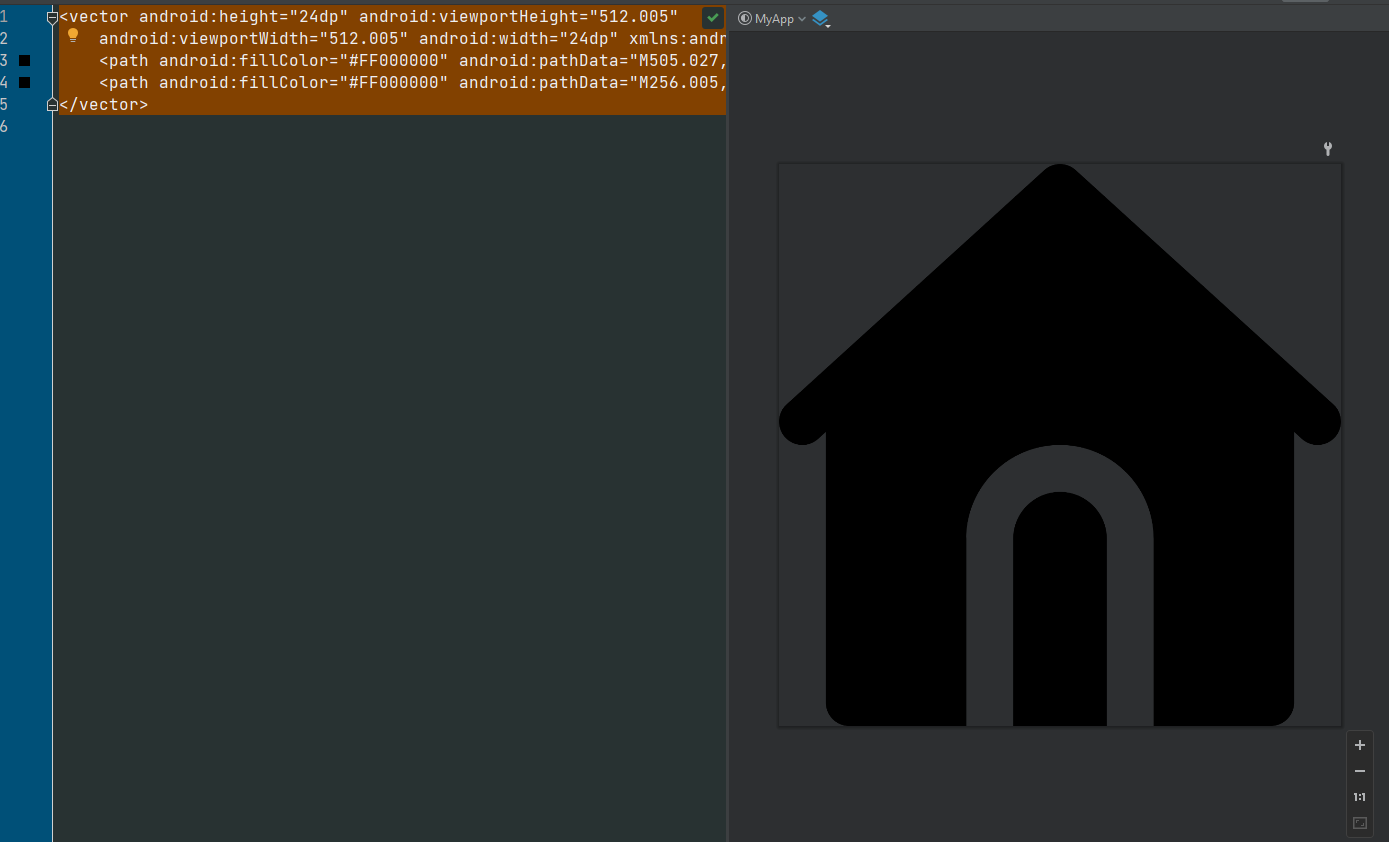
And since you asked here is one of the icons:
<vector android:height="24dp" android:viewportHeight="512.005" android:viewportWidth="512.005" android:width="24dp" xmlns:android="http://schemas.android.com/apk/res/android"> <path android:fillColor="#FF000000" android:pathData="M505.027,218.885l-42.667,-38.784l-192,-174.549c-8.128,-7.403 -20.587,-7.403 -28.715,0l-192,174.549L6.979,218.885c-8.704,7.915 -9.344,21.419 -1.429,30.144c7.936,8.725 21.461,9.365 30.144,1.408l6.976,-6.336v246.571c0,11.776 9.536,21.333 21.333,21.333h106.667V341.339c0,-47.061 38.272,-85.333 85.333,-85.333s85.333,38.272 85.333,85.333v170.667h106.667c11.797,0 21.333,-9.557 21.333,-21.333V244.101l6.976,6.336c4.096,3.733 9.237,5.568 14.357,5.568c5.803,0 11.584,-2.368 15.787,-6.976C514.371,240.304 513.731,226.8 505.027,218.885z"/> <path android:fillColor="#FF000000" android:pathData="M256.005,298.666c-23.531,0 -42.667,19.136 -42.667,42.667v170.667h85.333V341.332C298.671,317.802 279.535,298.666 256.005,298.666z"/> </vector>
And this is the preview
Hi @samansamadi,
Going to close this due to inactivity and the likelihood that this is coming from the icons being used and not the bottom navigation bar itself.