markshust
Re-add Magento Widget and Variable plugins
Closes #8
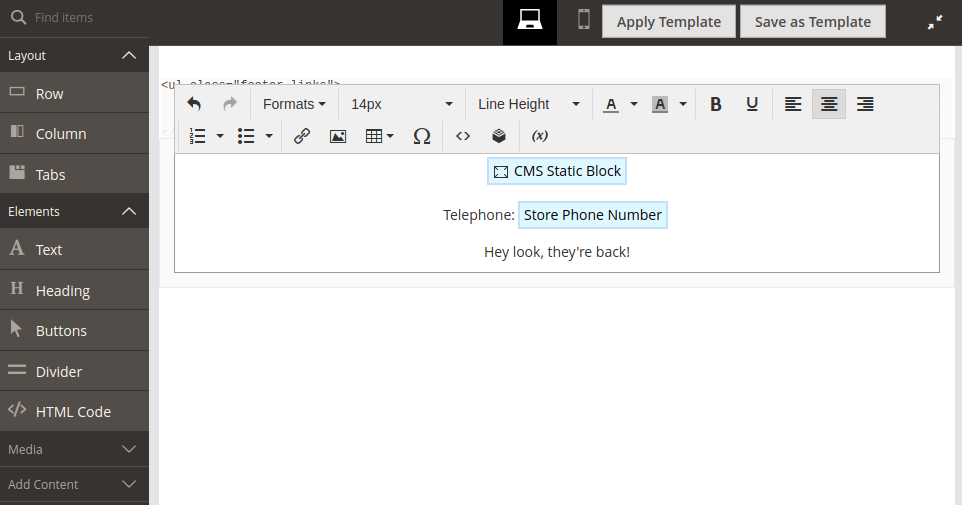
Saw this issue pop up somewhere on either LInkedIn or the Magento Slack and though I'd give it a crack. :sweat_smile:
This was a slightly annoying issue to track down, but the main things to understand is that by passing an item to the additionalSettings array, this will completely override the values that are present in the default config provider in some JavaScript just prior to TinyMCE initialisation.
- Default config provider declares configuration, which is then Magento'd into some javascript
- This ends up here and is initialized via pagebuilder
- This then ends up here in which the magento plugins are added to the toolbar (via this.config.tinymc4.toolbar)
- Later in the same function, if
additionalSettingsexists, the settings are merged here - This then initialises TinyMCE with the merged settings here
At step 3 the config would work. However, since step 4 merged the config from additionalSettings the toolbar value is then replace with the 'hardcoded' value we provide via the di.xml entry.
So we're left with 2 options:
- Add
magentowidgetandmagentovariableto the toolbar value indi.xml- This does mean this value will trump any plugins that may exist, and will require overriding in a module that is loaded after this one to change the toolbar configuration
- Write an after plugin on
Magento\PageBuilder\Model\Wysiwyg\DefaultConfigProvider::getConfigto addcodeinstead of passing it in viaadditionalSettings
I've opted for option 1 because that's the current implementation; and the module is simplistic in nature.