

 marcoschwartz
Controllino compatibility?
Hi gang and Marco!
I tried to use aRest with a Controllino Maxi device (https://controllino.biz/) without luck. Controllino devices are based on the Arduino Mega 2560 but it seems the IO port mapping is not exactly the same than a regular Arduino. Hence my question : "Is there a way with aRest to remap the ports?"
I mean for instance if I activate port #8 with : http://192.168.1.108/digital/8/1 I would like to control the port referenced as CONTROLLINO_D8 (which represent a constant in my code).
Any idea? Thanks! Arnaud

Hello Arnaud!
That seems like an interesting device :) Basically we had a similar issue with the Wemo ESP8266 boards, which have pins different than the reference for the ESP8266. So I guess the solution would be to hard code that into aREST. Do you have a page somewhere describing the pin mapping of the board you are using?

Thanks Marco for your prompt answer!
Unfortunately I haven't found yet the pin mapping but you may find interesting information in the Controllino.h file here : https://github.com/CONTROLLINO-PLC/CONTROLLINO_Library
Please pay attention to the fact it exists 3 or 4 different Controllino devices that may have different mappings.
As aRest is an open source project, could you please point me to the file that does the mapping to see how it works internally?
Many thanks Marco and congrats for your library! I definitely love it!
Hi, basically there is just the aREST.h file where all the code is defined :) You can have a look there for my example with the Wemos. Setting this as a feature request for now :)
Hi Marco,
I finally found the mapping documentation, see here : https://controllino.biz/wp-content/uploads/2017/05/CONTROLLINO-MAXI-Pinout.pdf
I investigated deeper and found there's a shift of 2 positions regarding the digital outputs. For instance http://<myIP>/digital/2/1 activate the digital output #0 on my Controllino board (instead of the #2 as I would have expected).
On the enclosed map if you look at the legend in blue named "Arduino Mega Board" you will easily understand the mapping with in yellow "Controllino function".
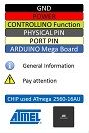
I would be willing - if you like - to implement myself the mapping but I need more guidance. I had a look at the aRest.h file but I'm not sure where to declare the mapping table and how to identify my device (ie. ESP32, ESP8266, arduino, ...).
Last question : is all your code included in the aRest.h file? I haven't found any aRest.cpp...
Many thanks, Arnaud
Here's a link to the Controllino's documentation : http://controllino.biz/wp-content/uploads/2017/03/CONTROLLINO-Instruction-Manual.pdf
Ok Marco, I found the esp_12_pin_map function in aRest.h for Wemos.
I think I need to write a similar function for Controllino.
But question is : "How to determine the programming name of my board?" I mean, in the following snipet:
#if defined(ARDUINO_ESP8266_NODEMCU) || defined(ARDUINO_ESP8266_WEMOS_D1MINI)
      pin = esp_12_pin_map(pin);
#endif
How can I determine the right board name like in this context ARDUINO_ESP8266_WEMOS_D1MINI? Where does this info come from?
Thanks
That's a tricky one actually, usually you will find it inside the library that comes with the board. Do you have maybe some file I could look at ?