

 mRemoteNG
Cannot integrate any external app
I have tried integrating Powershell ISE, Powershell, MinTTY, Git Bash and CMD and none of them are integrating; instead, they open a separate window.
Have searched extensively and cannot find an answer to this. |--:|---| |Operating system | Windows 10 x64 | |mRemoteNG version| 1.75 aplha 3 |

First, just be sure here, you are running the external app with the Try Integrate option checked, is that correct?


That is correct. It is checked.
Get Outlook for Androidhttps://aka.ms/ghei36
From: Pedro Rodrigues [email protected] Sent: Monday, September 11, 2017 12:59:28 AM To: mRemoteNG/mRemoteNG Cc: Si; Author Subject: Re: [mRemoteNG/mRemoteNG] Cannot integrate any external app (#649)
First, just be sure here, you are running the external app with the Try Integrate option checked, is that correct? [image]https://user-images.githubusercontent.com/1645623/30254170-71c6a94e-968c-11e7-9d24-ad1eeafa50be.png
— You are receiving this because you authored the thread. Reply to this email directly, view it on GitHubhttps://github.com/mRemoteNG/mRemoteNG/issues/649#issuecomment-328383696, or mute the threadhttps://github.com/notifications/unsubscribe-auth/AOKRiqmFImaNiNDbDuW-ZcGiJPvJ2ipUks5shHfggaJpZM4Od1Th.
Ok, thanks.
I asked because you said the apps simply open on a separate window and that is not what I see from here.
Anyway #710 should fix, and a couple other issues with the integration part. If you're able to pull and test on your side it would be great, otherwise the next patch should address this.
@OmisNomis - The only one that I would expect to work based on the current design is Powershell ISE. The others are technically not graphical interfaces and Windows will likely not generate a handle for the UI for us to attach to. However, we are discussing some changes (see #710 if you're interested) that may allow some of them at least to make the attempt. Git Bash doesn't seem to get a MainWindowHandle assigned, so that one will not work even with the proposed changes and other bug fixes. cmd.exe does seem to work after disabling some checks, so "final code" may allow that one to work.

Morning! Sorry it has taken me so long to reply - I didn't actually realise there were any follow ups on this issue, I just happened to check just in case.
I have checked and I have version 1.75.7008.17935 which, as far as I can tell, is the latest so should have the fix in #710 ?
Just in case I am doing something incorrectly; I've documented my steps below...
- Create a new External tool using Powershell ISE, using
Try To Integrateset to true. - Create a new connection with the
Protocolset toExt. Appand theExternal Toolset to Powershell ISE - Open the connection
When I open the connection this is what I have...
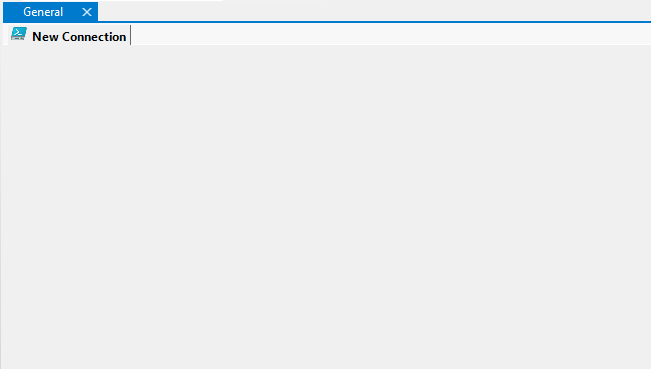
And Powershell ISE is opened as a separate window.
Here's my config for reference...

I have the same problem with cygwin / mintty. It was working several years before, now broken. =(


