

 mRemoteNG
Default Window Dimensions for Floating Tabs and Panels when Undocked
I wish I could fix this issue myself and contribute to mRemoteNG, because it has been driving me batty for a long time; but unfortunately I am not able to do so.
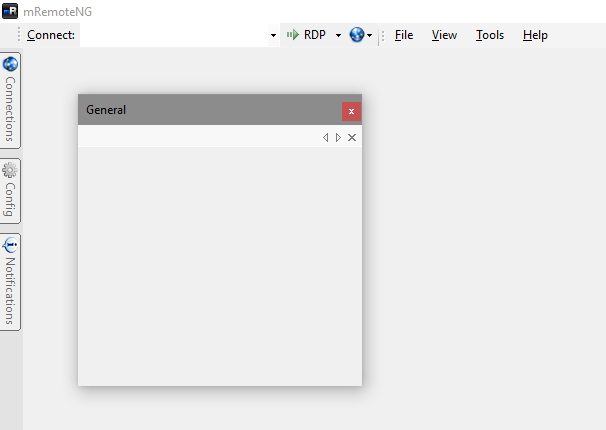
For the love of all that is good, and to save the tattered remnants of my shredded sanity; could someone... anyone... PLEASE PLEASE PLEASE fix the default dimensions/size of the floating tab and panel windows when they are first undocked and have a connected session, so that all open windows within the remote desktops do not shrink to an unusable 284 x 239 size! I am begging you! It is all to easy to accidentally undock a tab or panel. Imagine having just ten remote sessions open, and having ten windows open in each remote session... That equates to having to resize one hundred windows to make them practically usable again!
Expected Behavior
The dimensions/resolution of the currently connected remote desktops within a tab are not altered when the tab or panel is first undocked, whether the tab is active or not.
Current Behavior
The default window dimensions for a floating tab or panel are fixed at 284 x 292 when a tab or panel is first undocked, and therefore the dimensions of all of the panel's remote desktops and all windows within the remote desktops are reduced to 284 x 239.
Possible Solution
Make floating tabs' and panels' default dimensions dynamic, so that the dimensions are determined when a tab or panel is first undocked; based on either:
- maintain the dimensions of the tab or panel's currently active RDP connections; or
- if the panel is empty or has no actively connected sessions: a. ratios against the dimensions of the: i. mRemoteNG window, or ii. resolution of the monitor on which the mRemoteNG application is currently open b. or configurable dimensions for tabs and panels within the Options → Tabs and Panels page, or c. or configurable dimensions per tab or panel within the Config for a Connection.
Steps to Reproduce (for bugs)
- Connect to at least two RDP sessions within the same panel.
- Open many windows of various sizes in both RDP sessions.
- Undock the panel, and release the mouse button.
- Dock the panel. Remote windows that were maximized stay maximized, however clicking Restore Down on one of those maximized windows results in a tiny window. Remote windows that were not maximized are now tiny.
Context
This is a huge pain in the neck when you frequently work with dozens of active open connections.
Your Environment
- Version used: All versions.
- Operating System and version: Windows 10 all versions, with most recently verified being Enterprise x64 1803. All Windows Server versions.
