

 lowfuel
objects in the air, any tricks we can use to avoid/stop it?
I'm getting some really really beautiful results with my latest settings, I'm wondering if there are any settings that could help prevent CLIP place objects in the mid air that do not belong there?
Here is some eyecandy, notice the palm tree in the middle of the air, kinda hanging there and extending from the top of the forrest..
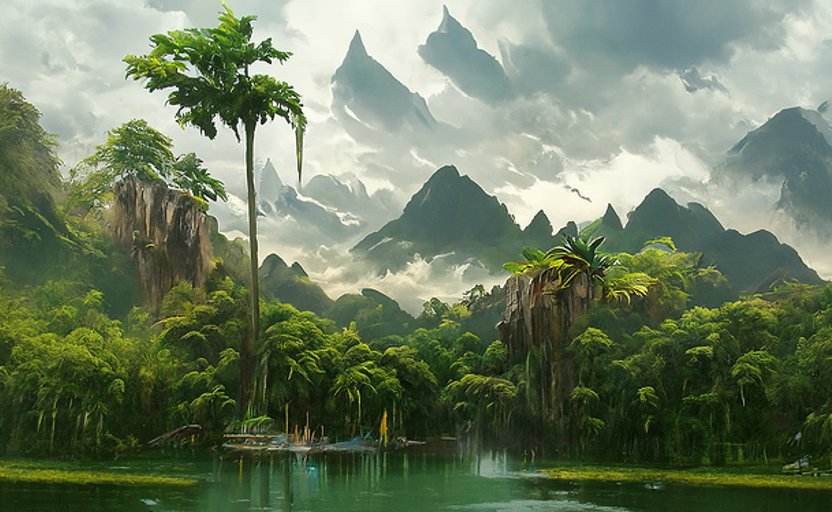 Can we tell it not to place mountains above other mountains and so high up in the sky?
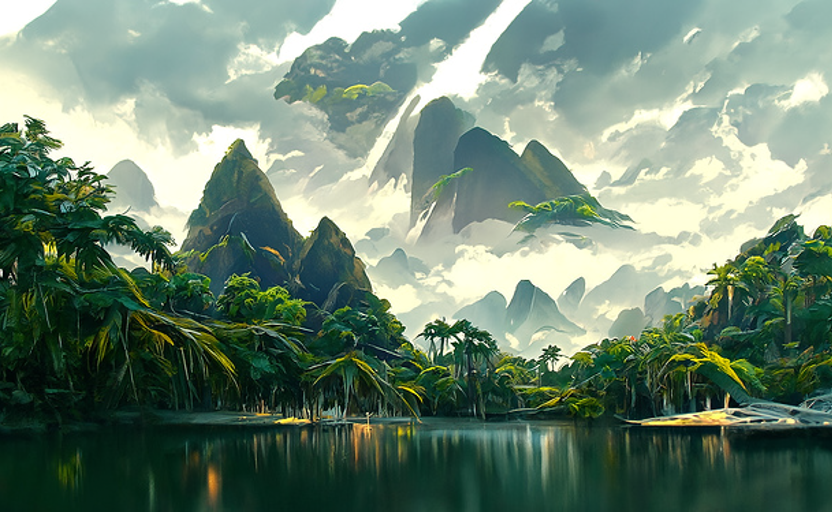
some more floating palms in the air and clouds below the mountains, if it was not for this these small issues, the results would be on another level, but I still love them :)
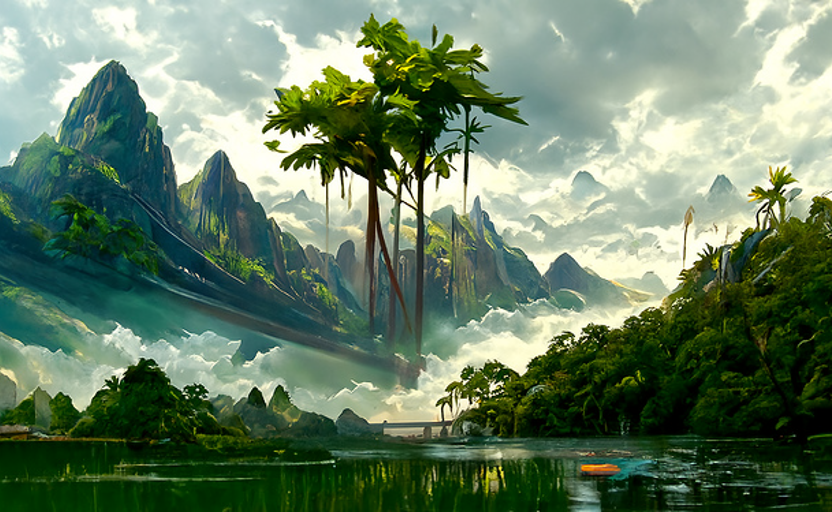

My settings if it is of any help, prompts are in txt files since I always want to run multiple promts to find the best artist/idea etc
{
    "batch_name": "Rain in Tropical Jungle",
    "text_prompts": {
        "0": []
    },
    "n_batches": 3,
    "steps": 350,
    "display_rate": 1,
    "width": 832,
    "height": 512,
    "set_seed": "random_seed",
    "image_prompts": {},
    "clip_guidance_scale": "auto",
    "tv_scale": 0,
    "range_scale": 150,
    "sat_scale": 0,
    "cutn_batches": 2,
    "cutn_batches_final": 10,
    "init_image": null,
    "skip_steps_ratio": 0.33,
    "init_scale": 1000,
    "skip_steps": 0,
    "perlin_init": false,
    "perlin_mode": "mixed",
    "skip_augs": false,
    "randomize_class": true,
    "clip_denoised": false,
    "clamp_grad": true,
    "clamp_max": "auto",
    "fuzzy_prompt": false,
    "rand_mag": 0.05,
    "eta": "auto",
    "diffusion_model": "512x512_diffusion_uncond_finetune_008100",
    "use_secondary_model": true,
    "sampling_mode": "ddim",
    "diffusion_steps": 1000,
    "ViTB32": true,
    "ViTB16": true,
    "ViTL14": true,
    "ViTL14_336": true,
    "RN101": false,
    "RN50": true,
    "RN50x4": false,
    "RN50x16": false,
    "RN50x64": false,
    "cut_overview": "[5]*400+[1]*600",
    "cut_innercut": "[1]*400+[5]*600",
    "cut_ic_pow": 1,
    "cut_ic_pow_final": 8,
    "cut_icgray_p": "[0.2]*400+[0]*600",
    "smooth_schedules": false,
    "intermediate_saves": 25,
    "stop_early": 0,
    "fix_brightness_contrast": true,
    "high_contrast_threshold": 80,
    "high_contrast_adjust_amount": 0.85,
    "high_contrast_start": 20,
    "high_contrast_adjust": true,
    "low_contrast_threshold": 20,
    "low_contrast_adjust_amount": 2,
    "low_contrast_start": 20,
    "low_contrast_adjust": true,
    "high_brightness_threshold": 180,
    "high_brightness_adjust_amount": 0.85,
    "high_brightness_start": 0,
    "high_brightness_adjust": true,
    "low_brightness_threshold": 40,
    "low_brightness_adjust_amount": 1.15,
    "low_brightness_start": 0,
    "low_brightness_adjust": true,
    "gobig_orientation": "vertical",
    "gobig_scale": 2,
    "keep_unsharp": false,
    "symmetry_loss_v": false,
    "symmetry_loss_h": false,
    "symm_loss_scale":  2400,
    "symm_switch": 45,
    "interp_spline": "Linear",
    "max_frames": 10000,
    "sharpen_preset": "Off",
    "frames_scale": 1500,
    "frames_skip_steps": "60%",
    "animation_mode": "None",
    "key_frames": true,
    "angle": "0:(0)",
    "zoom": "0: (1), 10: (1.05)",
    "translation_x": "0: (0)",
    "translation_y": "0: (0)",
    "video_init_path": "/content/training.mp4",
    "extract_nth_frame": 2
}
What kind of card are you running it on?
This problem is not entirely avoidable, unfortunately. It is due to the fact that portions of the disco rendering process can't "see" the entire image at once. But you can try to alleviate it by making some changes that will help overall composition. However, some of these might push you past the memory your card has.
It will require experimentation, but here's some possible areas to look at:
    "ViTB32": true,
    "ViTB16": true,
    "ViTL14": false,
    "ViTL14_336": true,
    "RN101": false,
    "RN50": true,
    "RN50x4": true,
    "RN50x16": false,
    "RN50x64": false,
    "cut_overview": "[8]*100+[5]*300+[1]*600",
    "cut_innercut": "[1]*400+[5]*600",
Basically, a slight change in the mix of models, and doing more overview cuts in the early stage of the render. Trying different model combinations can definitely improve things depending on the prompt. However you'll need to figure out what works within your vram budget. We'll hopefully have some vram estimation going soon and can warn you when a combination isn't going to fit.
Another thing to try:
    "skip_steps": 10,
    "perlin_init": true,
Can sometimes start you out with a better initial composition.
Also, I recommend using a steps value that is divisible by 1000. You have it at 350, I might go 333 or even down to 250. It's a common mistake to think more steps == better image. Steps is really just a divisor of the overall diffusion steps that tell the system how far to move towards a final image each pass. Diffusion steps is 1000 (even if you change it in the settings - dumb, I know). If you have steps at 1000, then it moves 1 unit towards the final image each pass (1000/1000 = 1). If you have steps at 100, then it moves 10 units (1000/100 = 10) toward it each pass. In a nutshell, not enough steps and you move towards a final image at too quickly for good composition to develop. But too many steps and you don't move quickly enough, and that can lead to more muddled results. And when it's not divisible by 1000, you're moving some fraction (3.5 in your case) towards a result which means that that extra .5 gets rounded off and unused, essentially. This was how it was explained to me, at least.

I got RTX 3090 with 24 GB. I'll experiment in the way you suggested, the above was just what I needed to get started to experiment :)
Btw, could you explain what exactly is happening here and what this setting does?
"cut_overview": "[8]*100+[5]*300+[1]*600",
what are the 8, 5 and 1? what are 100, 300, 600?
"cut_innercut": "[1]*400+[5]*600"
Same questions for the cut_innercut
Yup, so basically it's shorthand. Not sure how familiar you are with arrays in Python, but basically if you had this simplified version:
[5]*5+[1]*3
it is shorthand which would get expanded to this array:
5, 5, 5, 5, 5, 1, 1, 1
So:
"[8]*100+[5]*300+[1]*600"
Is shorthand for the number 8 repeated 100 times, then the number 5 300 times, then the number 1 600 times. So the resulting array has 1000 numbers in it without us having to write out 1000 numbers in the settings file. 1000 is sort of a special number. Disco divides up the render into 1000 diffusion steps. So when it's on diffusion_step 645, it takes the 645th number from this array to use as the number of overview_cuts for that diffusion_step.
It's a handy way to get around being limited by one value for the entire render.
As for what 8, 5, and 1 mean: they are how many cuts to do at that point in the image. cuts are essentially the individual discrete attempts at improving some part of the image. cut_overview and cut_innercut are basically the two ways disco can look at the image and decide what to do. Overview cuts look at the entire image albeit at a low resolution, while innercuts see a smaller portion of your image. Overview are good for overall composition and important early on, while innercuts are good for detail work best later in the process when the big picture stuff is already well on its way.
By the way, one limitation to this "schedule" shorthand is that it is a hard change between one number and the next. In that first example, you'll see it drops abruptly from 5 to 1. One of the features I added to this system is a smoothing option, which can be turned on by setting smooth_schedules to true. It basically looks at these arrays of numbers, finds where they change from one value to another, and smooths out the transition. So:
5, 5, 5, 5, 5, 1, 1, 1
might become:
5, 5, 5, 5, 3, 2, 1, 1
In addition, you'll see a few values like cutn_batches that, alternatively to a schedule, can have a starting value and a final value (cutn_batches_final). This builds an array that smoothly goes from the first number to the last, so in our example:
5, 5, 4, 4, 3, 3, 2, 2, 1, 1
or similar.
With both of these techniques I'm trying to make it easier to get more complex / nuanced results without having to meticulously write up complicated schedules.
I don't know if that helps or confuses you more. :D
it helps, I'll get back to workbench and start experimenting. I've got 2 workstations with RTX 3090 each so I experiment on both for faster results :)
Btw I'm not sure if this is the good place to ask this question, do you see tools like Disco Diffusion improving even more over next 1,2,3,5 years. Do you have an idea what kind of improvements will be comming, or we should see comming? I'm mind-blowed that we are at point of history where we can create art this way. Do you have a sense of what kind of improvments we may see in open source community with these diffusion models? I'd like to hear your best thoughts on this. I'm very interested where this will all go :)
Yeah, personally I think we've just scratched the surface. I expect there will be big improvements across the board in the next few years. One of the things we're starting to see more and more, for example, are custom-trained models. In fact prog rock already has a few of these available (look at SETTINGS.md for the options) but they're quite limited. However the main diffusion model is quite broad and unfocused. Soon I imagine you'll pick a custom model that is tailored towards the style of image you want (oil painting, 3d render, etc). And we're all ready seeing massive improvements in composition and prompt comprehension in generators like DALL-E 2, which should make their way into disco and PRD fairly soon I would hope.
Looking farther down the road (I am a science fiction author, after all) I can see systems like this that run in real-time. Imagine a video game world that's being invented as you interact with it, or even guided by a another player who is simply telling the AI what the player should be seeing.
Of course, it's going to get weird/scary, too, I imagine. As an author one of the things I'm interested in is generating art for book covers. If I generate an cover that is so "Beeple" that everyone assumes it was actually created by Beeple, what does that do to his career? What legal ramifications might there be? There's multiple cans of worms I think that are still unopened.
Of course, I don't even want to think about AI-generated novels. :P
We have some amazing times ahead of us and I think that Beeple personally is set for life :D, but other artists will find other ways of using their creativity :) We are all artists in the end, tools like DD will democratize art making process for all of us.
Today thanks to tools like DD, Midjourney, Dalle we can all be amazing concept artists, creating something never seen before. I think the games, movies, books, everything that is art will get to explore totaly new ideas, mindblowing original designs, creatures, monsters, landscapes never seen before thanks to diffusion approach being so successful at what it does :)