

 lovell
Problem with fit: 'cover + withoutEnlargement: true when image is smaller
What is the output of running npx envinfo --binaries --languages --system --utilities?
Sharp: 0.22.1

System:
    OS: Linux 4.9 Amazon Linux AMI 2018.03
    CPU: (4) x64 Intel(R) Core(TM) i7-7700HQ CPU @ 2.80GHz
    Memory: 7.32 GB / 9.74 GB
    Container: Yes
    Shell: 4.2.46 - /bin/bash
  Binaries:
    Node: 8.16.0 - /usr/bin/node
    npm: 6.9.0 - /usr/bin/npm
  Utilities:
    CMake: 2.8.12.2 - /usr/bin/cmake
    Make: 3.82 - /usr/bin/make
    GCC: 4.8.5 - /usr/bin/gcc
    Git: 2.14.5 - /usr/bin/git
  Languages:
    Bash: 4.2.46 - /bin/bash
    Perl: 5.16.3 - /usr/bin/perl
    Python: 2.7.16 - /usr/bin/python
What are the steps to reproduce?
image.resize({
  width,
  height,
  fit: 'cover',
  position: sharp.gravity.center,
  withoutEnlargement: true
});
When image is bigger than width and height the crop it works. But when image is smaller the expected width and height the resulting image is the original image without any kind of resizing or crop.
Is this expected?

Hi, you've set withoutEnlargement to be true so this is the expected behaviour.
https://sharp.pixelplumbing.com/en/stable/api-resize/#resize
options.withoutEnlargementBooleando not enlarge if the width or height are already less than the specified dimensions, equivalent to GraphicsMagick's>geometry option. (optional, defaultfalse)

I was expecting an image at least smaller than width or height in that case.
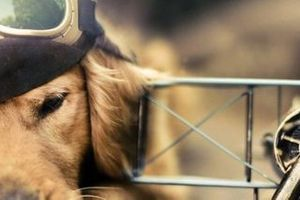
Example, this image: http://www.igorescobar.com/blog/wp-content/uploads/2014/08/cropped-golden-bg.jpeg (1000x287)
If I want a 300x200 image the output is:
If I want a 300x300 image the output is:
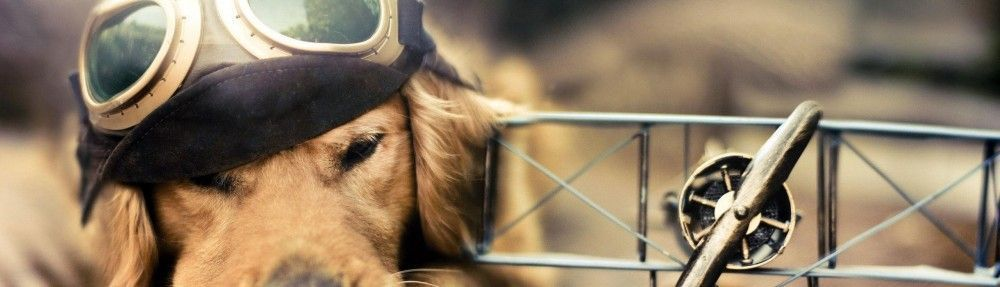
So this stops the entire crop operation itself.
I guess this is where trying to mimic both CSS' object-fit and *magick's command line flags at the same time fails.
Happy to accept a PR with test cases to address this if you're able. This might need to wait until v0.24.0 as it could be considered a breaking change.
Closing due to inactivity but please feel free to reopen with more details if further help is required.