
gwm
 gwm copied to clipboard
 loadchange
🍭gwm.js Generate Watermark 用于生成网页水印,警示信息安全与责任追踪。
TypeScript library starter


Generate Watermark
It can be used to generate watermarking in internal system, which can prompt information security and responsibility tracking. Safety issues can not be ignored, which has a certain role in prompting the sensitive operation of internal personnel.
Characteristic
- Support the generation of three types of watermarking: canvas, SVG and element
- Supporting element monitoring to prevent tampering
- Extensibility
Screenshot
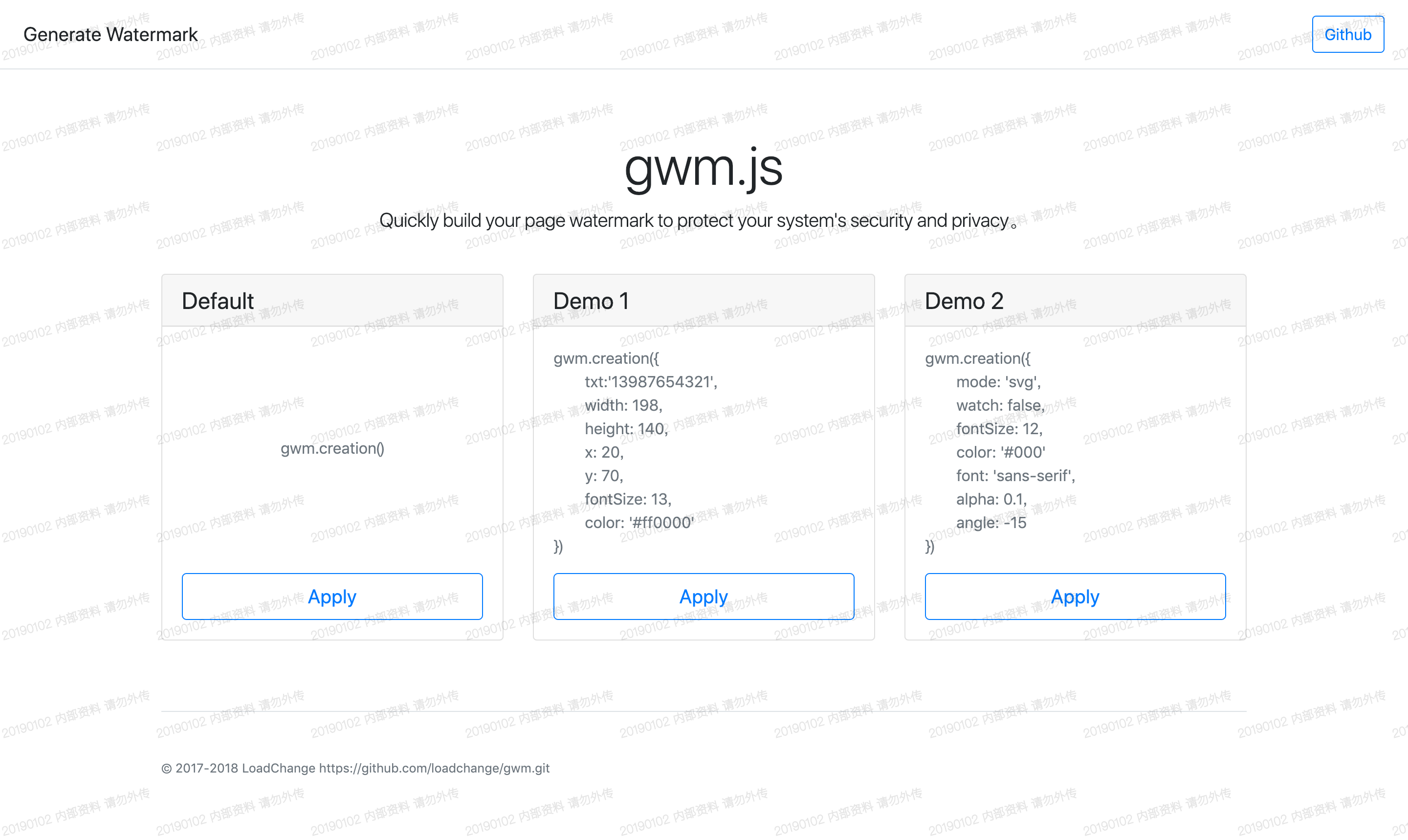
Example
Click here to see the effect →:Demo示例
Instructions
1、Introducing JS files
<script src="../js/gwm.js"></script>
Or install with NPM
npm install gwm
2、Building watermark
gwm.creation()
Parameter
| Parameter | Default value | Explain |
|---|---|---|
| txt | date 内部资料 请勿外传 | Watermarking text content |
| width | 158 | Watermark Canvas Width |
| height | 100 | Watermark canvas height |
| x | 0 | Watermarking coordinate X |
| y | 50 | Watermarking coordinate y |
| font | 'microsoft yahe' | Setting Watermark Font |
| fontSize | 12 | Watermark font size |
| color | #000 | Watermark font color |
| alpha | 0.1 | Watermark font transparency |
| angle | -15 | Watermarking Text Tilt Angle |
| mode | canvas | Optional parameters[canvas, svg, element] |
| watch | true | Monitoring whether watermarking elements have been tampered with Tampering triggers redrawing |
| css | null | Setting Watermark Element Styles |
| destroy | true | If `true`, cannot be called repeatedly `creation` |
| container | body | Pass in a package container, which can be a `string` Type selector, or a DOM object, defaults to body |
| count | null | Optional parameter, used to directly set the number of watermarks generated |
Custom Font Example
To use a custom font, you can specify the desired font through the font parameter when creating the watermark. For example, to change the font to Arial, you can do it like this:
gwm.creation({
  font: 'Arial'
})
Method
| Method | Explain |
|---|---|
| gwm.creation | Create a watermarking. |
| gwm.observing | Manually open the observer, when the watermarking element is tampered with, re-render the watermarking element. |
| gwm.cancel | Cancel the observer, the watermark can be hidden or deleted. |
The development environment using the method
1、Install
npm install
2、Running projects locally
npm run dev
Open index.html preview effect
3、build command
npm run build
Metadata
201
Stars
59
Forks
Watchers
Owner
 loadchange
Metadata
🍭gwm.js Generate Watermark 用于生成网页水印,警示信息安全与责任追踪。