linkedin
Adding Delta Table Format to OpenHouse, a proof-of-concept
Summary
Delta is an open-source table format that brings enterprise-grade capabilities to data lakes. It manages large datasets in data lakes efficiently and ensures data integrity through ACID transactions and enables historical data exploration with time travel features.
In this PR we replace OH's current Iceberg Table Format with Delta Format.
Guiding principles for coding this PR:
- Avoiding changing Delta Commit Protocol
- Use Delta's API plugs/ extensions (avoid changing Delta Source code)
- Avoid changing OpenHouse's architecture/design/feature set.
Details
Overall architecture is the same as before for Iceberg, except for three crucial pieces:
-
OH Client will use LogStore Plug for commits: Delta protocol doesn't provide doRefresh(), doCommit() plugs like Iceberg. This is because of fundamental difference in Delta vs Iceberg. Instead the client will use LogStore plug for any kind of writes.
-
OH Server will use FileSystem as source of truth (not HTS): Again, because of protocol difference in Delta vs Iceberg. Now, the OH server commits using
DeltaLog.forTable(/tablePath).getTransaction().commit()and keeps a record in HTS just for record keeping. -
Directory layout is bit different than Iceberg: But protecting namespace should still be supported.
-
[X] New Features
Testing
Easy way: Just run the unit test
- build the project first,
./gradlew build - Open project in intellij,
open > ROOT/build.gradle - Go the module:
:spark-delta-client - Run the unit test:
com.linkedin.openhouse.delta.tests.SimpleTest#basicSQLCatalog()This will run the E2E flow in form of unit test, place debugger anywhere and have a fun time!
Production way: Run the docker setup
- build the project first,
./gradlew build -
cd /infra/recipe/docker-compose/oh-hadoop-spark -
docker compose up -d -
docker exec -it local.spark-master /bin/bash - run following spark-shell command
bin/spark-shell --jars spark-delta-client-latest-all.jar    \
--conf spark.sql.extensions=io.delta.sql.DeltaSparkSessionExtension     \
--conf spark.sql.catalog.openhouse=com.linkedin.openhouse.delta.OHCatalog     \
--conf spark.sql.catalog.openhouse.uri=http://openhouse-tables:8080     \
--conf spark.sql.catalog.openhouse.auth-token=$(cat /var/config/openhouse.token)   \
--conf spark.sql.catalog.openhouse.cluster=LocalHadoopCluster   \
--conf spark.sql.catalogImplementation=in-memory
6:
CREATE TABLE openhouse.db.t3 (col1 string, col2 string, col3 string)
7:
INSERT INTO openhouse.db.t3 VALUES ('c', 'd', 'd')
8:
SELECT * FROM openhouse.db.t3
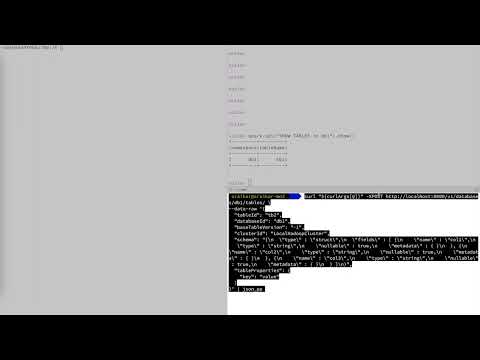
See following demo for in-depth production test