

 lightforever
How to share data between different workers?
Suppose I've done some preprocessing on raw data and want to train several models via grid search. Tasks that had been assigned to the same worker with multiple gpus(gpu: 1 in config) completed without problems. However, task that had been assigned to another worker with gpu failed as there was no data there located in path specified in catalyst config.
So how do I share data from previous tasks of the DAG between different workers? Is the data folder in ROOT_FOLDER being synchronised across workers?

@megachester , Earlier there were 2 sync folders: data and models.
They had been synchronizing after each task.
Now, we have turned off the synchronization of the data folder temporarily.
I think a configuration should be available in the project settings editor.
I will think about that tomorrow. If you desire to turn it on immediately, you can change the lines to
            ignore_folders = [
                [join('data', project.name), []],
                [join('models', project.name), []],
            ]
at https://github.com/catalyst-team/mlcomp/blob/master/mlcomp/worker/sync.py#L103

Besides that, you can either use rsync or perform mlcomp sync COMPUTER_NAME command. That command expects the name of another computer.
Suppose I've done some preprocessing on raw data and want to train several models via grid search.
If the preprocessing is performed only once, that could be easy to sync computers manually via rsync (for example) after the preprocessing tasks. I.e. to split one DAG.
Then run grid-search (train tasks). Every machine has the updated files to that moment.
Of course, if you are experimenting with different pre-processing versions, the auto-sync is crucial. I will do customizable functionality today or tomorrow.
Besides that, you can either use
rsyncor performmlcomp sync COMPUTER_NAMEcommand. That command expects the name of another computer.
Btw, it's not computer name but the name of the project
Yes, you are right!
mlcomp 20.2.4d is released.
File sync is configurable: https://catalyst-team.github.io/mlcomp/filesync.html
What do you think about that functuonality?
Great functionality, thanks!
However, auto sync doesn't work, folders don't sync.
Also there are overall problems with 20.3 version, e.g. somehow there is catalyst folder along with catalyst_ in mlcomp/worker/executors which causes mlcomp to import catalyst functions from wrong paths(pre-20.3refactored catalyst.utils.config)
About auto-sync:
-
Have you ensured that every computer can reach others?
-
Have you tried to run
rsynccommands manually to check 1) ? -
Are any messages in the Logs panel which relate to
rsynccommands?
- Yes, definitely.
- Yep, I’ve executed exact commands from installation guide.
- No, I didn’t notice any
(Manual mlcomp sync PROJ_NAME works)
Also there are overall problems with 20.3 version, e.g. somehow there is catalyst folder along with catalyst_ in mlcomp/worker/executors which causes mlcomp to import catalyst functions from wrong paths(pre-20.3refactored catalyst.utils.config)
The repository does not have catalyst folder right now. Only catalyst_. You could remove the installed version and try to install mlcomp again.
About auto-sync:
-
Have you filled
sync foldersin your project settings? -
Has any task finished? I mean, auto-sync works only after success-executed tasks.
Can you please provide full pipeline to test this functionality?
-
sync folders: [data, models]should be in MLComp's yaml config file? - How to reference files in these folders from local executors, e.g.
./data/myfile?
In the Project tab choose Edit your project
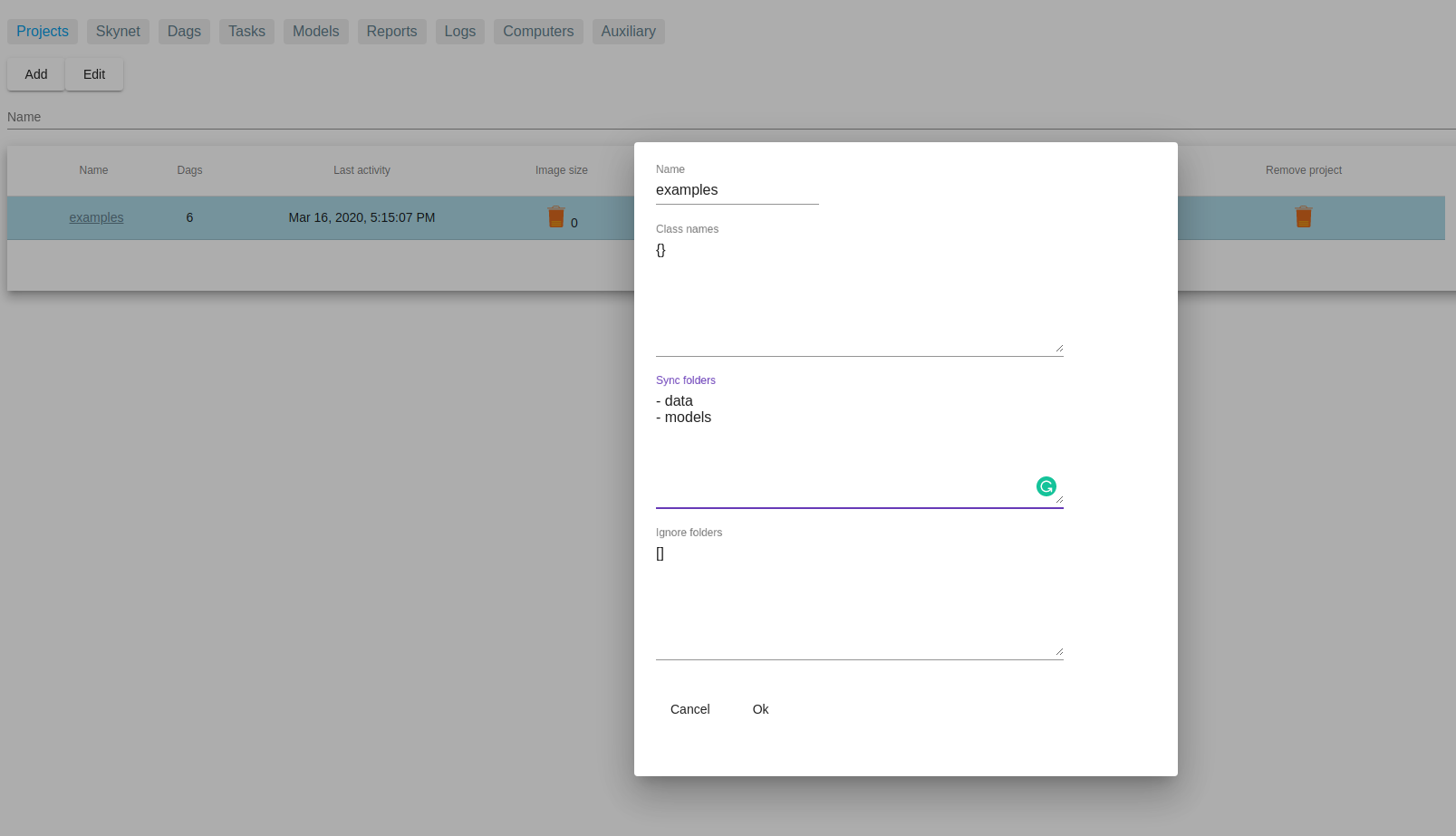
The folders are synced after success tasks. Or you can sync them manually from UI as described here: https://catalyst-team.github.io/mlcomp/filesync.html
./data/myfile - yeah
data and models are automatically linked to the appropriate ones. So, yes, data/myFile is enough
~/mlcomp/tasks/TASK_NUMBER - mlcomp downloads the files of your DAG here. And links ~/mlcomp/data/PROJECTN_NAME to the ~/mlcomp/tasks/TASK_NUMBER/data
Unfortunately, it didn't work, no files automatically appear in ~/mlcomp/data/PROJECT_NAME, they do so only after syncing via mlcomp sync PROJECT_NAME