

 libplctag
Visual Studio->Publish->Produce single file
First, thank you for your library, it is very good and works well for me. I am working with Winodws, Visual Studio 2019, C#, Net5.0, Asp.net core.
I was trying to Puplish the application with the Produce Single File Options, but no success , It is not working. I know that probably is because something is wrong with the libplctag.NativeImport library that fail to write the plctag.dll ... I read something about that in in https://github.com/libplctag/libplctag.NET/blob/master/docs/Using-a-non-packaged-version-of-the-native-libplctag-library.md
My question is very simple, there is a simple way to use only libplctag without libplctag.Nativeimport ? I will put the right plctag.dll in the Project.
Any advice to help me to use Single File Options ? Thank you again
Mario Andreis

I've tried to use the "single file" output too without a lot of success. In theory it should be possible...
In order to make things easier with libplctag, the native library extracts the necessary base DLL to disk and then dynamically links to it at runtime. This makes sure that the right OS/arch DLL is loaded, etc.
Unfortunately, there are so many different OS and deployment variations that things get complicated. Sometimes the directory the exe is in is write protected, etc, etc.
In the case of the single file output, Microsoft does some really weird things with paths. And to make it harder, there was a major change in how the single file output was created and how the paths for the exe worked.
We've tried to make libplctag.net seamless to use, but there are a bunch of corner cases with loading the base library. I think we could provide an "escape hatch" of sorts if we allowed end users to load libplctag.Native by passing a path to the base DLL they want to use. Right now you can tell Native to not extract the DLL, but it still assumes the path to load from.
@timyhac, thoughts?

Thank you Jkoplo for your reply
I have made some trials just to understand what's happen. With 'single file' option the libplctag.NativeImport does not write/rewrite plctag.dll, this should happen every time that the application starts. That is not a big problem for me, because I simply add the right OS/Arch plctag.dll to my project, and when publish the plctag.dll is in the same folder with the application.
That said, In my opinion the problem is because the libplctag.dll /libplctagWrapper.dll that are embedded in the single file application can not reach the plctag.dll
Probably you already know about that, but there are some API compatibility issues with the way to discover the Application folder https://docs.microsoft.com/en-us/dotnet/core/deploying/single-file/overview
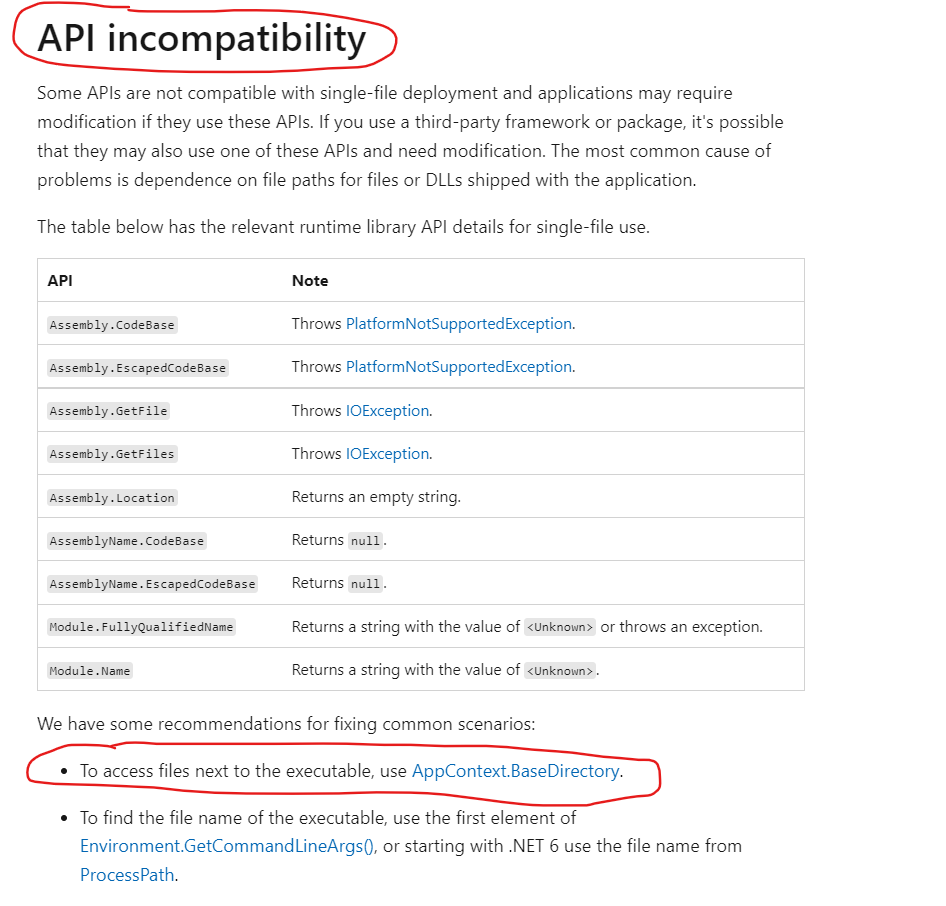
thanks again Mario Andreis
Yeah, and where all different path options (appcontext, environment, etc) point has changed across dotnet core versions...
That's why I think we should allow an override where the user figures out their path to the DLL outside of the library and just tells the library where it is.
Yes Write somewhere (in text file format, for example .txt) which is the application path (That is the same where to find plctag.dll) would be nice to have.
Thank you again for your time, and let us know if/when you implement this feature
Ciao Mario Andreis
Jkoplo
I was able to run my application with the 'single file' option.
1-create a new libplctag.NativeImport dll with static private bool _forceExtractLibrary = false; and static private bool libraryAlreadyInitialized = true;
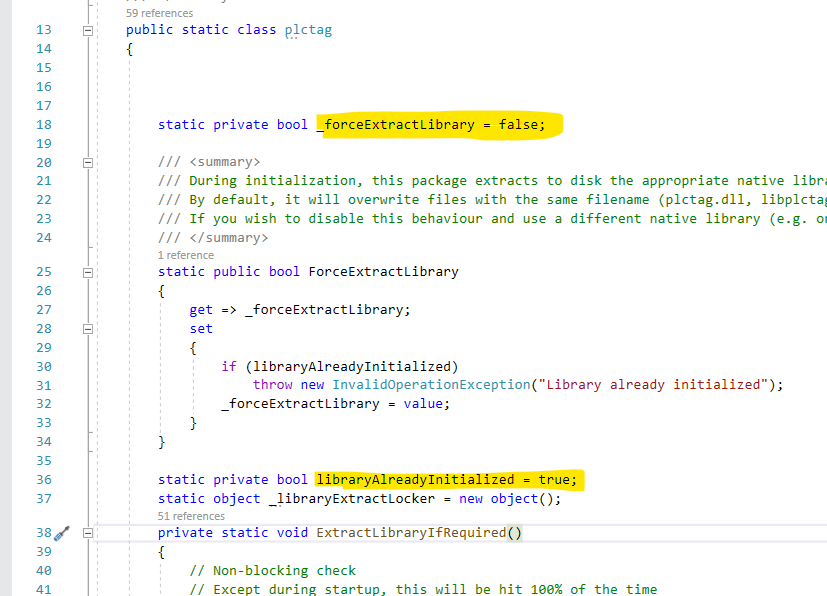
2-link libplctag and libplctag.NativeImport as assemblies (No Packages)

3-copy the right OS/arch plctag.dll in the application folder
and it works thank you again for your time
Mario Andreis
That's a decent work around and proves some stuff out. I'd still like to implement a proper fix, but not sure when I'll find some free time for it.
@timyhac let's leave this issue open so I can eventually PR against it.
could be that the problem is inside LibraryExtractor.Init(ForceExtractLibrary); ? Never return from this call because an internal error!
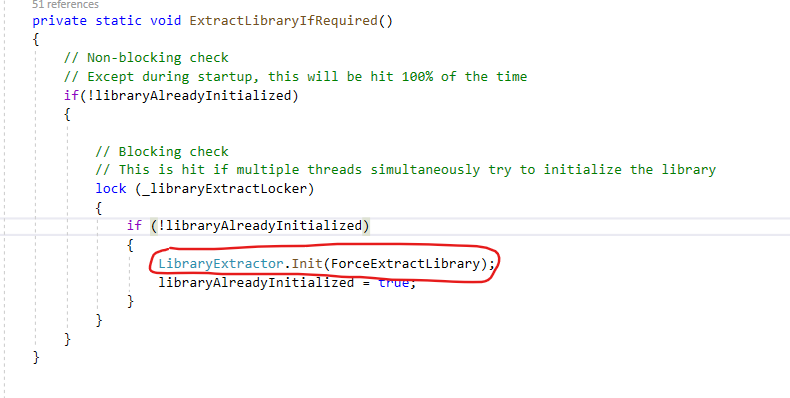
The other idea to pursue is the fix for https://github.com/libplctag/libplctag.NET/issues/137 - maybe we can produce an alpha build of https://github.com/libplctag/libplctag.NET/pull/249 and see if it works?
