lencx
lencx
[Improvement] - Create a pkg for Arch Linux
Hello, about Linux users, I see only .deb package that could be used only by Debian-based distros. Could you think about Arch Linux users too?
Thanks in advance

Thanks for the feedback, I will carry out the platform support as soon as possible.

If you want to experience it as soon as possible, you can try to build it yourself. It requires node.js and rust environment. https://github.com/lencx/ChatGPT#how-do-i-build-it
If you want to experience it as soon as possible, you can try to build it yourself. It requires node.js and rust environment. https://github.com/lencx/ChatGPT#how-do-i-build-it
I tried but I get error during compilation in Arch Linux based distro:
curl --proto '=https' --tlsv1.3 https://sh.rustup.rs -sSf | sh # Installing Rust
set -x PATH $PATH:$HOME/.cargo/bin (setting cargo/bin in $PATH env variable, I'm using FISH shell)

sudo pacman -S nodejs npm
sudo pacman -S yarn

git clone https://github.com/lencx/ChatGPT
cd ChatGPT
yarn
Here I get a warning:
yarn install v1.22.19
info No lockfile found.
[1/4] Resolving packages...
[2/4] Fetching packages...
warning [email protected]: The engine "pnpm" appears to be invalid.
[3/4] Linking dependencies...
[4/4] Building fresh packages...
success Saved lockfile.
Done in 50.95s.
Then, when I run yarn dev, during the compiling I get the following warning:
warning: unused variable: `titlebar_menu`
  --> src/app/menu.rs:41:9
   |
41 |     let titlebar_menu = if chat_conf.titlebar {
   |         ^^^^^^^^^^^^^ help: if this is intentional, prefix it with an underscore: `_titlebar_menu`
   |
   = note: `#[warn(unused_variables)]` on by default
Then, when I run yarn build, at the beginning I get the following warning:
vite v4.0.2 building for production...
✓ 2828 modules transformed.
dist/index.html                   0.39 kB
dist/assets/index-0c1f19a2.css    1.03 kB │ gzip:   0.54 kB
dist/assets/index-bb0d1783.js   981.48 kB │ gzip: 309.61 kB

(!) Some chunks are larger than 500 kBs after minification. Consider:
- Using dynamic import() to code-split the application
- Use build.rollupOptions.output.manualChunks to improve chunking: https://rollupjs.org/guide/en/#outputmanualchunks
- Adjust chunk size limit for this warning via build.chunkSizeWarningLimit.
and during the compiling I get the warning related to the titlebar_menu shown above and the following error at the end:
    Finished release [optimized] target(s) in 5m 06s
    Bundling chat-gpt_0.4.2_amd64.deb (/home/athena/ChatGPT/src-tauri/target/release/bundle/deb/chat-gpt_0.4.2_amd64.deb)
    Bundling chat-gpt_0.4.2_amd64.AppImage (/home/athena/ChatGPT/src-tauri/target/release/bundle/appimage/chat-gpt_0.4.2_amd64.AppImage)
    Bundling /home/athena/ChatGPT/src-tauri/target/release/bundle/appimage/chat-gpt_0.4.2_amd64.AppImage.tar.gz (/home/athena/ChatGPT/src-tauri/target/release/bundle/appimage/chat-gpt_0.4.2_amd64.AppImage.tar.gz)
    Finished 3 bundles at:
        /home/athena/ChatGPT/src-tauri/target/release/bundle/deb/chat-gpt_0.4.2_amd64.deb
        /home/athena/ChatGPT/src-tauri/target/release/bundle/appimage/chat-gpt_0.4.2_amd64.AppImage
        /home/athena/ChatGPT/src-tauri/target/release/bundle/appimage/chat-gpt_0.4.2_amd64.AppImage.tar.gz (updater)

       Error A public key has been found, but no private key. Make sure to set `TAURI_PRIVATE_KEY` environment variable.
error Command failed with exit code 1.
info Visit https://yarnpkg.com/en/docs/cli/run for documentation about this command.
error Command failed with exit code 1.
info Visit https://yarnpkg.com/en/docs/cli/run for documentation about this command.
Furthermore, in https://github.com/lencx/ChatGPT/blob/main/src-tauri/tauri.conf.json is specified the 0.5.0. version (latest). When I compile according to the README, it compiles for 0.4.2 version, so not for the same specified in tauri.conf.json.
You have completed the build, this is the installation package path /home/athena/ChatGPT/src-tauri/target/release/bundle/deb/chat-gpt_0.4.2_amd64.deb
You can see the tauri build documentation, which requires the target parameter https://tauri.app/v1/api/cli/#build
You have completed the build, this is the installation package path
/home/athena/ChatGPT/src-tauri/target/release/bundle/deb/chat-gpt_0.4.2_amd64.debYou can see the tauri build documentation, which requires the target parameter https://tauri.app/v1/api/cli/#build
My further doubt is: why the result of the compiling is the 0.4.2 version despite in https://github.com/lencx/ChatGPT/blob/main/src-tauri/tauri.conf.json is specified the 0.5.0. version (latest).
The code you pulled is not the latest version.
I used git clone https://github.com/lencx/ChatGPT. If I visit $HOME/ChatGPT/src-tauri/tauri.conf.json I see this:
{
  "build": {
    "beforeDevCommand": "npm run dev:fe",
    "beforeBuildCommand": "npm run build:fe",
    "devPath": "http://localhost:1420",
    "distDir": "../dist"
  },
  "package": {
    "productName": "ChatGPT",
    "version": "0.5.0"
  },
<SNIP>
You pull the code again, I just merged the new version.
Now it is at latest version 0.5.0.
I am on arch as well. Im getting errors in yarn build . I built it with cargo build --release in the src-tauri folder. It works pretty well except the "copy code" button on top of code widgets that doesnt work. Im trying the app for the awesome-prompts, that works pretty well :)

There is currently an AUR package available for easy installation, https://aur.archlinux.org/packages/chatgpt-desktop-bin. To install, use paru and execute paru -S chatgpt-desktop-bin.

There is currently an AUR package available for easy installation, https://aur.archlinux.org/packages/chatgpt-desktop-bin. To install, use paru and execute
paru -S chatgpt-desktop-bin.
AWESOME!Have you validated the availability of that AUR package yet? @wanlce

AWESOME!Have you validated the availability of that AUR package yet? @wanlce
In my Archlinux it is available. There are some minor flaws, but I don't know if it's a problem with the software itself. The Edit and Window options have no content.
录屏 2023-01-05 11-50-29.webm
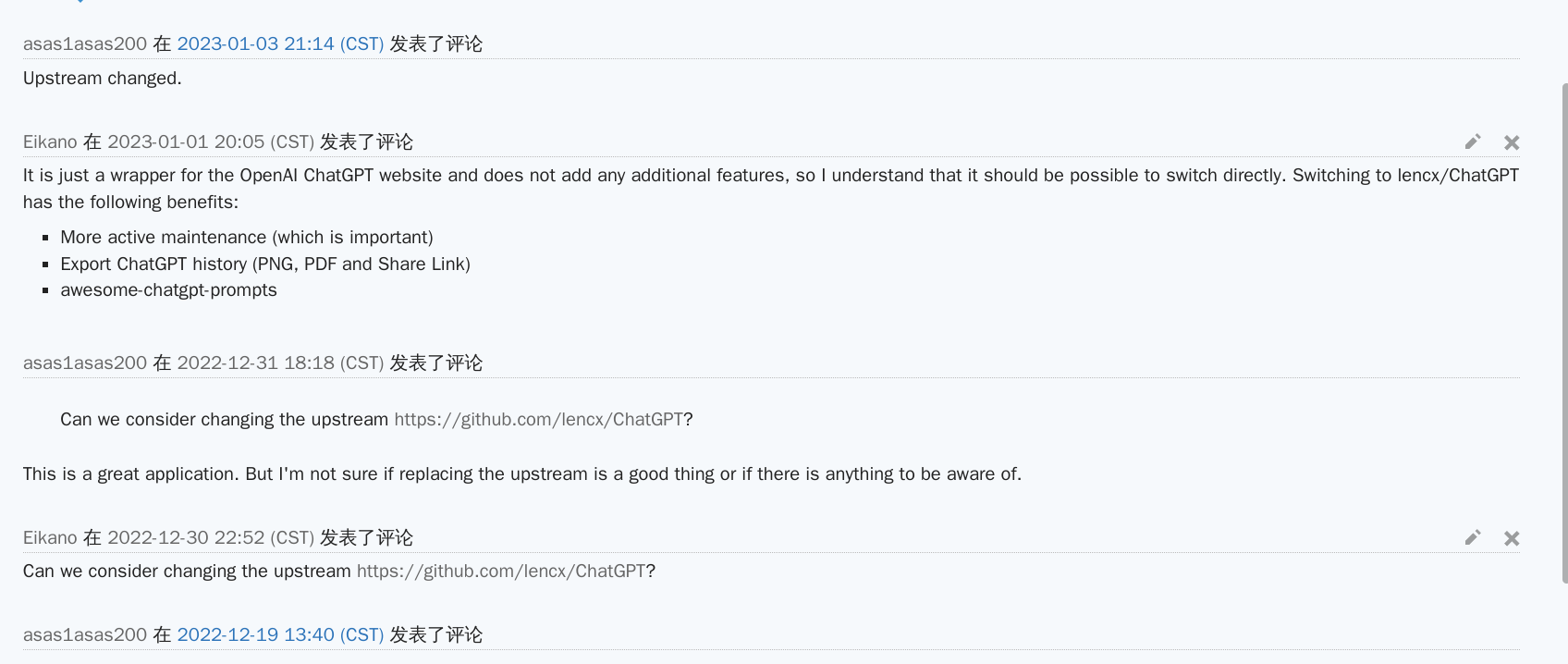
AUR package was changed two days ago, before it pointed to a different chatGPT client
AUR package was changed two days ago, before it pointed to a different chatGPT client
I know, it's my suggestion for the packager to replace the upstream source. :joy: