

 lencx
lencx
COPY button does not Work in Desktop App
Version
v0.10.3
Bug description
I am running the Desktop Application in Manjaro. The copy function does not seem to be working. I always have to open the ChatGPT in the browser to copy the code generated.
I installed it using "yay -Syu chatgpt-desktop-bin" command.
OS
Linux Manjaro 6.1.1-1-MANJARO
Environment
No response


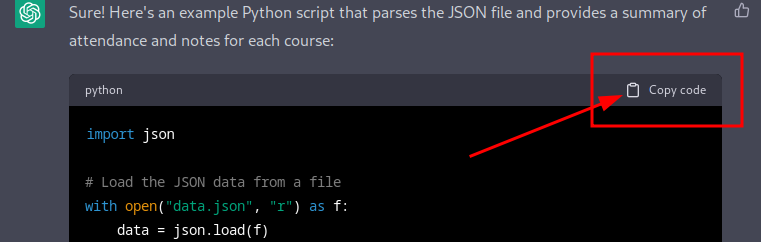
When the ChatGPT gives you some code in the Code Box. That Button.
The button is non-responsive. When you click the button there's no response. You check the clipboard, it's empty.
The error message in the console is:
TypeError: undefined is not an object (evaluating 'navigator.clipboard.writeText')
The copy works for the responses and only fails for copying code blocks (at least on my system)

When the ChatGPT gives you some code in the Code Box. That Button.
The button is non-responsive. When you click the button there's no response. You check the clipboard, it's empty.
The copy button comes with the website and is not provided by the application.
The copy works totally fine in the website. Clearly there is something in the application that is breaking the copy @lencx
