

 lapce
lapce
Fails to create file correctly via file explorer UI, lapce on Windows host with WSL project
      Host OS:  Windows 10
       WSL OS:  Ubuntu
Lapce Version:  v0.1.3
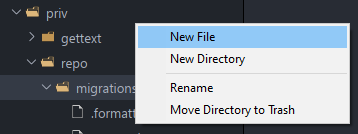
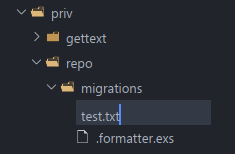
Just installed Lapce to give it a try and have encountered a problem when creating files via the file exlorer on the left hand side. When clicking on a folder a few levels deep of root and selecting New File - I fill in the name of the file but it creates a file with the parent folder name, escaped backslash and the name of the file I wanted to create.
This then fails to show in the explorer once created but can be seen via the terminal as below.
I am using lapce installed on windows, connected to WSL (ubuntu) with a WSL root workspace and suspect there is an issue with file creation via the UI, maybe it is trying to do some windows filesystem path escaping that doesn't work well with linux filesystem.
Images
Creating the file
Seeing the file via the terminal


I had this issue myself recently. Hoping to see this get merged so I can use Lapce in my WSL environment.
