

 lacymorrow
Transparency Issues
It's not my problem, I can not explain this so well but my friend says that the crosshair menu stills like a png even pressing toggle shortcut
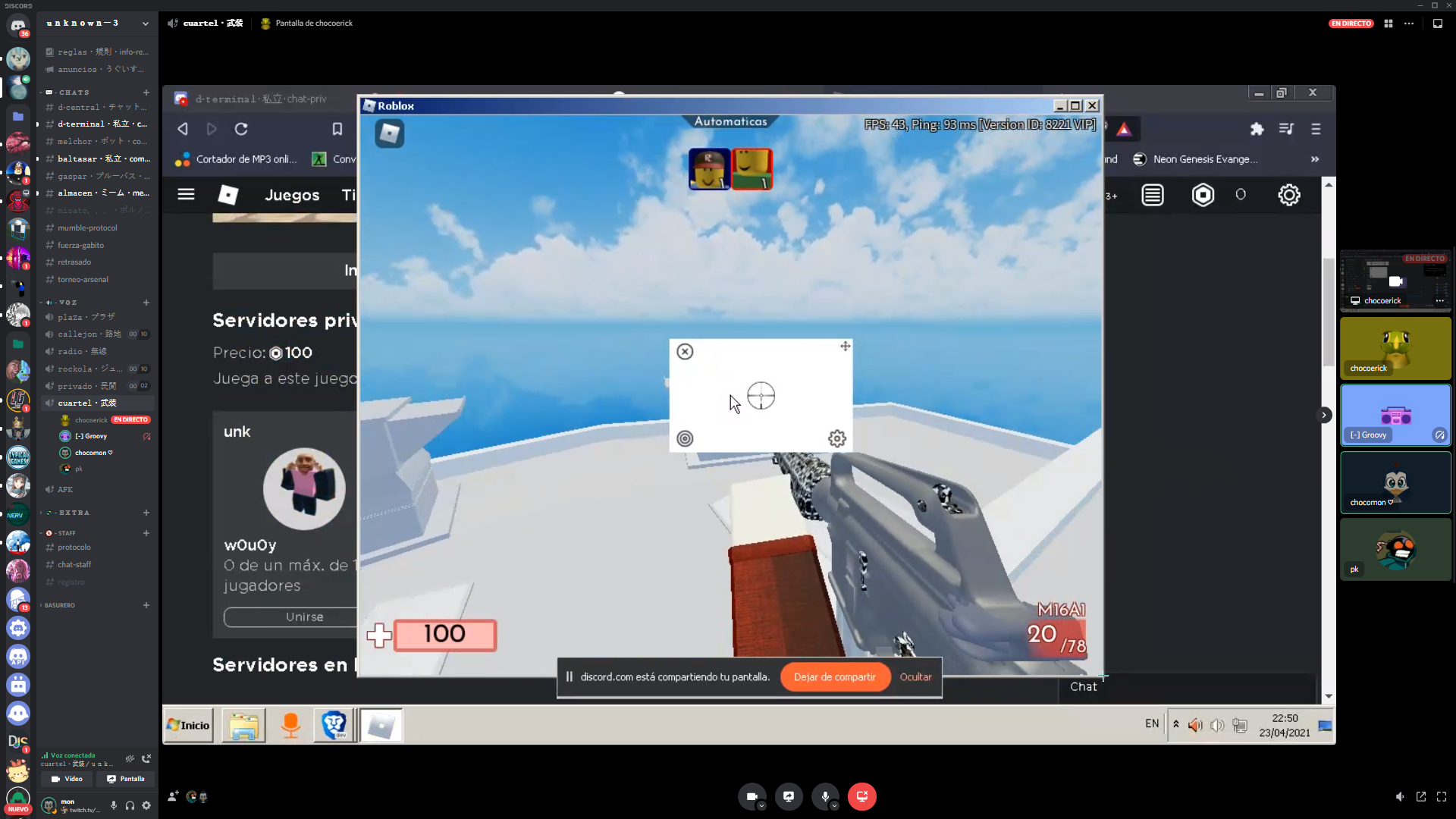 (He can move the cursor, but the menu stills)

What OS are you guys using? I haven't found any issues with latest release v1.3.0 in Linux Mint 20.1, not even when using a custom crosshair.


Is that Windows 95/ME?
No, it's windows 7 home premium, the theme of windows is of windows 95.

So to be clear, it looks like you are unable to make the white background behind the crosshair disappear?
When you presses the shortcut to lock the crosshair (ctrl-alt-shift-x), what happens?
I haven't tested on Windows 7 but I can take a look this weekend.
Sorry for the delay, Yes, i can't make the white background dissapear, when i press ctrl+alt+shift+x the interface stills like an image, and i can't interact with the buttons until i press ctrl+alt+shift+x again.
@ezn17 this is a new one, unfortunately you are the first person having transparency issues on windows at the moment, are you using the most recent version of the app? (it looks like it, but I have to ask)
@ezn17 I can only assume it has something to do with the Windows 95 theme you are using, or potentially Windows 7 itself, since I have not personally tested it there. I can only recommend that you:
- Disable the non-standard theme
- Backup and reformat your PC in case there is a software issue
- Upgrade to windows 8/10 (free)
in that order, testing to see if the app works before going onto the next step
I have exactly the same problem in Windows 7 pro 64-bit. The app background is non-transparent white. Running v2.4.1, just downloaded. Has it been concluded that this in indeed a Windows 7 issue and that the app is in fact incompatible with windows 7? Does anyone have it working with Windows 7?

@bob04609 are you using any sort of non-standard theme? I'll try to do some testing in Windows 7 this weekend.
No. Absolutely standard Windows theme included in Windows 7. Nothing fancy or 3rd party. Currently using "Windows Classic", but it's the same in the "Windows 7 Basic" theme. White, non-transparent, background. Everything else seems to work just fine. Thanks.
I tried it on a Windows 10 machine and it worked fine. I also noticed on the Windows 7 machine that when you resize the cross-hair it leaves the old one in place (but in grey). You can get the old one to fade out by opening and closing the resize menu a few times.
I´m now using windows 7 ultimate, and the problem is solved, now crossover works correctly, i had this problem with windows 7 home premium. I hope that helps you.
Thanks for the digging guys, I'm not sure why but seems like Windows 7 Home just has issues with electron.
Windows 7 ultimate 64 Snapd: https://github.com/lacymorrow/crossover/issues/213

I have issue but on Arch Linux
@Miko0187 Have you tried the AUR package?

I have issue but on Arch Linux
@Miko0187 Have you tried the AUR package?
I cant install crossover with the aur. I get 404 from electron25 while installing with yay
Uhh, I just tried the official .pacman and I have the same issue, also with .rpm. It doesn't occur with the AUR package.
404 from electron25 while installing
Try updating mirrors.