

 kufii
kufii
Where did CodeSnap save the screenshots in MacOS?
CodeSnap Snapshots are awesome
I saw many developers using CodeSnap and I really liked it but when I installed this extension and took a screenshot of my code I found no way to find that screenshot. There's no proper instruction on where my screenshot is going. It's not in my screenshot folder too.
Can someone please tell me about this?
Thanks in Advance!

It should show you a dialog to choose the place to save the screenshot OR copy to the clipboard if you using Ctrl + C

No, It doesn't show me any dialogue box and Ctrl + C, Ctrl + V doesn't work too.
On Thu, 6 Jan 2022 at 20:45, duckimann @.***> wrote:
It should show you a dialog to choose the place to save the screenshot OR copy to the clipboard if you using Ctrl + C
— Reply to this email directly, view it on GitHub https://github.com/kufii/CodeSnap/issues/92#issuecomment-1006693717, or unsubscribe https://github.com/notifications/unsubscribe-auth/ATZTOEGNDPOGX6CKMMSNJQTUUW2K7ANCNFSM5LHWRXPQ . You are receiving this because you authored the thread.Message ID: @.***>

Assuming it does, when the "📸CodeSnap" pane opens, did you click the CodeSnap logo that appears above the preview? if you didn't, you need to click that to save.
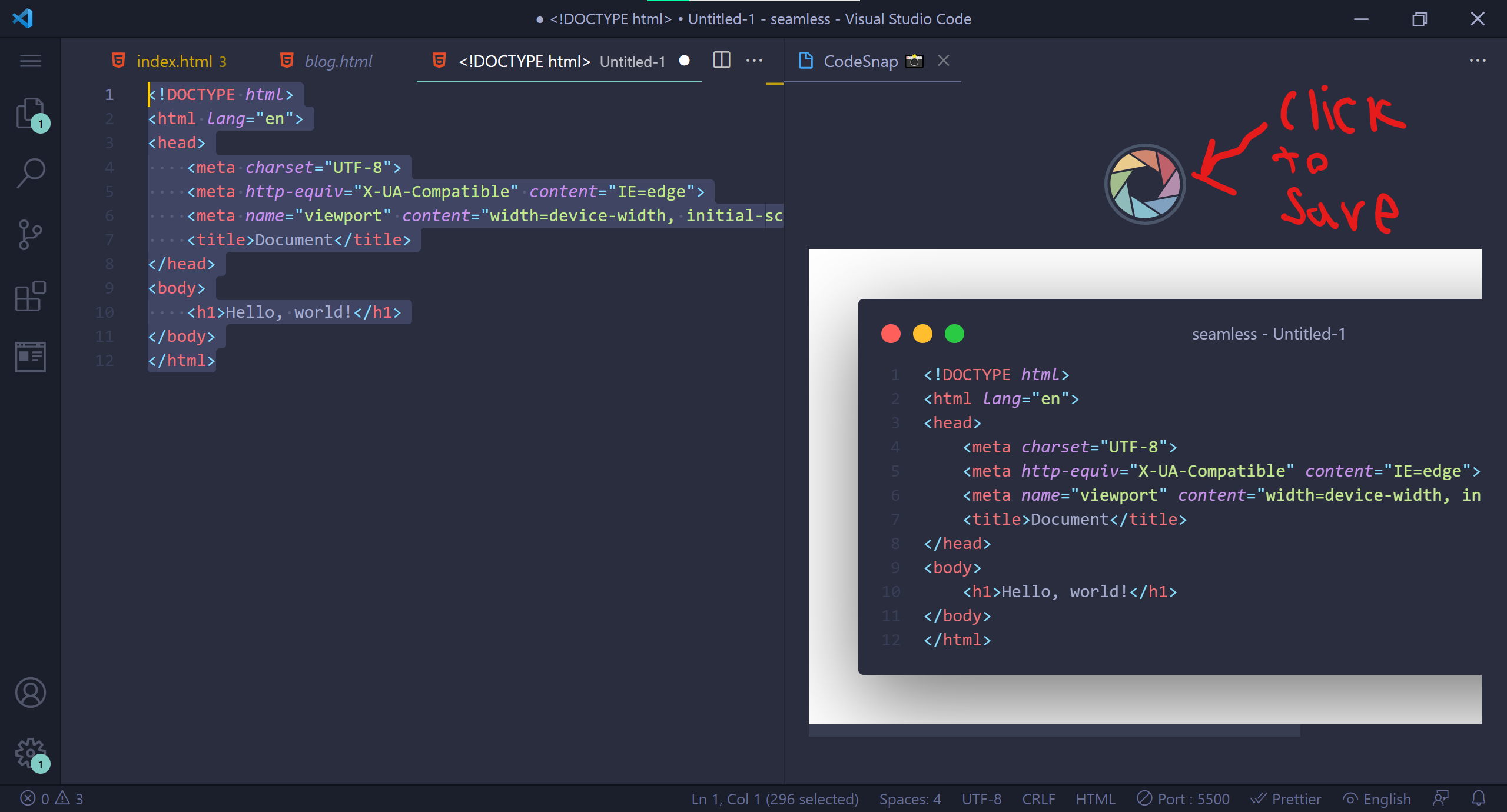 hopefully this helps.

