

 kubesphere
离线安装kubernetes+kubesphere3.2, harbor无法找打pause3.4.1
文档:https://kubesphere.io/zh/docs/installing-on-linux/introduction/air-gapped-installation/#%E6%AD%A5%E9%AA%A4-4%E5%87%86%E5%A4%87%E5%AE%89%E8%A3%85%E9%95%9C%E5%83%8F
image-list里貌似少了pause3.4.1
image-list所有镜像上传harbor之后,
./offline-installation-tool.sh -b -v v1.21.5
./kk create config --with-kubernetes v1.21.5 --with-kubesphere v3.2.0 -f config-sample.yaml
./kk create cluster -f config-sample.yaml
会报pause3.4.1镜像找不到

Hi, I think the image list in the document is correct.
/cc @kubesphere/sig-installation Could you look into this issue?

after upload pause3.4.1 to my local docker repo, these errors appears:
execute: ./kk create cluster -f config-sample.yaml
logs: ...... ERRO[18:10:37 CST] Failed to download image: 172.16.207.179:8088/kubesphere/kube-apiserver:v1.21.5: Failed to exec command: sudo env PATH=$PATH docker pull 172.16.207.179:8088/kubesphere/kube-apiserver:v1.21.5 Error response from daemon: manifest for 172.16.207.179:8088/kubesphere/kube-apiserver:v1.21.5 not found: manifest unknown: manifest unknown: Process exited with status 1 node=172.16.207.179 ERRO[18:10:39 CST] Failed to download image: 172.16.207.179:8088/coredns/coredns:1.8.0: Failed to exec command: sudo env PATH=$PATH docker pull 172.16.207.179:8088/coredns/coredns:1.8.0 Error response from daemon: pull access denied for 172.16.207.179:8088/coredns/coredns, repository does not exist or may require 'docker login': denied: requested access to the resource is denied: Process exited with status 1 node=172.16.207.178 ERRO[18:10:39 CST] Failed to download image: 172.16.207.179:8088/coredns/coredns:1.8.0: Failed to exec command: sudo env PATH=$PATH docker pull 172.16.207.179:8088/coredns/coredns:1.8.0 Error response from daemon: pull access denied for 172.16.207.179:8088/coredns/coredns, repository does not exist or may require 'docker login': denied: requested access to the resource is denied: Process exited with status 1 node=172.16.207.180
repository does not exist or may require 'docker login': denied: requested access to the resource is denied
It looks like the images is not pushed to the Harbor or the repository is not set as a public repository.
The images of k8s has been added to the images-list. You can check whether the repo already contains related images according to the list. https://github.com/kubesphere/ks-installer/releases/download/v3.2.0/images-list.txt

I think it's a problem of https://kubesphere.com.cn/docs/installing-on-linux/introduction/air-gapped-installation/
according to https://kubesphere.com.cn/docs/installing-on-linux/introduction/air-gapped-installation/ kube-apiserver & pause is not in image list, but i found ks-apiserver instead.
you may need to adjust images list of this doc.
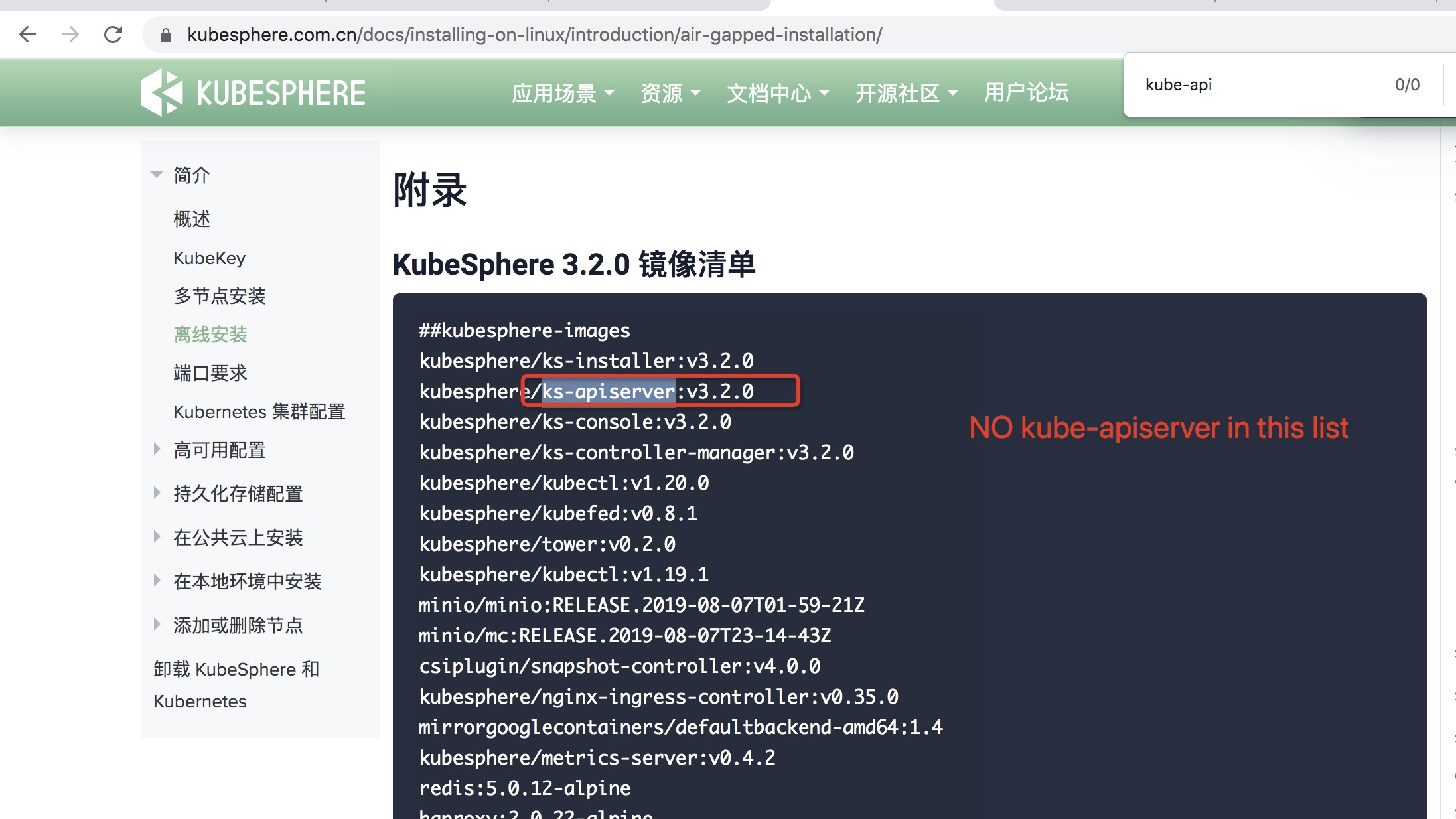
and there is another bug in https://github.com/kubesphere/ks-installer/releases/download/v3.2.0/images-list.txt
kubesphere/kube-schedulerv1.19.9
should be: kubesphere/kube-schedulerv:1.19.9
and there is another bug in https://github.com/kubesphere/ks-installer/releases/download/v3.2.0/images-list.txt
kubesphere/kube-schedulerv1.19.9
should be: kubesphere/kube-schedulerv:1.19.9
Thanks, has been modified.
@wchdai Thanks for pointing out it. It has been fixed and updated. Could you verify it?

It has been fixed.
but there is another bug in images-list.txt kubesphere/kubectl:v1.20.0 kubesphere/kubectl:v1.19.1
during installation, kubectl requires an image version v1.21.0 which not exists in images list.
which will cause this error during click "kubectl" menu in kubesphere right bottom corner:
Internal Server Error cannot find valid kubectl pod in namespace:kubesphere-controls-system
kubectl cannot start normally because no kubesphere/kubectl:v1.21.0 in offline image package.
I fixed this manually by change kubectl-admin pod's image version to v1.20.0