

 krassowski
Large counts numbers do not fit the bars
Hello, it's me again
I noticed sometimes the numbers displayed in the bars are not correct
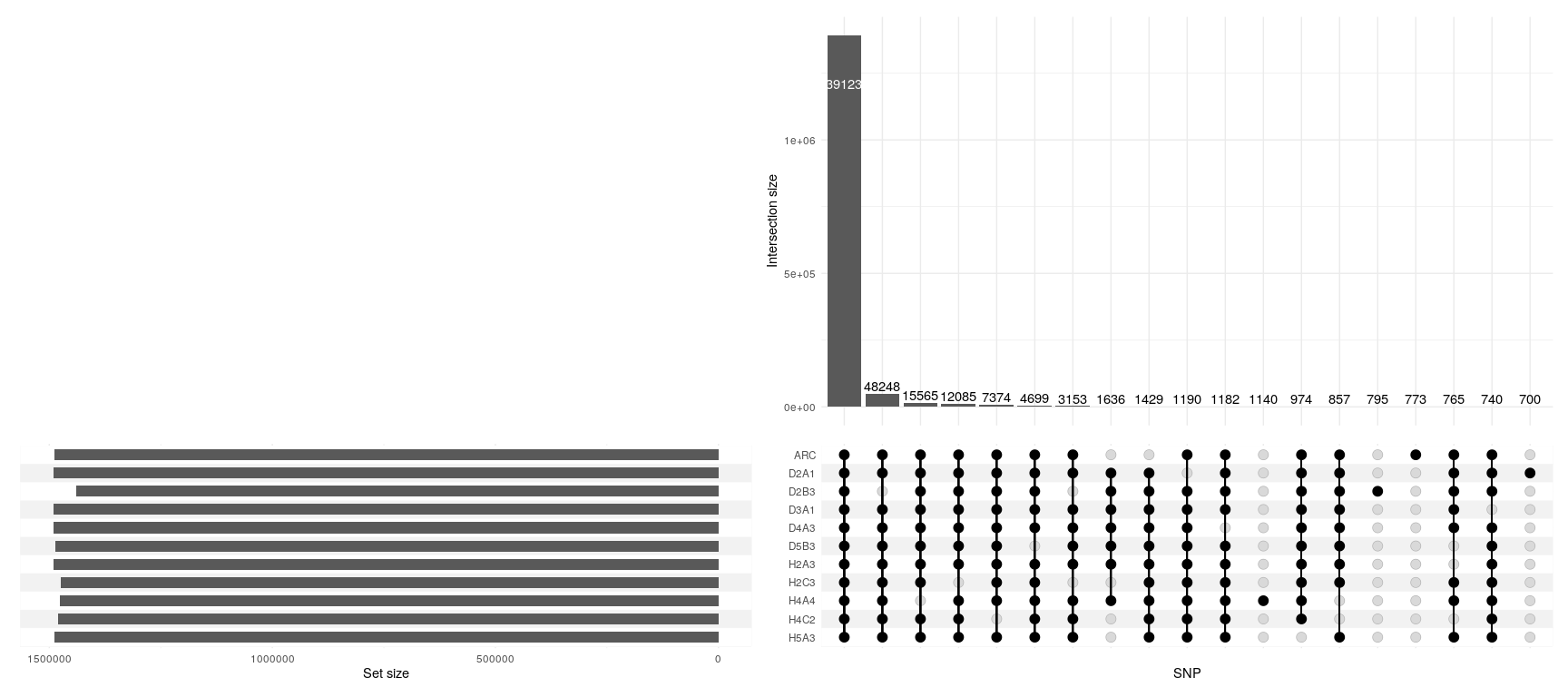
The bar for the first intersection set is obviously not 39123 but more than 1 million. I would guess as the figure is big and doesn't fit inside the bar it's just chopped off.

You are correct, though it is not chopped off but just white text on a white background. You can change the colour and placement of the text - have a look at the documentation/examples (link in the reader). Later on I will fix it by adding a shadow to the white text.
On Wed, 25 Mar 2020, 17:15 aderzelle, [email protected] wrote:
Hello, it's me again I noticed sometimes the numbers displayed in the bars are not correct [image: example] https://user-images.githubusercontent.com/23341393/77565358-64158a00-6ec4-11ea-8342-5b082b4af0d3.png
The bar for the first intersection set is obviously not 39123 but more than 1 million. I would guess as the figure is big and doesn't fit inside the bar it's just chopped off.
— You are receiving this because you are subscribed to this thread. Reply to this email directly, view it on GitHub https://github.com/krassowski/complex-upset/issues/15, or unsubscribe https://github.com/notifications/unsubscribe-auth/ABMQBRRCHAJ6OSTHCSOJWWDRJI327ANCNFSM4LTTUPHA .

Hi Mike, Thanks for a great package! Related to this - is there a way to change the size of the counts numbers? If mine were just a bit smaller they would fit.
I saw this https://github.com/krassowski/complex-upset/issues/13 but it only went over how to change some of the other text sizes, not the counts numbers.
Thanks,
Cliff

Okay, I was able to figure it out. In case anyone is wondering, use the text argument in intersection_size()
intersection_size(counts=T, text = aes(size = 2))
Change 2 to the size you want.