

 kou-yeung
Unity 2021.3.3f1 - crashes immediately
When compiled with this unity version and added to the InputField - just clicking on that field completely crashes the WebGL instance.


i was rebuild the sample with Unity2021.3.3f1. It's working fine. https://unityroom.com/games/webglinput
can i have the reproduction project? and which release version you used? the current version is 1.2.2 https://github.com/kou-yeung/WebGLInput/releases

I used 1.2.2 - will try to re-compile it tomorrow, maybe it was a faulty build or it conflicted with cloudflare cache. Will let you know, thanks for responding!
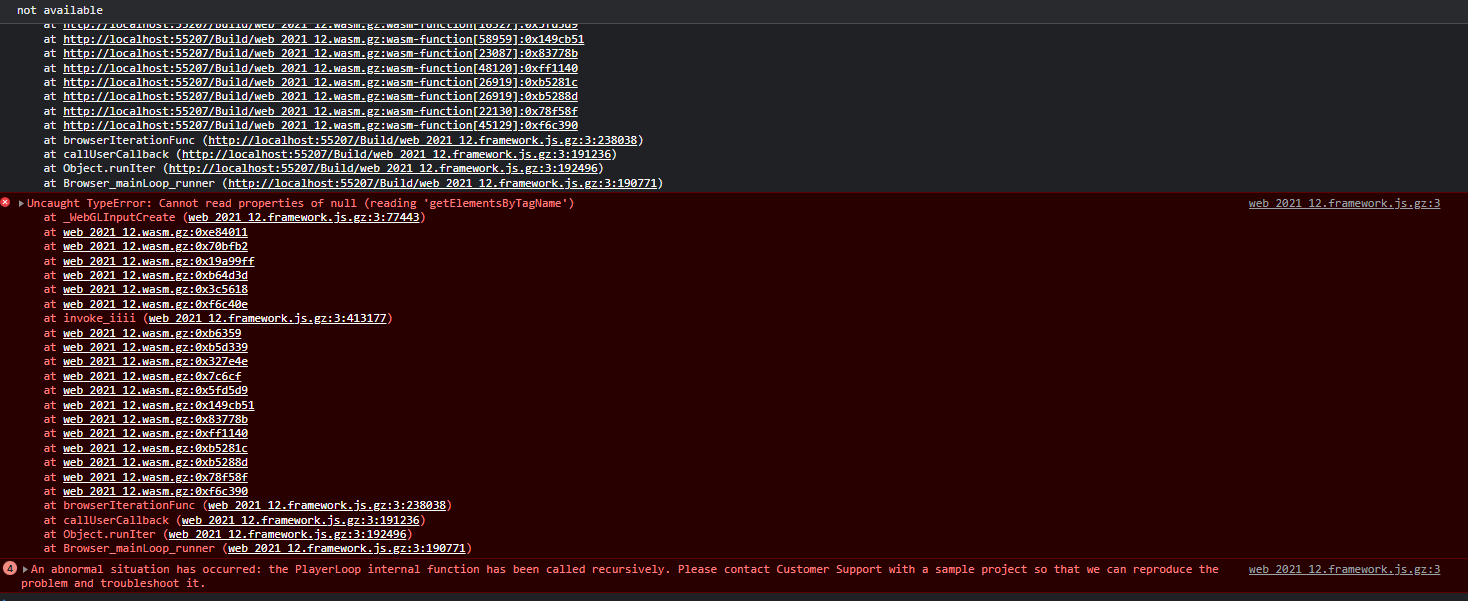

So, the initial scene loads up nicely, but as soon as I click on the InputField - whole instance crashes.
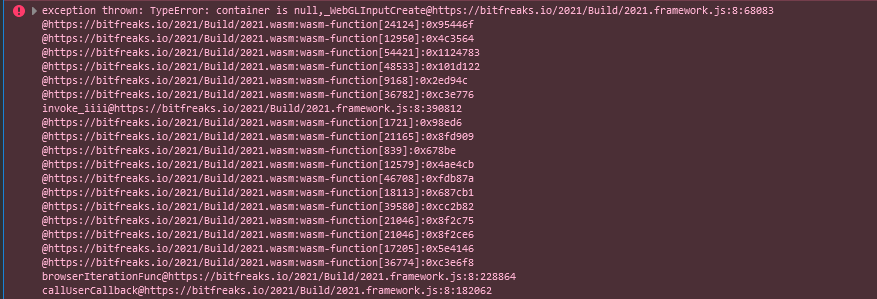
OK - This helped, seems it is not an error on your end! https://github.com/kou-yeung/WebGLInput/issues/90#issuecomment-1144460200
Changed my index.html:
<div id="unityContainer">
After the change
<div id="unity-container">
It is definitively happening because of the name of the main div container... In my case, as I'm always using the name gameContainer for this div, I had to modify the WebGLInput code in order to set ALWAYS this name into WebGLInput.CanvasId and not others depending on the Unity version.
In my case I replaced this:
static WebGLInput()
 {
#if UNITY_2020_1_OR_NEWER
    WebGLInput.CanvasId = "unity-container";
#elif UNITY_2019_1_OR_NEWER
    WebGLInput.CanvasId = "unityContainer";
#else
    WebGLInput.CanvasId = "gameContainer";
#endif
    WebGLInputPlugin.WebGLInputInit();
}
by this:
static WebGLInput()
{
    WebGLInput.CanvasId = "gameContainer";
    WebGLInputPlugin.WebGLInputInit();
}
And it worked!