keymanapp
fix(windows): ensure all modifier events go to serialized queue
Looking at the logs it seems to indicate it occurs when switching between keyman and non-keyman keyboards. The use of Alt + Tab to switch applications. #6392 made a change that meant key events were only sent to the keyman serialized queue when a Keyman keyboard was active. This resolved the issue with EMOJI input pop-up. However, it is likely the cause as to why the modifier keys are sometimes being seen out of sequence.
This change makes it so that all modifier events are sent to the serialized server so that the modifier state does not lose synchronization.
USER TESTING :
This PR changes code around modifier keys. Therefore the tests need to cover interactions around these keys being pressed. Unfortunately, I was not able to find a way to reproduce the behaviour to test it is resolved. We need to make sure though that there are no regressions.
GROUP_WIN10 - Run the tests in a Windows 10 OS GROUP_WIN11 - Run the tests in Windows 11 OS
TEST_ALTGR_IN_RULES This is to test the key rules which contain AltGr or Shift + AltGr still work correctly.
-
Load a keyboard
khmer_angkor -
Open LibreOffice or Notepad
-
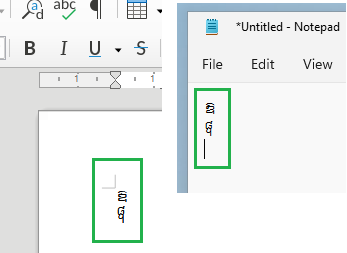
Type a AltGr + o
-
Observe output of ឱ
-
Type a Shift + AltGr + o
-
Observe output of ᧨
TEST_HOTKEYS This is to test switching between non-keyman and keyman keyboards using hotkeys. To make sure this PR has not broken Hotkeys that use modifiers
- Install two different keyman keyboards in addition to the default for the Windows installation.
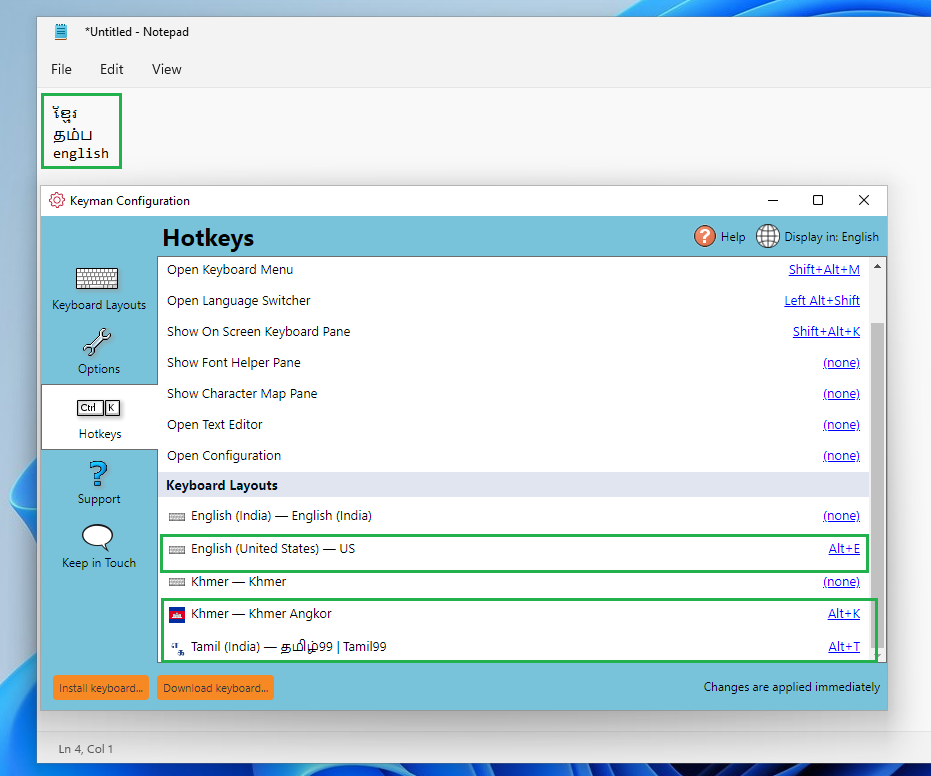
- Use the Keyman Configuration to assign hotkeys to the default Keyboard as well as the two Keyman Keyboards that use modifiers for the hotkey for example Ctrl + 1 or Alt + K
- Open Notepad
- Use the hotkeys to switch between keyboards
- Verify that switching between the keyboards is working
TEST_HOTKEYS_SWITCH_APPS This extends the previous test to test switching between non-keyman and keyman keyboards using hotkeys and also using Alt + Tab to switch applications.
- Install two different keyman keyboards in addition to the default for the Windows installation.
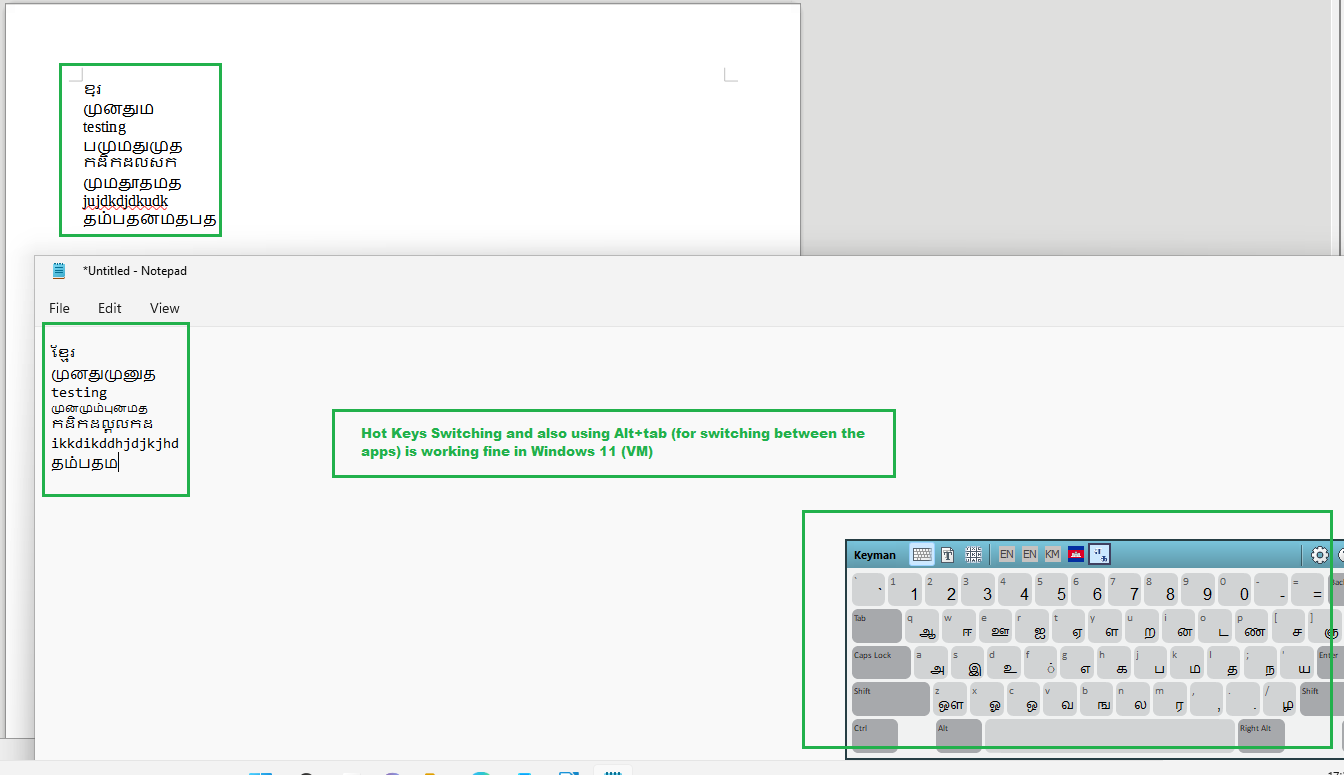
- Use the Keyman Configuration to assign hotkeys to the default Keyboard as well as the two Keyman Keyboards
- Open two text input applications for example Libre Office and Notepad.
- Turn on the OSK keyboard
- Open Libre Office and select the default Keyboard with the Hotkeys type some text.
- Use Alt + Tab to switch to NotePad
- Use the Hotkeys to switch to a Keyman Keyboard and observe you can use that keyboard.
- Observe that on the Alt is not pressed down "stuck" on.
- Use the HotKeys to switch to the second Keyman keyboard
- Use Alt + Tab to switch to LibreOffice
- Type and observe the keyboard works correctly
- Observe that the Altdoes not get stuck
- Try a combination of switching between keyboards and applications. Pressing different modifier keys etc.
- We want to make use the ALT Key or any other modifier key does not stay down - become stuck.
TEST_WIN_EMOJI_INPUT
- Start Keyman
- Select a non-keyman keyboard
- Open Notepad
- Type some text on the physical keyboard.
- Press the ⊞ Win + . to bring up the emoji and gif window.
- In the search box type some characters.
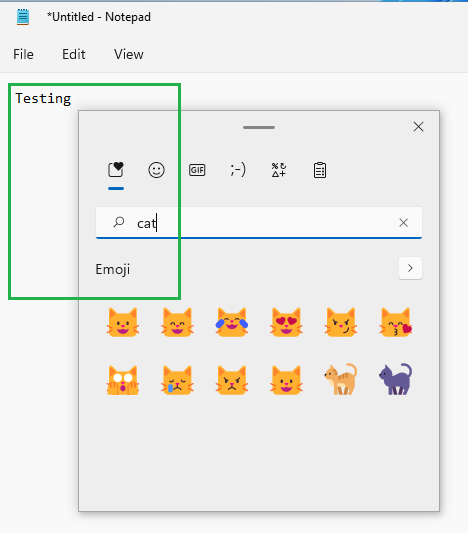
- Does it allow input into the emoji panels text field? Verify that input still works and is not completely blocked.

User Test Results
Test specification and instructions
-
🟥 GROUP_WIN10: - Run the tests in a Windows 10 OS
- ✅ TEST_ALTGR_IN_RULES (PASSED): Tested this with the attached PR build (Keyman 16.0.82-alpha) in Windows 10 (Native Machine) and verified that we are able to see the expected result. (notes)
- ✅ TEST_HOTKEYS (PASSED): Verified that the switching between non-keyman and keyman keyboards using hotkeys are working as expected. (notes)
- ✅ TEST_HOTKEYS_SWITCH_APPS (PASSED): Verified that switching between non-keyman and keyman keyboards using hotkey and also using Alt + Tab to switch applications (working as expected.) (notes)
- 🟥 TEST_WIN_EMOJI_INPUT (FAILED): After running this test, ALT key stuck at one point, and the keyboard is malfunctioning. I have to restart the system to sort out this problem. Seems to be an issue.
-
✅ GROUP_WIN11: - Run the tests in Windows 11 OS
4 tests PASSED
- ✅ TEST_ALTGR_IN_RULES (PASSED): Tested this with the attached PR build (Keyman 16.0.82-alpha) in Windows 11 (Virtual Machine) and verified that we are able to see the expected result. (notes)
- ✅ TEST_HOTKEYS (PASSED): Verified that the switching between non-keyman and keyman keyboards using hotkeys are working as expected. (notes)
- ✅ TEST_HOTKEYS_SWITCH_APPS (PASSED): Verified that switching between non-keyman and keyman keyboards using hotkey and also using Alt + Tab to switch applications (working as expected.) (notes)
- ✅ TEST_WIN_EMOJI_INPUT (PASSED): It allows input into the emoji panels text field. Verified that the input still works and is not completely blocked. (notes)
Retesting Template
@keymanapp-test-bot retest GROUP_WIN10 TEST_WIN_EMOJI_INPUT
Test Artifacts
![keymanapp-test-bot[bot] avatar](https://avatars.githubusercontent.com/in/133554?v=4 "Published by a pub.dev verified publisher")
GROUP_WIN10: - Run the tests in a Windows 10 OS
-
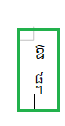
TEST_ALTGR_IN_RULES (PASSED): Tested this with the attached PR build (Keyman 16.0.82-alpha) in Windows 10 (Native Machine) and verified that we are able to see the expected result.
-
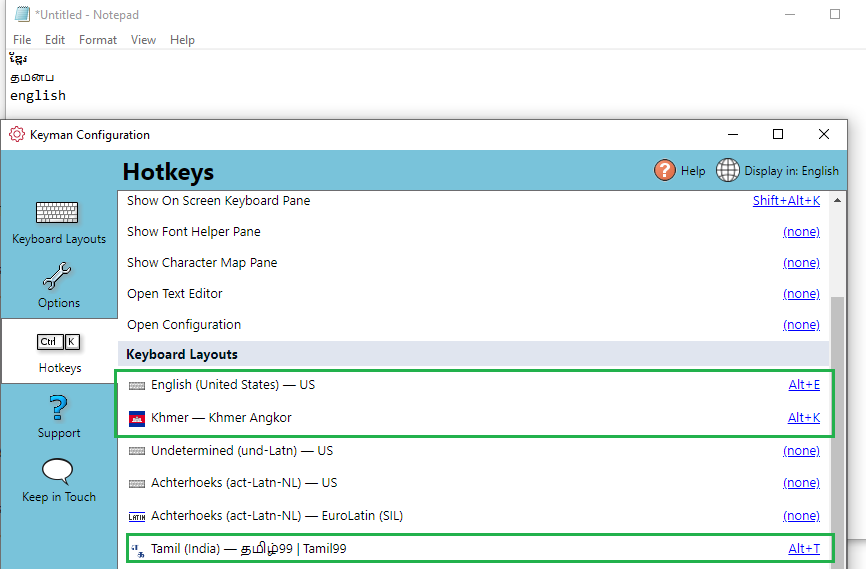
TEST_HOTKEYS (PASSED): Verified that the switching between non-keyman and keyman keyboards using hotkeys are working as expected.
-
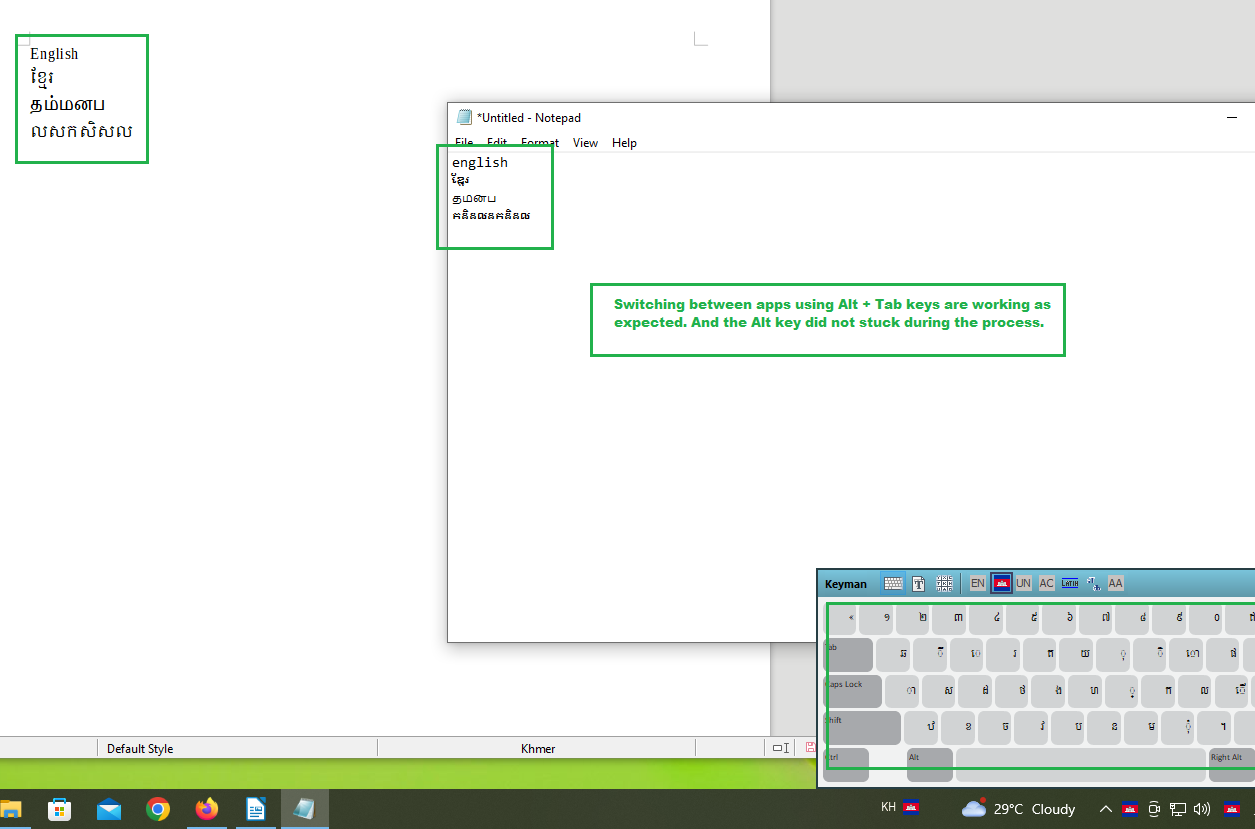
TEST_HOTKEYS_SWITCH_APPS (PASSED): Verified that switching between non-keyman and keyman keyboards using hotkey and also using Alt + Tab to switch applications (working as expected.)
-
TEST_WIN_EMOJI_INPUT (FAILED): After running this test, ALT key stuck at one point, and the keyboard is malfunctioning. I have to restart the system to sort out this problem. Seems to be an issue.

GROUP_WIN11: - Run the tests in Windows 11 OS
- TEST_ALTGR_IN_RULES (PASSED): Tested this with the attached PR build (Keyman 16.0.82-alpha) in Windows 11 (Virtual Machine) and verified that we are able to see the expected result.
-
TEST_HOTKEYS (PASSED): Verified that the switching between non-keyman and keyman keyboards using hotkeys are working as expected.
-
TEST_HOTKEYS_SWITCH_APPS (PASSED): Verified that switching between non-keyman and keyman keyboards using hotkey and also using Alt + Tab to switch applications (working as expected.)
-
TEST_WIN_EMOJI_INPUT (PASSED): It allows input into the emoji panels text field. Verified that the input still works and is not completely blocked.
WIN_EMOJI_INPUT (FAILED): After running this test, ALT key stuck at one point, and the keyboard is malfunctioning. I have to restart the system to sort out this problem. Seems to be an issue.
Ok thanks @bharanidharanj.
- Can you remember the exact sequence? If so please provide steps to reproduce.
- Were you able to open the emoji input window at all? *
- Was it once you entered an emoji?
- What part of the sequence do you press the ALT key,
Question on the way forward for @mcdurdin? @bharanidharanj was unable to reproduce getting the ALT key stuck on the failed test. I would say that we can say that this change has not removed what is causing the issue. However, it seems like a logical improvement AND the other tests show it has not caused a regression. Should we
- Merge this PR but keep the issue open needing further investigation.
- Close this PR without merging and start from scratch investigating this issue.
I would say that we can say that this change has not removed what is causing the issue.
Keep in mind that there may be multiple causes for the issue. So this should have fixed one common source.
I am okay with merging this as I think it is a net positive. But perhaps we'll hold off back-porting to 15.0 for now?

This PR address one of the causes for an ALT key becoming stuck. It has passed the regression tests, however, it has been shown the ALT key being stuck can still occur. We have enough confidence to merge this PR. However, we will leave parent issue #7337 open for further investigation.


GROUP_WIN10
Tested on Windows 10 Pro virtual machine with Keyman for Windows 16.0.88-alpha
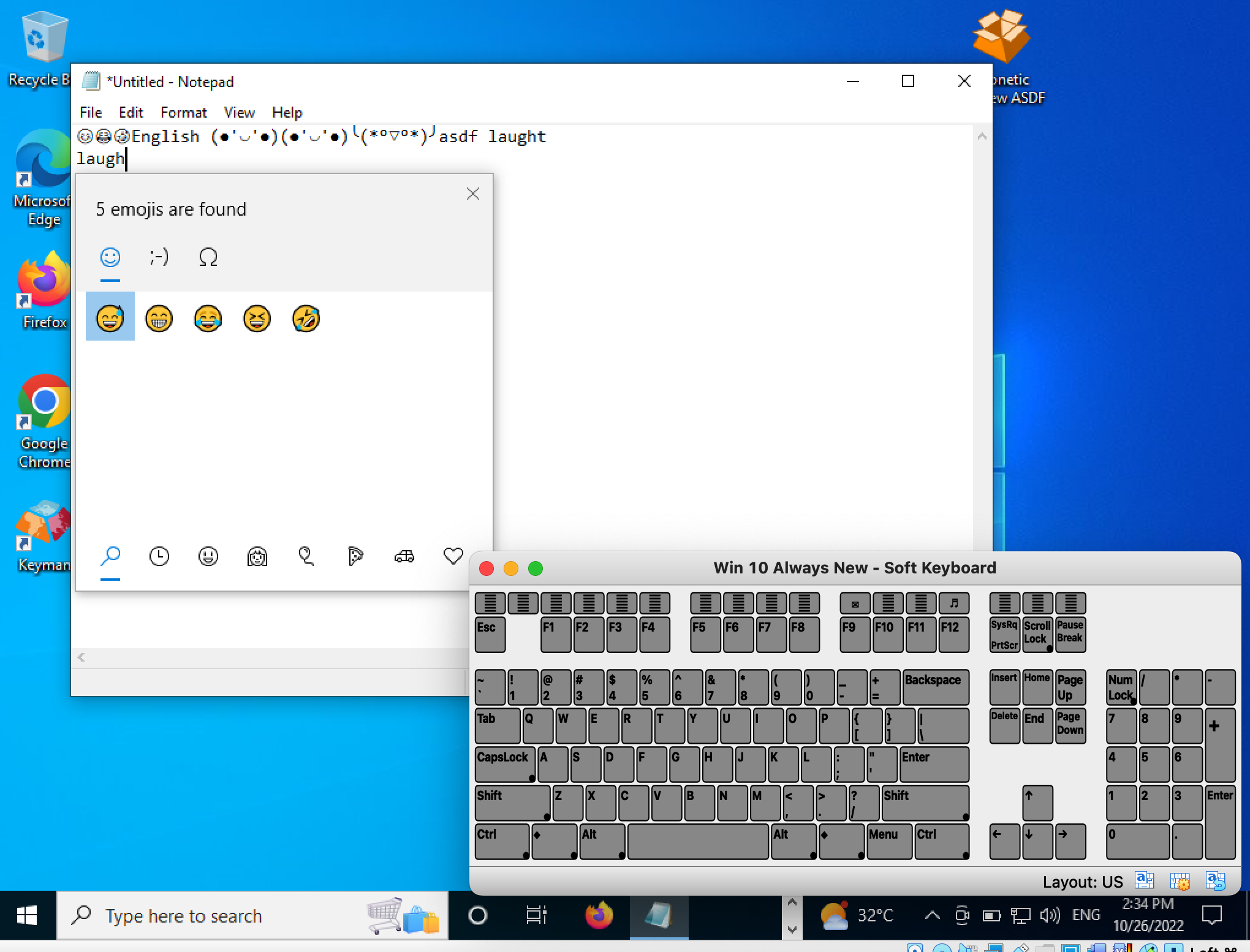
- TEST_WIN_EMOJI_INPUT(PASSED): the emoji window shows up and the word typed would be counted as a query for the matching emoji (see the screenshot below).