

 keymanapp
fix(developer): Handle invalid graphics in icon editor
Fixes #7419.
If the user attempts to add an invalid graphic (e.g. a .png file saved with a .ico extension), Keyman Developer will no longer crash when trying to load the file.
Note that while the keyboard will still compile with an invalid graphic, Keyman for Windows will refuse to install it. I have not tested other platform handling of such a situation.
User Testing
All tests in the Keyboard Editor. To complete these tests, add a new, blank icon in the keyboard editor, save the keyboard, close the editor, replace the saved icon file with another one via Windows Explorer, and then reopen the keyboard editor.
TEST_VALID_ICON: Verify that adding a normal, 16x16 valid icon file to a keyboard causes no problems, and that the icon editor is displayed. TEST_VALID_ICON_MULTI: Verify that adding a valid icon file with multiple resources to a keyboard shows the set of images included in the icon, in a read-only view, without crashing Keyman Developer. Here's one icon file. TEST_INVALID_ICON: Verify that adding a file that is not an icon to the keyboard shows an error message but does not crash Keyman Developer. Here's one invalid icon file.

User Test Results
Test specification and instructions
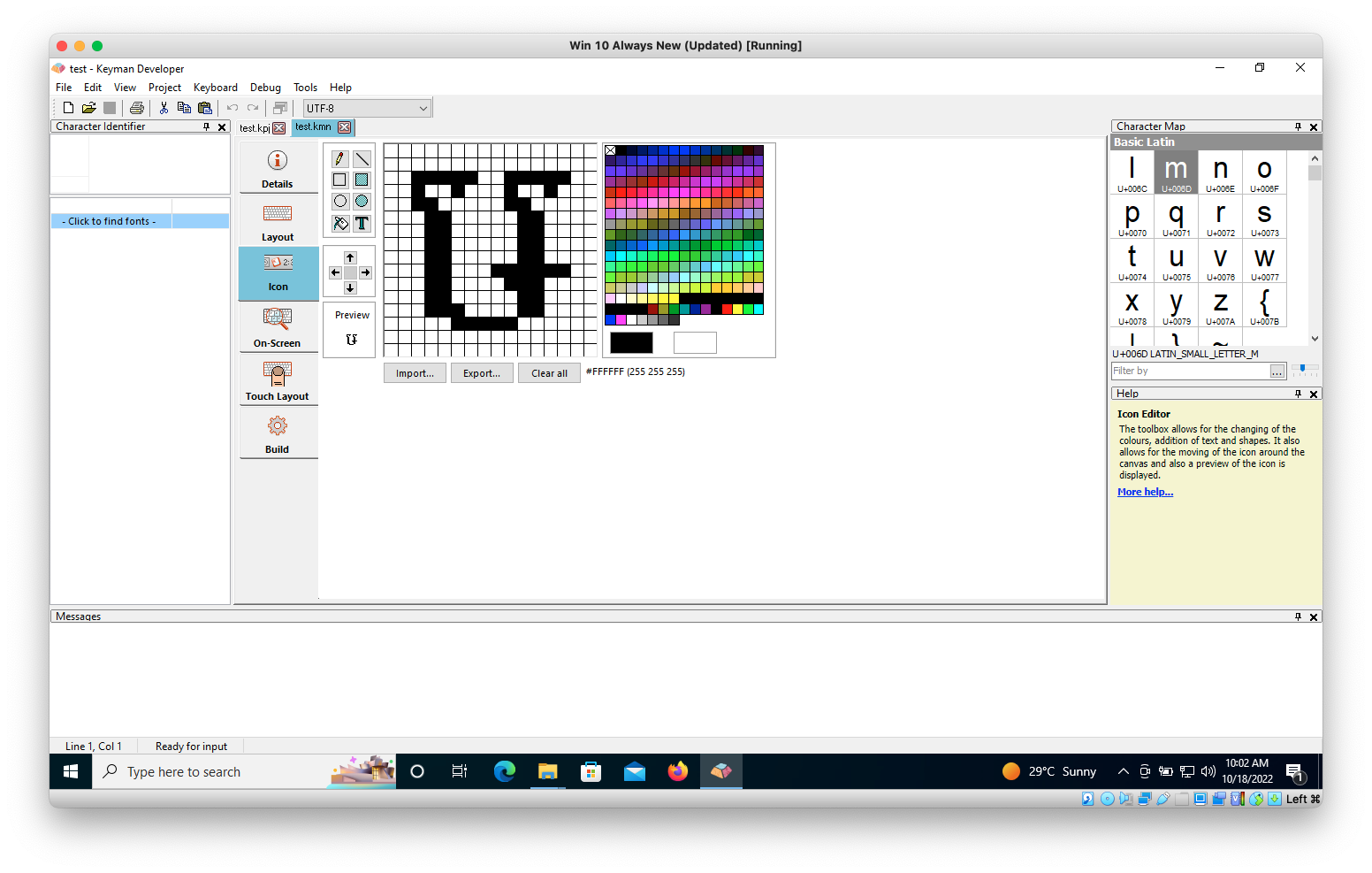
- ✅ TEST_VALID_ICON (PASSED): when replacing the blank icon with a new one (.ico file with 16x16 dimension) in Windows Explorer and then reopen .kmn file, the existing icon does get replaced and the new one is shown in the Icon tab of the .kmn file. (notes)
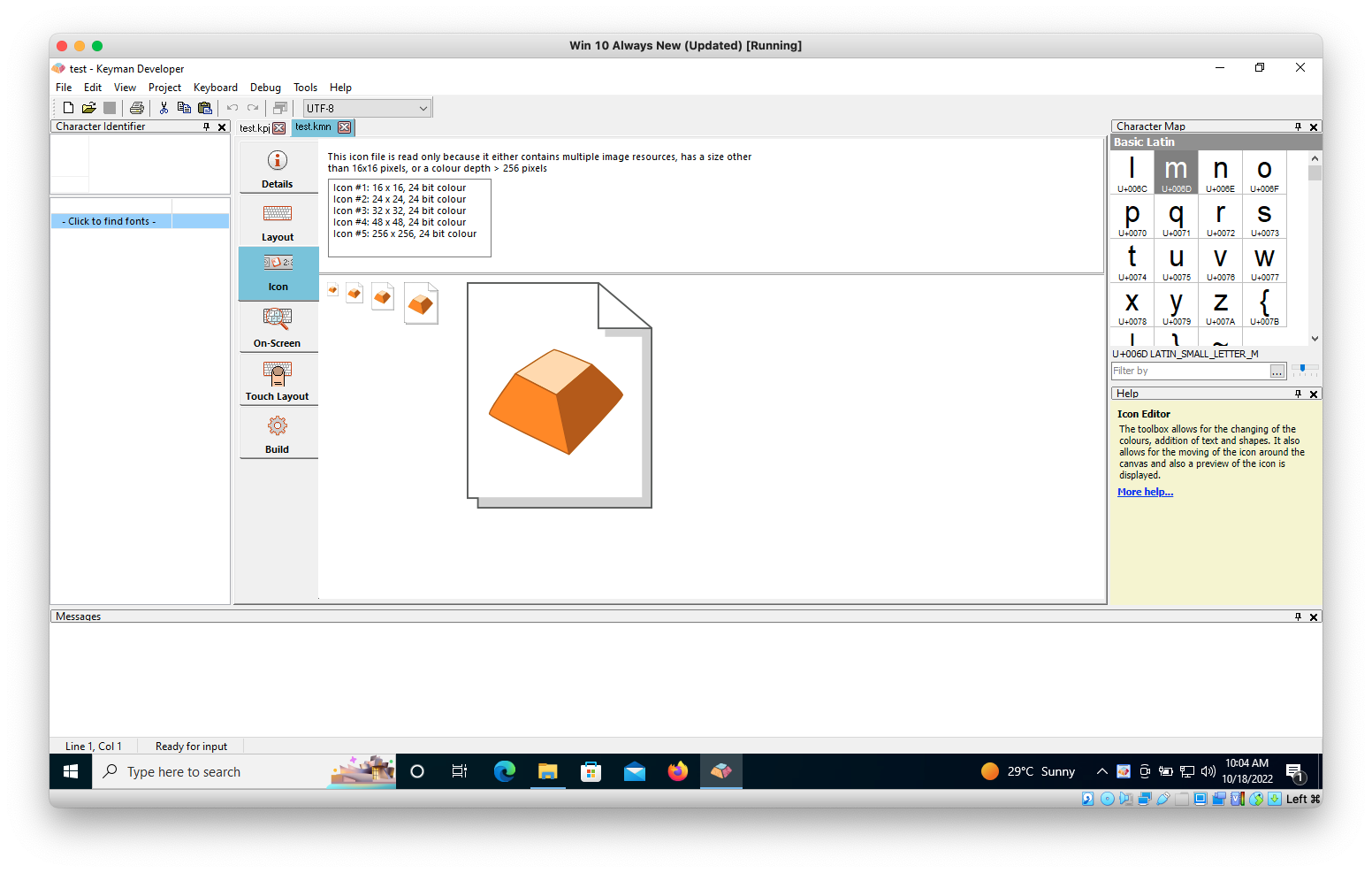
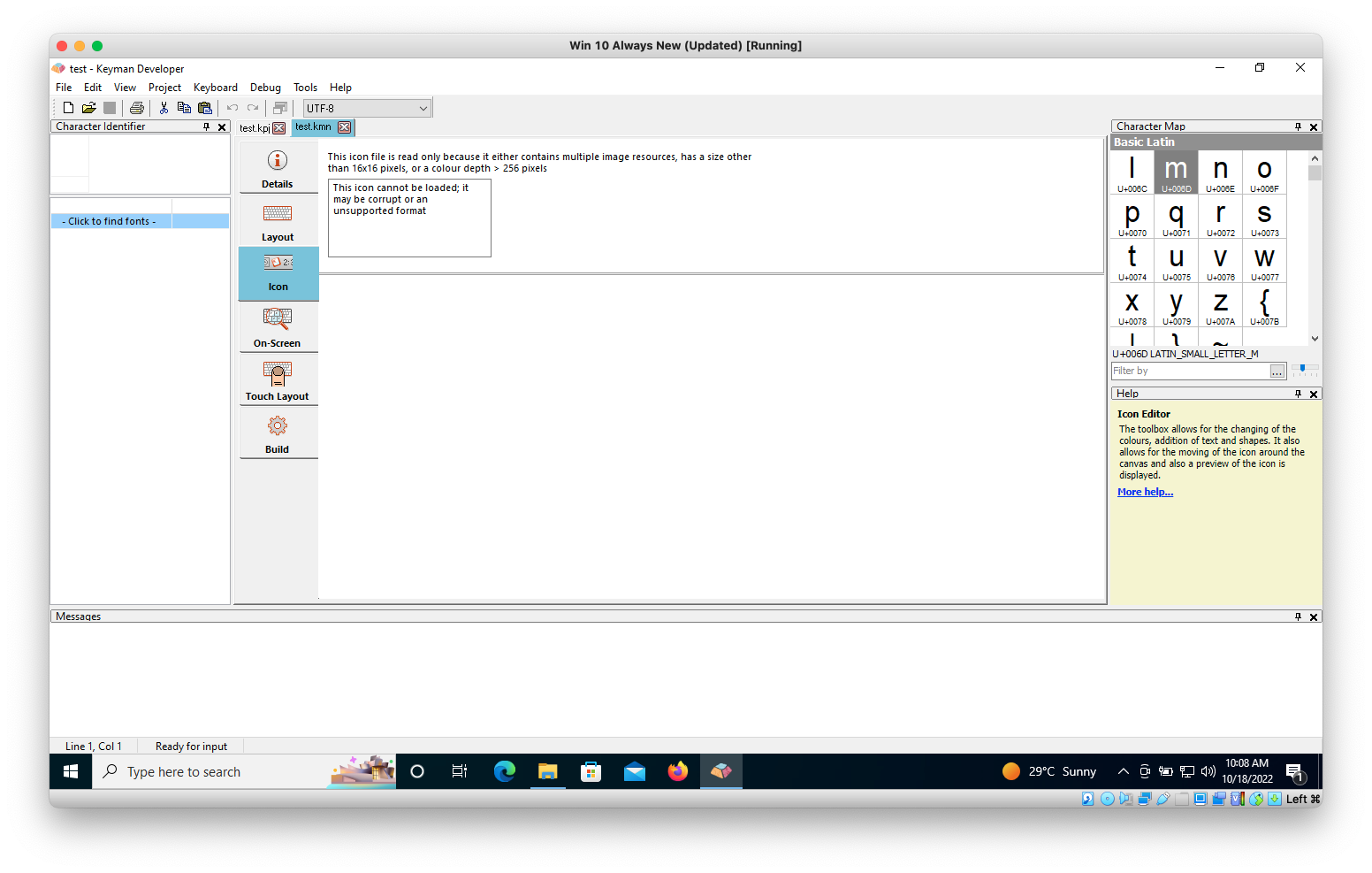
- ✅ TEST_VALID_ICON_MULTI (PASSED): when replacing the existing icon with a new read-only one provided in the instructions above, Keyman Developer doesn't crash and the new icon gets displayed with a note: "This icon file is read only because it either contains multiple image resources, has a size other than 16.16 pixels, or a color depth > 256 pixels" (notes)
- ✅ TEST_INVALID_ICON (PASSED): when replacing the existing icon with a new invalid icon file provided in the instructions, Keyman Developer doesn't crash and a note in the box read: "This icon cannot be loaded; it may be corrupt or an unsupported format". From a User Point of View, it may be helpful to make the error message stand out, by making the font face "red". In anyway, this doesn't fail the test. It's only better to make the error message look more like an error at a glance. (notes)
Test Artifacts
- Developer
- Keyboards
![keymanapp-test-bot[bot] avatar](https://avatars.githubusercontent.com/in/133554?v=4 "Published by a pub.dev verified publisher")
-
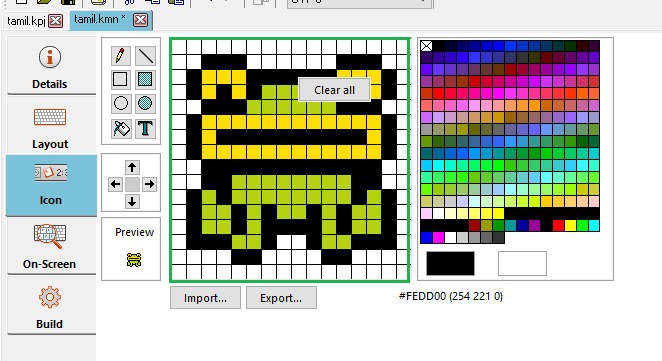
TEST_VALID_ICON (PASSED): Tested this in Keyman 16.0.78-alpha-test-7431 build in Windows 10 OS and here is my observations: I followed the setup steps before I started these tests. Verified that adding a normal 16x16 icon file did not create a problem in the icon editor.
-
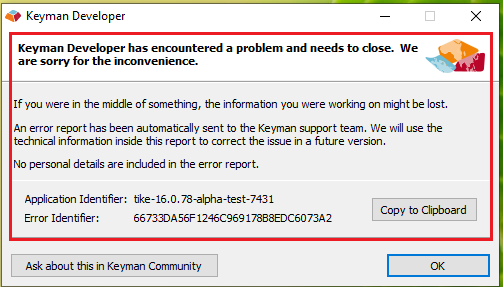
TEST_VALID_ICON_MULTI (FAILED): Adding the valid icon file (which is attached to this test) leads to crash the Keyman developer.
-
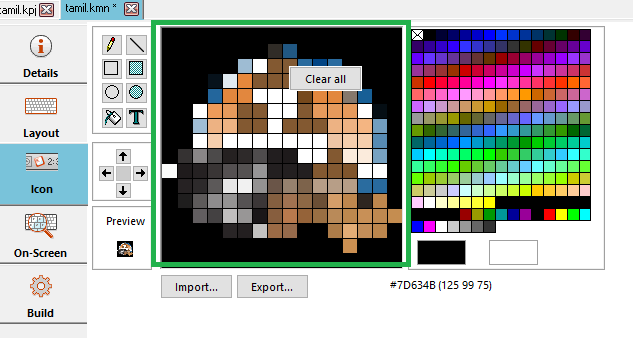
TEST_INVALID_ICON (PASSED): Adding an invalid icon file (which is attached to this test) to the keyboard did not show up any error message. But no crash happens after adding the file.

- Adding the valid icon file (which is attached to this test) leads to crash the Keyman developer.
Thank you @bharanidharanj, I will investigate!
If you experience crashes in the future, as well as pasting the screenshot of the crash dialog, can you click the Copy to Clipboard button in the dialog and paste the text from that into the results? Thanks 😄
- Adding the valid icon file (which is attached to this test) leads to crash the Keyman developer.
Thank you @bharanidharanj, I will investigate!
If you experience crashes in the future, as well as pasting the screenshot of the crash dialog, can you click the
Copy to Clipboardbutton in the dialog and paste the text from that into the results? Thanks 😄
Sure, @mcdurdin . I will do it.
@bharanidharanj thank you for the tests; I have fixed the issue you experienced; can you retest please?
@keymanapp-test-bot retest
![sentry[bot] avatar](https://avatars.githubusercontent.com/in/12637?v=4 "Published by a pub.dev verified publisher")
@bharanidharanj thank you for the tests; I have fixed the issue you experienced; can you retest please?
@keymanapp-test-bot retest
@mcdurdin Sure.
-
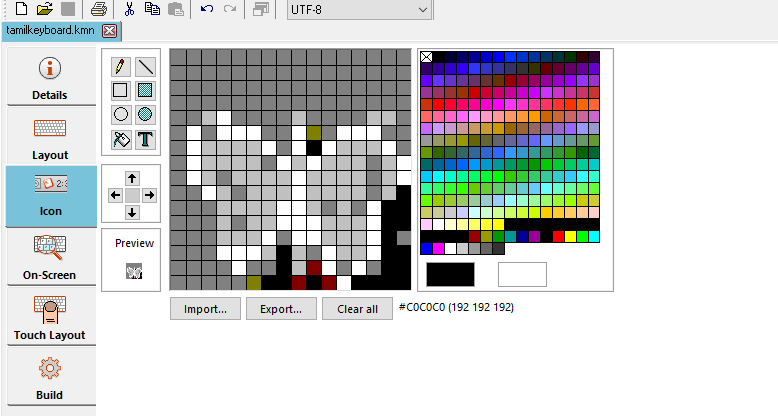
TEST_VALID_ICON (PASSED): Tested this in Keyman Developer 16.0.78-alpha-test-7431 in Windows 10 OS and here is my observations: Verified that adding a normal, 16x16 valid icon file does not cause any problem and it is displayed in the icon editor.
-
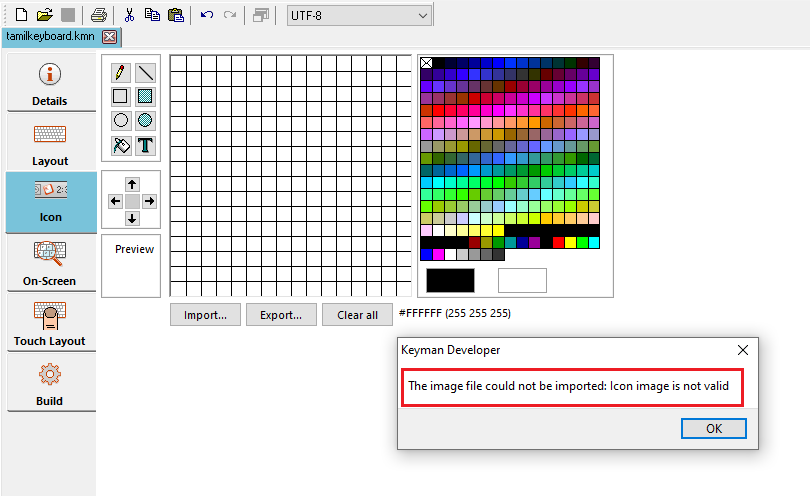
TEST_VALID_ICON_MULTI (PASSED): Got an error message after trying to add the attached valid icon file (kmn.ico) into the icon editor. But no crash.
-
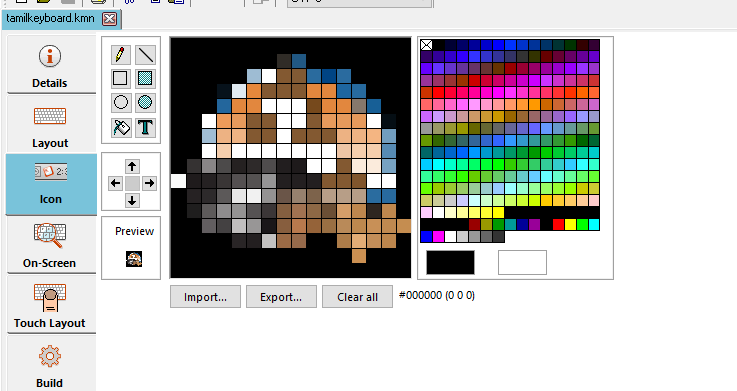
TEST_INVALID_ICON (PASSED): Verified that adding an invalid icon file to the keyboard did not crash the Keyman developer. But it did not show up any error message.
If I'm reading the user test instructions correctly, this user-test report: https://github.com/keymanapp/keyman/pull/7431#issuecomment-1278838333
indicates the following:
TEST_VALID_ICON_MULTI: FAILED
Verify that adding a valid icon file with multiple resources to a keyboard shows the set of images included in the icon, in a read-only view
The icon file's set of images was not displayed, let alone with a read-only view.
This part:
without crashing Keyman Developer
did pass, but not the whole test.

@bharanidharanj, when completing these tests, did you follow this step?
To complete these tests, add a new, blank icon in the keyboard editor, save the keyboard, close the editor, replace the saved icon file with another one via Windows Explorer, and then reopen the keyboard editor.

Test Results
-
TEST_VALID_ICON (PASSED): when replacing the blank icon with a new one (.ico file with 16x16 dimension) in Windows Explorer and then reopen .kmn file, the existing icon does get replaced and the new one is shown in the Icon tab of the .kmn file.
-
TEST_VALID_ICON_MULTI (PASSED): when replacing the existing icon with a new read-only one provided in the instructions above, Keyman Developer doesn't crash and the new icon gets displayed with a note: "This icon file is read only because it either contains multiple image resources, has a size other than 16.16 pixels, or a color depth > 256 pixels"
-
TEST_INVALID_ICON (PASSED): when replacing the existing icon with a new invalid icon file provided in the instructions, Keyman Developer doesn't crash and a note in the box read: "This icon cannot be loaded; it may be corrupt or an unsupported format". From a User Point of View, it may be helpful to make the error message stand out, by making the font face "red". In anyway, this doesn't fail the test. It's only better to make the error message look more like an error at a glance.
Thank you @MakaraSok for these tests.
- From a User Point of View, it may be helpful to make the error message stand out, by making the font face "red". In anyway, this doesn't fail the test. It's only better to make the error message look more like an error at a glance.
I agree it would be nicer but as this issue very rarely arises, it probably isn't worth the engineering effort :grin:
