

 keymanapp
fix(developer): Handle hints and warnings cleanly
Relates to #4324 (but slightly orthogonal.)
We wanted some message classes to be handled in the lexical model editor more cleanly, including drill-down to line of error. A few changes required to make this work well:
- Parse error messages from kmlmc. This is not perfect but works while the two projects are kept in sync, which they always are for Keyman Developer. Note that at this stage, .ts warnings are not captured in this parser, as they are generated by tsc.
- Drill-down in Wordlist Editor Frame to find line of error
- Model editor reports ownership of .tsv files so they can be loaded
- In case of model editor not open (e.g. building from project view), the TSV standalone editor was not displaying the frame, so it never actually worked.
- If the text editor had never loaded, then FindError was effectively a no-op; adds code to seek to error line after page load finishes.
- Ensures that if we attempt to seek an error in a sub-file owned by an editor (e.g. .tsv owned by .model.ts, .kvks owned by .kmn), that the parent editor will be focused first. Does not verify all paths here, just the tsv one.
User Testing
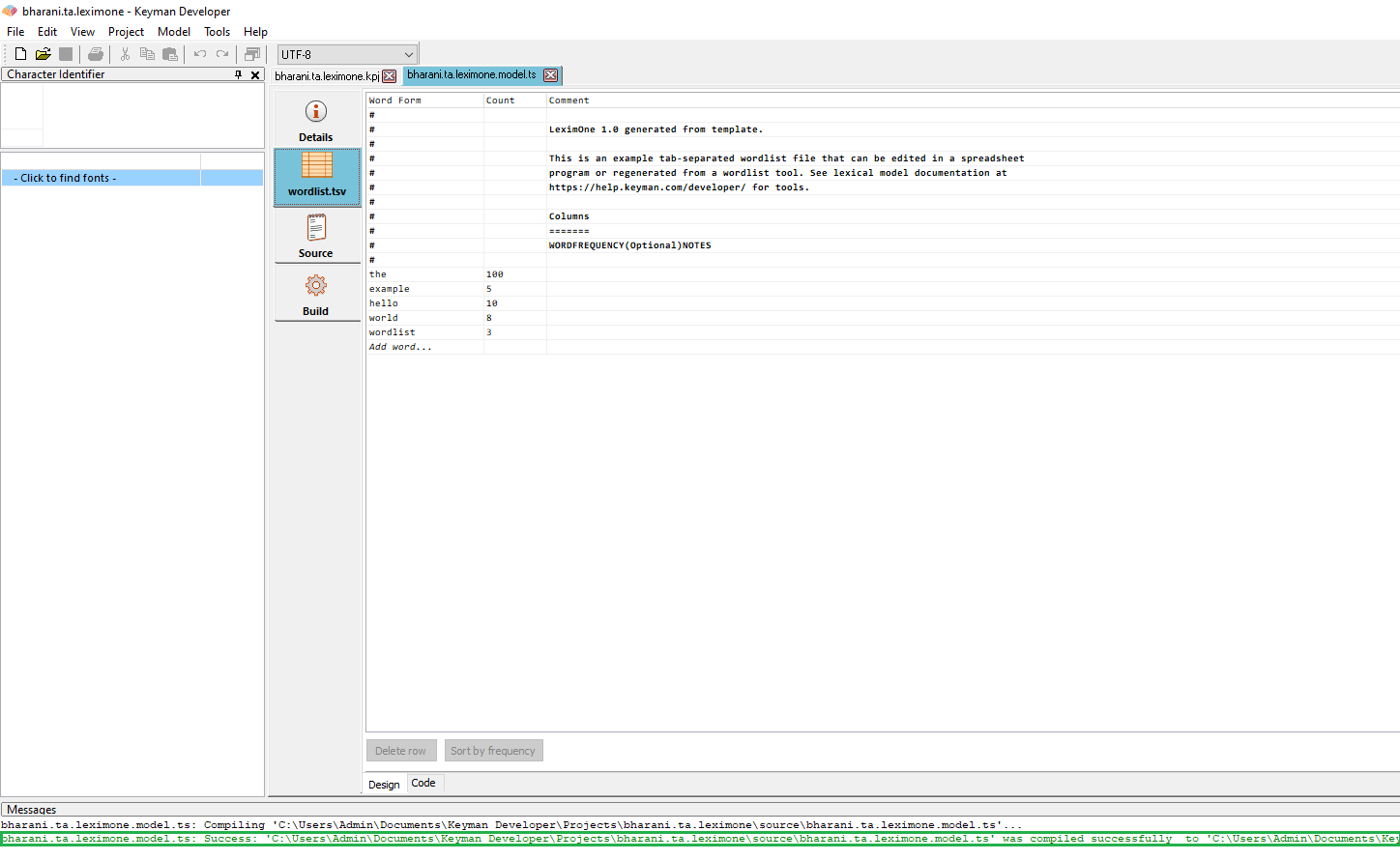
- TEST_MODEL_COMPILER: Load a model of your choice and verify that it compiles in the model editor.
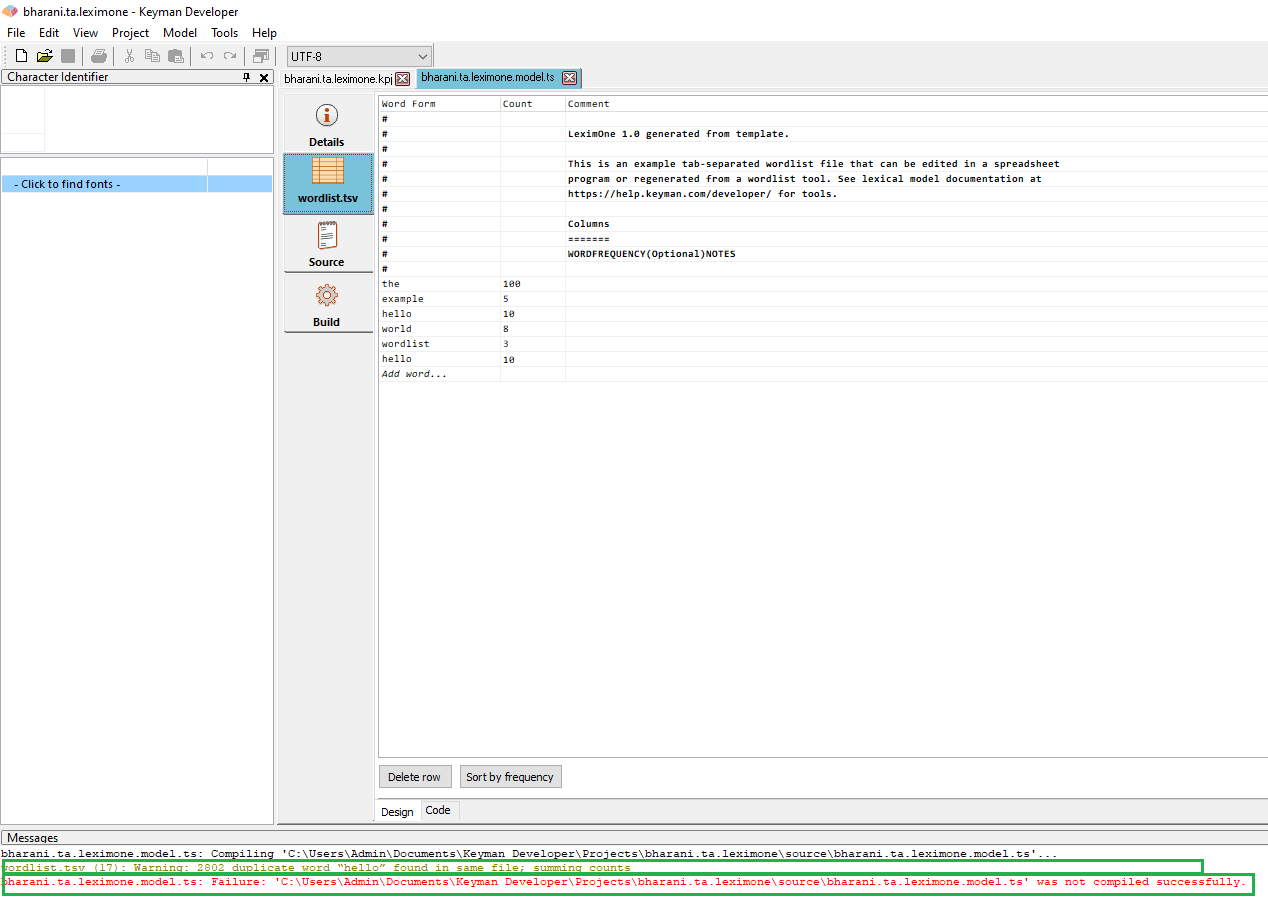
- TEST_MODEL_WARNING: Add a duplicate word into a model wordlist, and compile it from the model editor. Verify that it emits a warning (and if project options are set accordingly, fails the build).
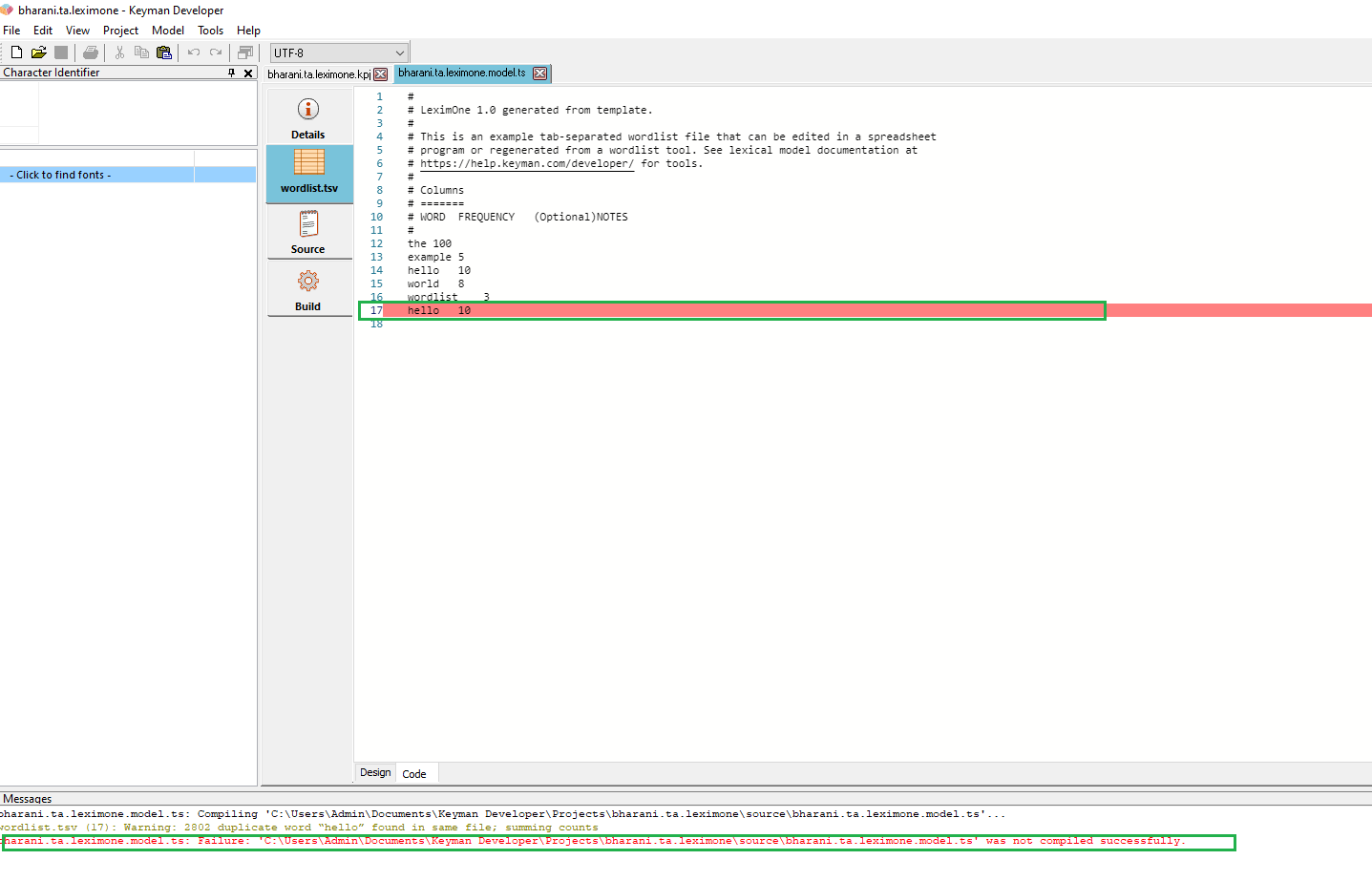
- TEST_LOCATE_WARNING: Using the model above, open it in the model editor, compile, and double-click on the warning line. It should open the wordlist view of the model editor, and highlight the relevant line.

User Test Results
Test specification and instructions
- ✅ TEST_MODEL_COMPILER (PASSED): Tested this with Keyman Developer 16.0.71-alpha-test-7372 in Windows 10 OS and verified that it compiles successfully in the model editor. (notes)
- ✅ TEST_MODEL_WARNING (PASSED): Added a duplicate word into a model wordlist, then compiled it from the model editor. Verified that it throws an warning message after compiling it. (notes)
- ✅ TEST_LOCATE_WARNING (PASSED): On continuation of the above test, double clicking on the warning line would opened the wordlist view of the model editor and highlighted the relevant line. (notes)
![keymanapp-test-bot[bot] avatar](https://avatars.githubusercontent.com/in/133554?v=4 "Published by a pub.dev verified publisher")
-
TEST_MODEL_COMPILER (PASSED): Tested this with Keyman Developer 16.0.71-alpha-test-7372 in Windows 10 OS and verified that it compiles successfully in the model editor.
-
TEST_MODEL_WARNING (PASSED): Added a duplicate word into a model wordlist, then compiled it from the model editor. Verified that it throws an warning message after compiling it.
-
TEST_LOCATE_WARNING (PASSED): On continuation of the above test, double clicking on the warning line would opened the wordlist view of the model editor and highlighted the relevant line.

- (and if project options are set accordingly, fails the build)
Reading the user test report, I don't believe this quoted aspect of TEST_MODEL_WARNING got addressed. That said, it wasn't specified thoroughly, so more explicit instructions toward that end may be needed.

Reading the user test report, I don't believe this quoted aspect of TEST_MODEL_WARNING got addressed. That said, it wasn't specified thoroughly, so more explicit instructions toward that end may be needed.
I'm confused -- are you doing code review or user test? :grin:
