

 keplergl
Example JSON file for Icon
Hi,
Could you please provide an example GeoJson file for creating Icon layers.
"type": "FeatureCollection",
"features": [
{
    "type": "Feature",
    "properties": {
        "style": {
            fillColor:'#669933',
            strokeColor:'red',
            strokeWidth:6,
            pointRadius:8
        },
        "icon": "car",
    },
    "geometry": {
        "type": "Point",
        "coordinates": [ -89.269113, 13.675143]
    }
}
]}
I have been trying to use the above format, however when I load the json to Kepler it is being selected as Polygon rather than Icon. Also loaded file is not getting visualized in the tool.
It would be great if you could help me with this regard.
Thank you,
KK

icon layer requires 3 columns latitude longitude and icon if you are using a geojson file, You need to add the point coordinate to the feature.properties
{
"type": "FeatureCollection",
"features": [
  {
    "type": "Feature",
    "properties": {
        "fillColor":'#669933',
         "strokeColor":'red',
         "strokeWidth":6,
         "pointRadius":8
         "latitude": 13.675143,
         "longitude": -89.269113,
         "icon": "car",
    },
    "geometry": {
        "type": "Point",
        "coordinates": [ -89.269113, 13.675143]
    }
  }
]}

Hi @heshan0131 , I have used the below geojson file.
{
"type": "FeatureCollection",
"features": [
  {
    "type": "Feature",
    "properties": {
        "fillColor":"#669933",
         "strokeColor":"red",
         "strokeWidth":6,
         "pointRadius":180,
         "latitude": 13.675143,
         "longitude": -89.269113,
         "icon": "car"
    },
    "geometry": {
        "type": "Point",
        "coordinates": [ -89.269113, 13.675143]
    }
  }
]}
However, the attributes updated in the properties section is not being reflected in the visualization.
Above json creates 3 layers (Point, Polygon, Icon). I have attached the screenshots below.
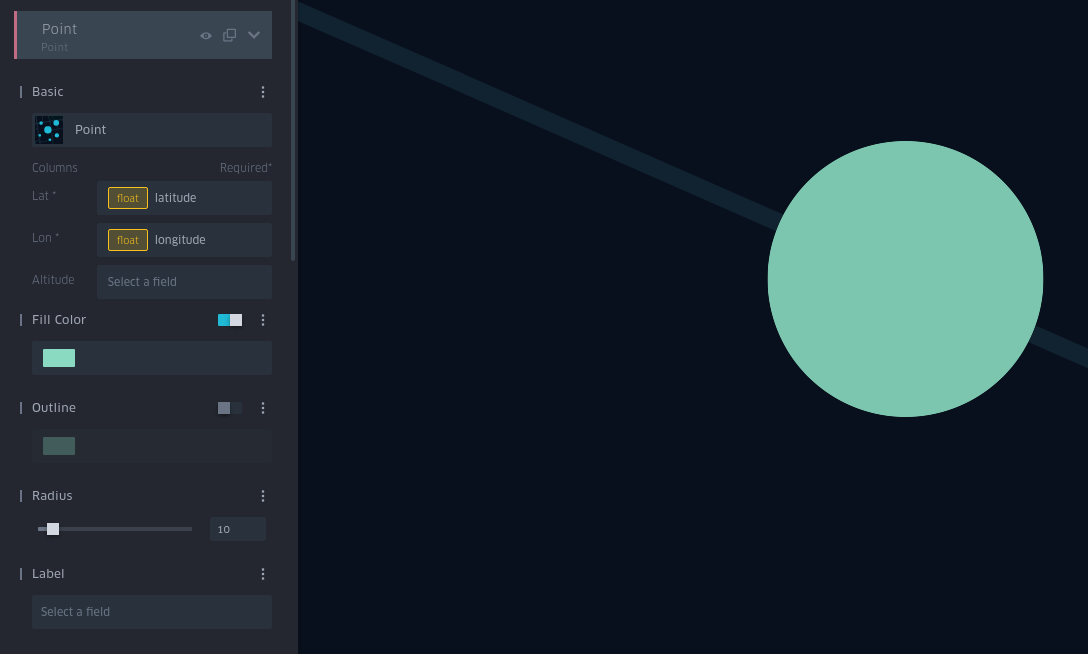
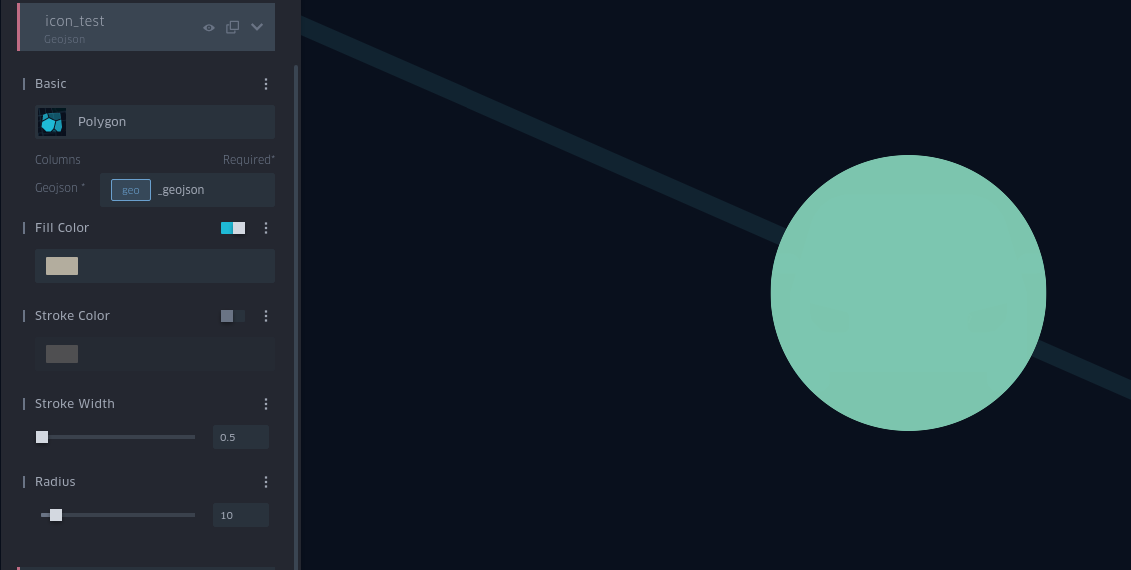
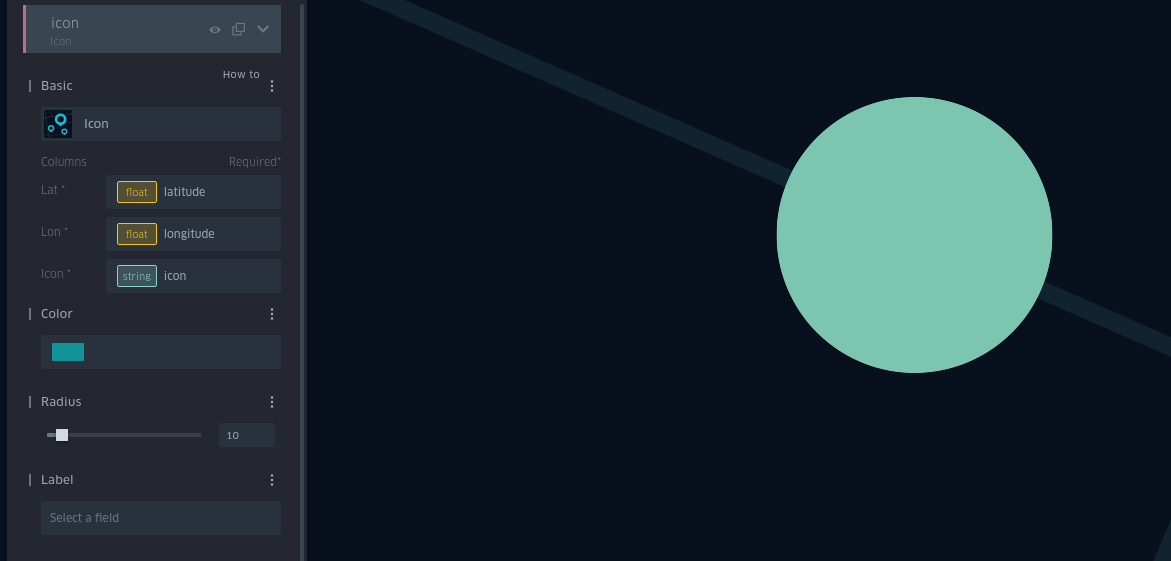
I am trying to understand how can I update GeoJson file so that I can assign distinct colour to each of the icons.
Thank you, KK
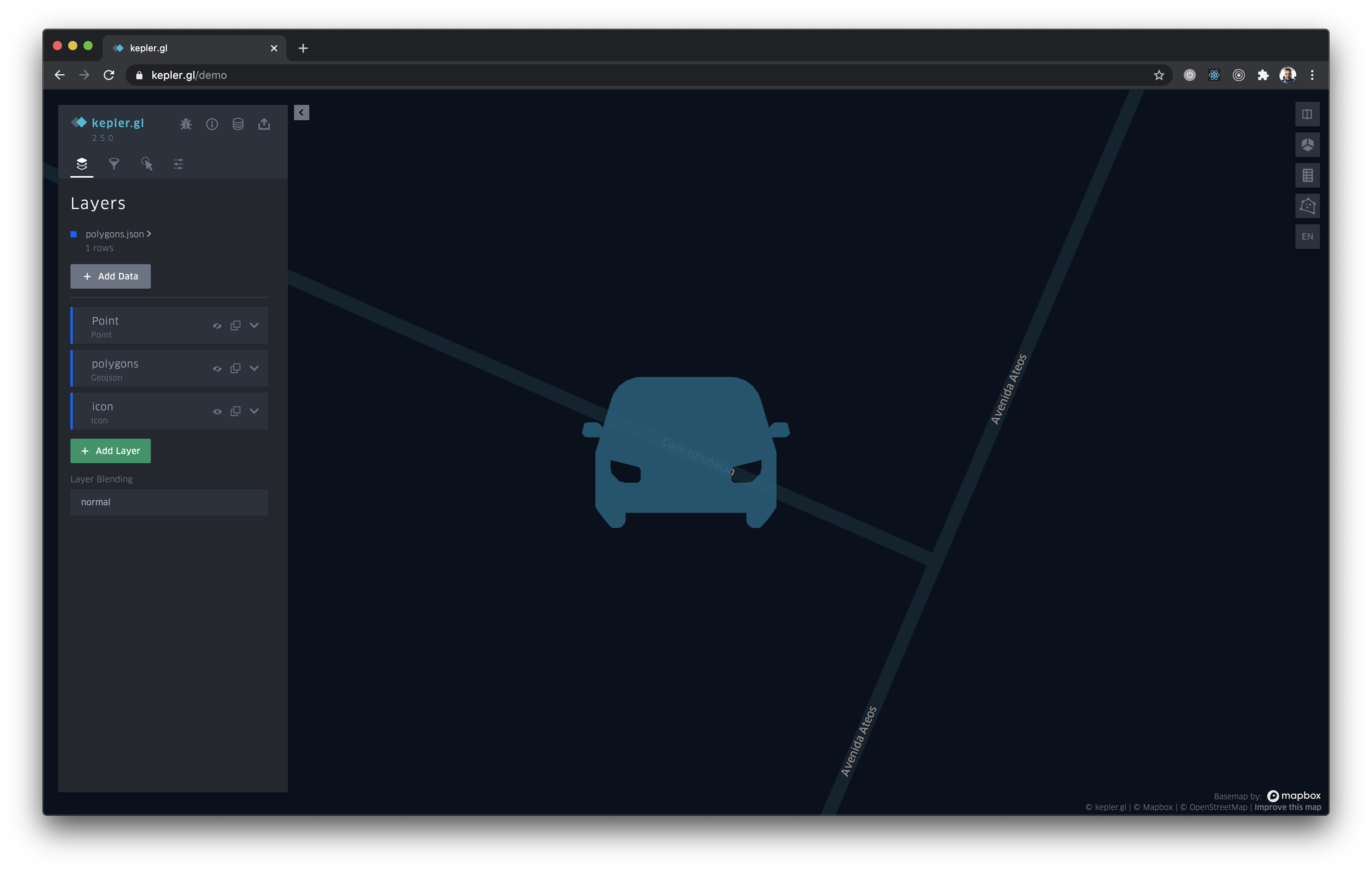
@kk2491 because you have 3 levels make sure you hide point and polygons and you will see your car icon. See below:

@macrigiuseppe , we meet the same issue https://github.com/keplergl/kepler.gl/issues/1586 .but when adding filter by kepler side panel , icon would show ok without mouse hover .
