

 kdheepak
Update screenshots in README and documentation
I'm on arch and cannot see the borders as in the screenshots on the github page for taskwarrior-tui. Please see image below. I feel like it must be some simple config issue with TERM or something (I tried both xterm and xterm-256color). gitui shows the borders just fine (also based on tui-rs). i went through the docs and could find anything. Apologies if I missed it.
To Reproduce
- I'm using kitty. I also do not see the borders in gnome-terminal and xterm.
Steps to reproduce the behavior:
taskwarrior-tui
Environment (please complete the following information):
-
Operating System:Linux
-
Installation: arch taskwarrior-tui-git (also tried the cargo install -same issue).
-
taskwarrior-tui version: 0.21.1
-
task version: 2.6.2
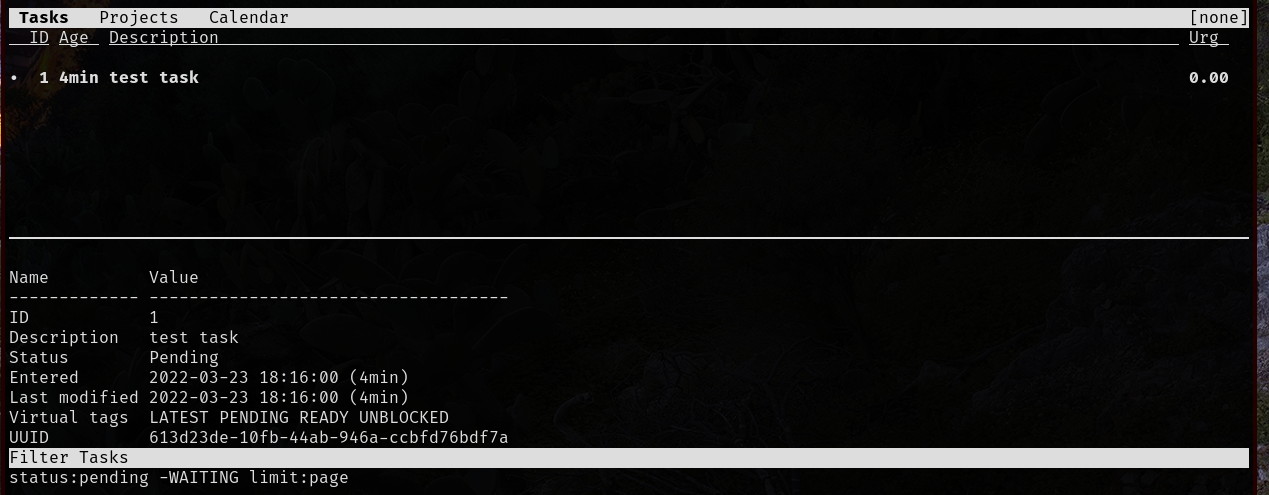

Sorry about the confusion. It's working as intended at the moment for you. I just haven't updated the screenshots and the gifs in the README yet. This PR https://github.com/kdheepak/taskwarrior-tui/pull/410 made changes to bring it more in line with taskwarrior aesthetics.
At some point I'd like to add the option to configure the views to optionally use borders.

Awesome. Both UI's are ok - just wanted to make sure I did not mess something up in the config. Thanks for all the work!