

 kdheepak
inline code blocks
Hi!
First of all thank you for this amazing plugin!
I noticed that you strip out the backticks of inline code blocks like test.
Vimdoc actually also supports the same format, so that should not be altered.
Vimdoc is a little picky though in that right before the backticks, there should be whitespace, but at least in tables, that is also stripped. (the string? items are surounded by backticks in the README.md)
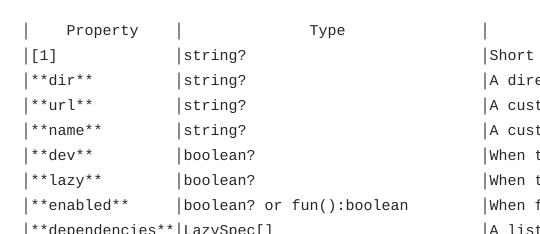
Not a big deal, but wanted to have this issue documented so it might be fixed at some point.
Thanks!

Thanks for the comment, and the kind words.
The only reason I had stripped inline blocks' backticks out was that when conceal was on the tables looked really funky.
See this screenshot as an example:
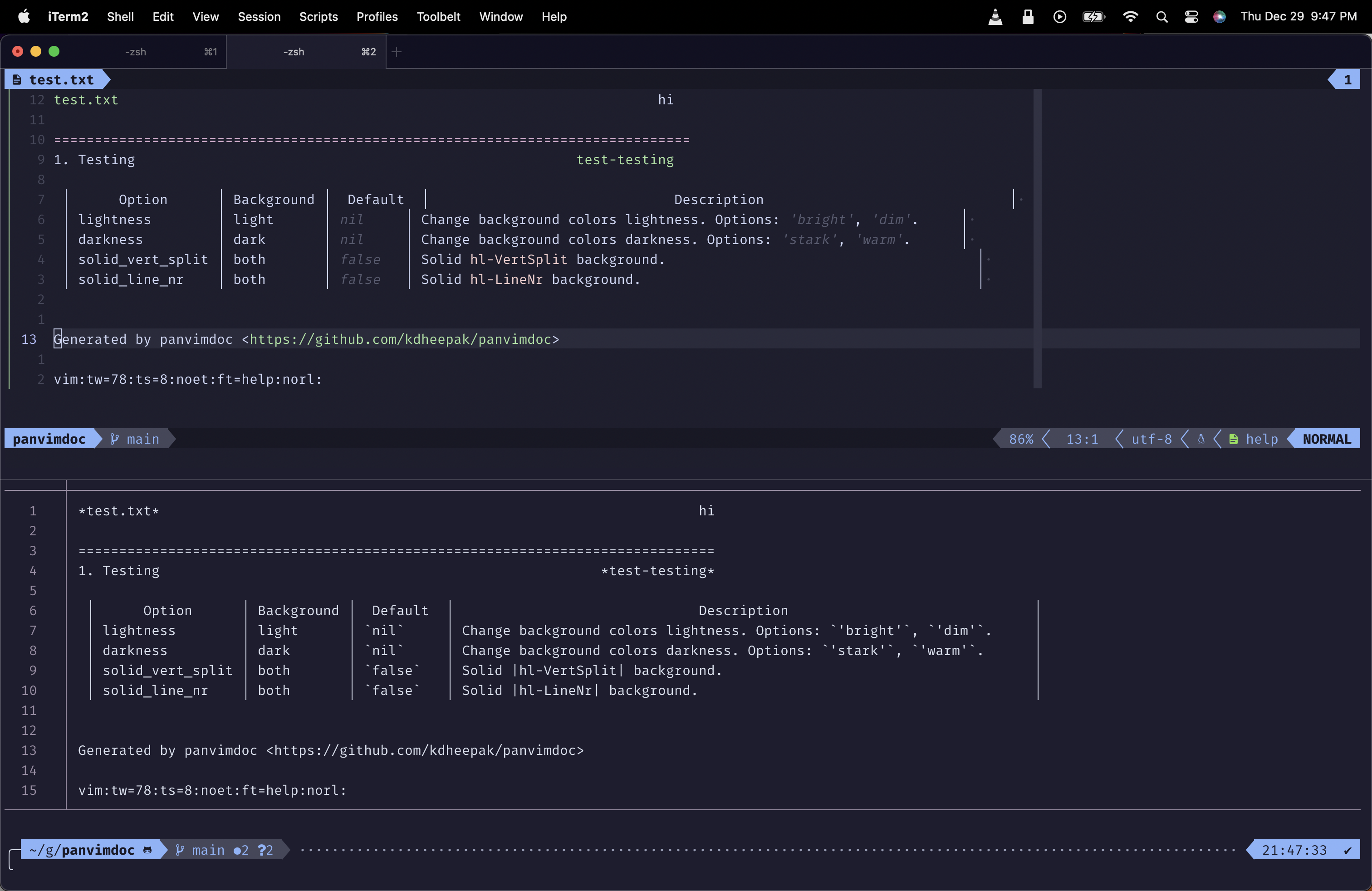
The top split is the table viewed using set filetype=help and the bottom is the cat test.txt output if I don't strip anything out. Basically, if conceal is enabled, then backticks need to be replaced by a backticks and single space. Not just that, it has to be a single space before the opening backtick and a single space after the closing backtick.
That's just annoying to implement. I guess I'd have to count the backticks, track which was opening and closing and assume that there were no stray backticks in the documentation of a table. Or use an actual markdown parser for that.
The simpler option was to just strip the backticks and deal with it later 😅.
Suggestions or recommendations welcome on how to solve it.
