

 joomdev
cannot override H1 - H6 colour via sections overrides
When you manually define a H1 - H6 heading colour in typography you can not override them via the sections settings.
This prevents you from setting a global H1 - H6 heading colour but having a different one for your footer modules.

@chandanndeep @Nishtha003 Can you check this please? The layout manager styles should be inline and top priority and we should be able to override the global colors using layout manager styles. No?

I think the issue/fault is that that section styles only override the body text and not h1-h6
A typical example of why this is needed
in my footer I have menu modules and as you know the titles are h3. If you look at the example below I have set
- h3 to black in typography
- the bottom section background is black
- the bottom section text to white
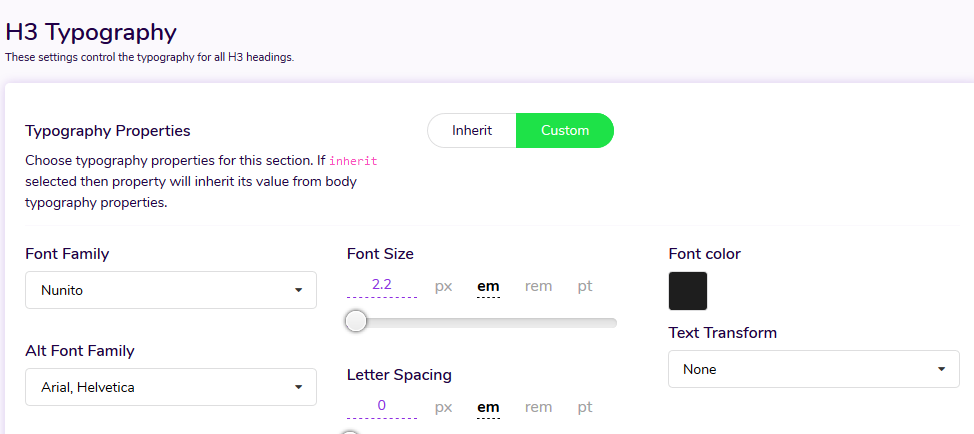
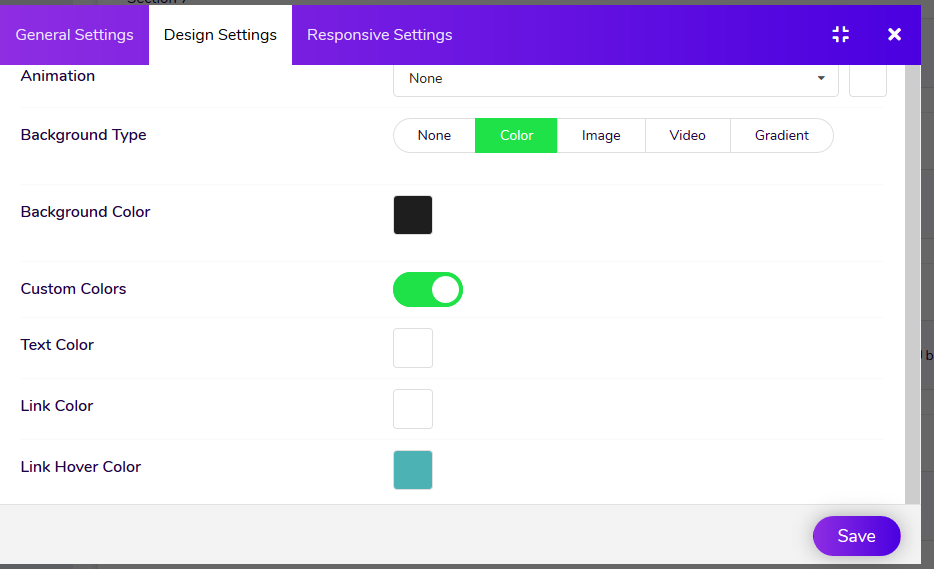
As you can see I cannot see the menu titles even though 'text colour' = white

I have now highlighted them so you can see they are present

I have used some custom code to make them white for now
/* Set Bottom Menu Titles to brand colour */
/*#bottom-section-1529739293881 h3.module-title {color: #4db2b3;}*/
[id^="bottom-section"] h3.module-title {color: #4db2b3;}
and should look like this (but i choose Teal instead of white)

see it on https://quantumwarp.com/
@shoulders
Right now, This type of option is not available in the Astroid Framework. Let see what we can do here.

A possibility would to be to add heading color in the design (custom color) options tab and that should apply to all headings within that section perhaps.
You dont need to specify h1 - h6 individually.
For me the section only would allow me to fix my issue above, is there a case for row and module to have this setting for consistency? I really am thinking out loud here. :)
We'll only specify heading color and it'll apply to all heading by default.