

 joerick
Add radio button for proportional time in HTML renderer
Hello!
Pull request overview
- Add a radio button in the HTML renderer that allows viewing the time as percentages of the total time.
- Small change in
Frame.jsto optimize computing the proportional time.
Motivation
I was happily surprised to see the following command-line argument added in the latest update:
Adds the ability to view times in the console output as percentages, rather than absolute times. Use the ConsoleRenderer option
time='percent_of_total', or on the command line, use-p, likepyinstrument -p time=percent_of_total.
But was disappointed when I realised this functionality was limited to the ConsoleRenderer. I opted to quickly implement the same for the HTML renderer, which I tend to use.
I figured that the rendered page ought to just have a simple toggle between absolute time and proportional time within the page itself, rather than relying on a command-line argument. This additional interactivity feels helpful to me as a user.
Results
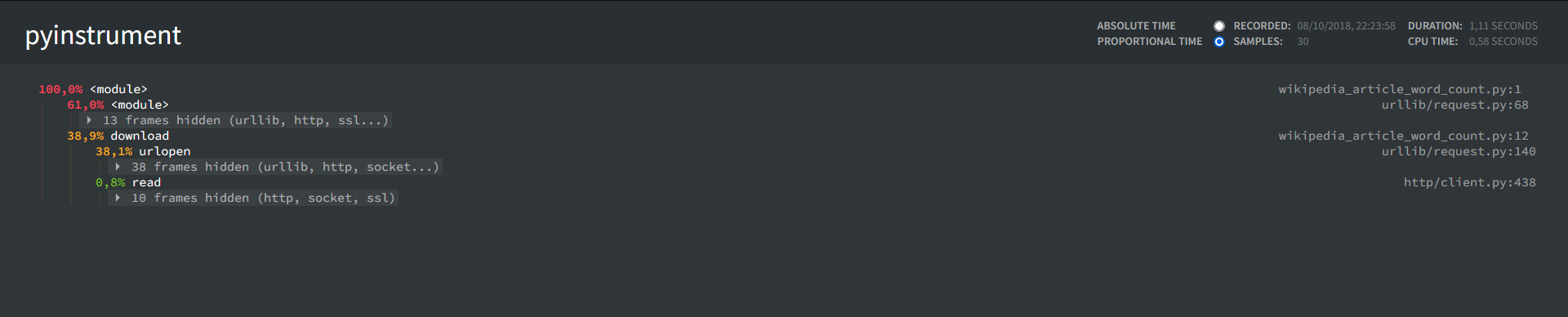
As can be seen in the following screenshot, the header has been expanded with a radio button, and a proportional time is shown. Note that absolute time is (still) the default.
Potential additional changes
- It may be preferable to place the radio buttons on the left of the labels, like so:

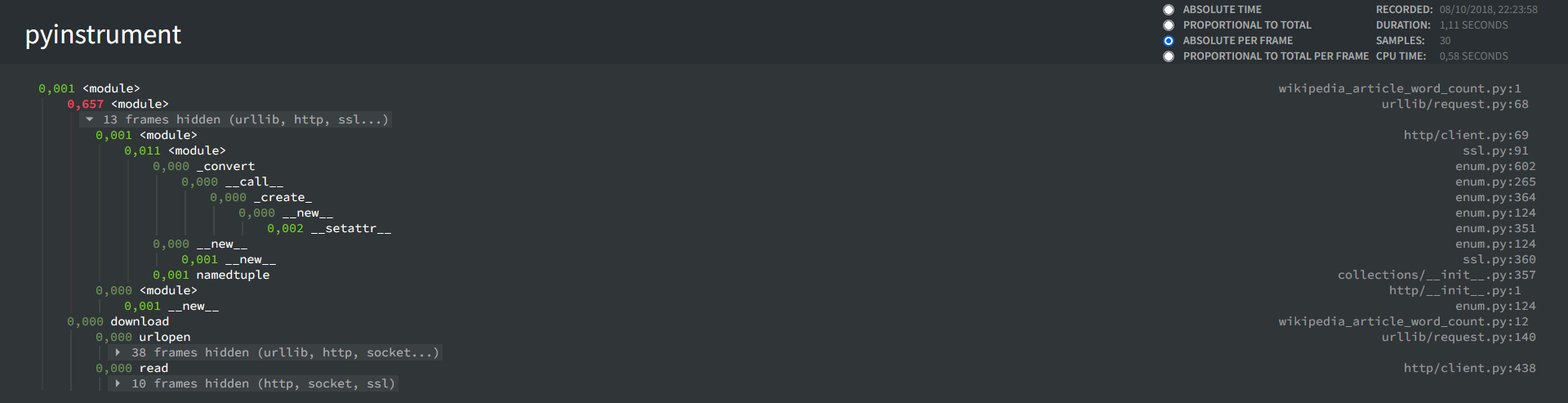
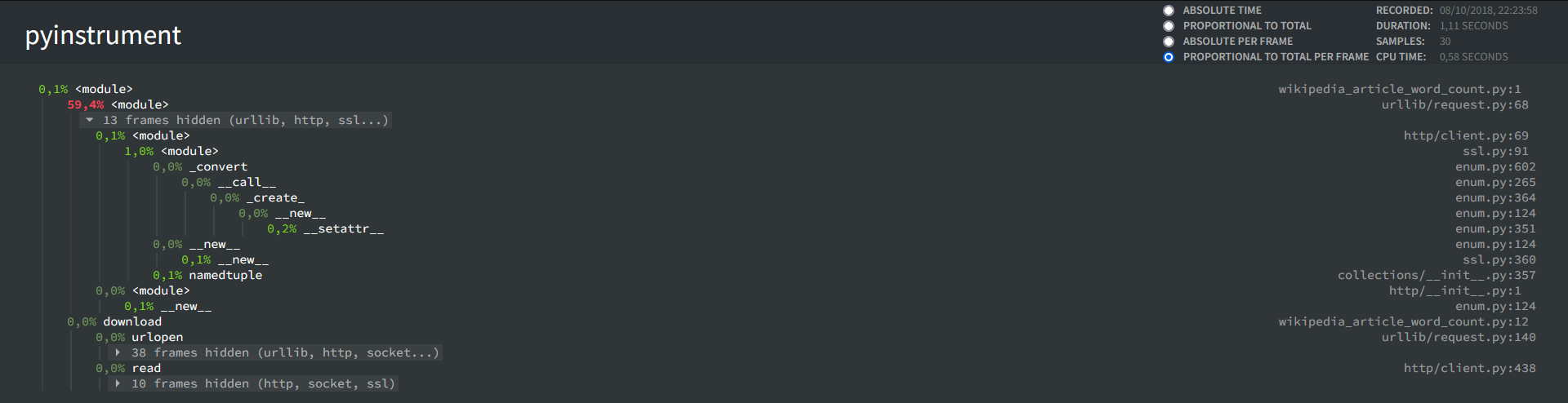
- I also considered options for absolute and proportional time per frame. For example, if one frame is very slow, then it will jump out. I experimented with this in my html_renderer/proportion_and_per_frame branch, which looks something like this (note: I manually opened the top hidden frame):
 However, when I used this on some of my work, I was unable to really put this into very effective use. In most situations, it seems that slow code is spread out over multiple relatively slow frames, which will just show up as green in this representation, giving a false impression that the code is efficient.
This representation also makes it somewhat unclear which sections of code are generally slow, as each branch now no longer shows the total execution time of the children. For example, the second screenshot says 59.4%, but it is unclear where the other ~40% of time is spent.
That said, the code exists, and if you're intrigued by it, then we can go for that.
However, when I used this on some of my work, I was unable to really put this into very effective use. In most situations, it seems that slow code is spread out over multiple relatively slow frames, which will just show up as green in this representation, giving a false impression that the code is efficient.
This representation also makes it somewhat unclear which sections of code are generally slow, as each branch now no longer shows the total execution time of the children. For example, the second screenshot says 59.4%, but it is unclear where the other ~40% of time is spent.
That said, the code exists, and if you're intrigued by it, then we can go for that.
Note
I also quickly optimized Frame.js by passing the total time of the entire program down to each frame. The code in this PR should speak for itself, but if you have any questions or comments, then I'll be available. Let me know if you need anything else from me at this point.
- Tom Aarsen
