

 jgraph
Conf: Embedded diagram w layers off shows whitespace
Preflight Checklist
- [x] I agree to follow the Code of Conduct that this project adheres to.
- [x] I have searched the issue tracker for a feature request that matches the one I want to file, without success.
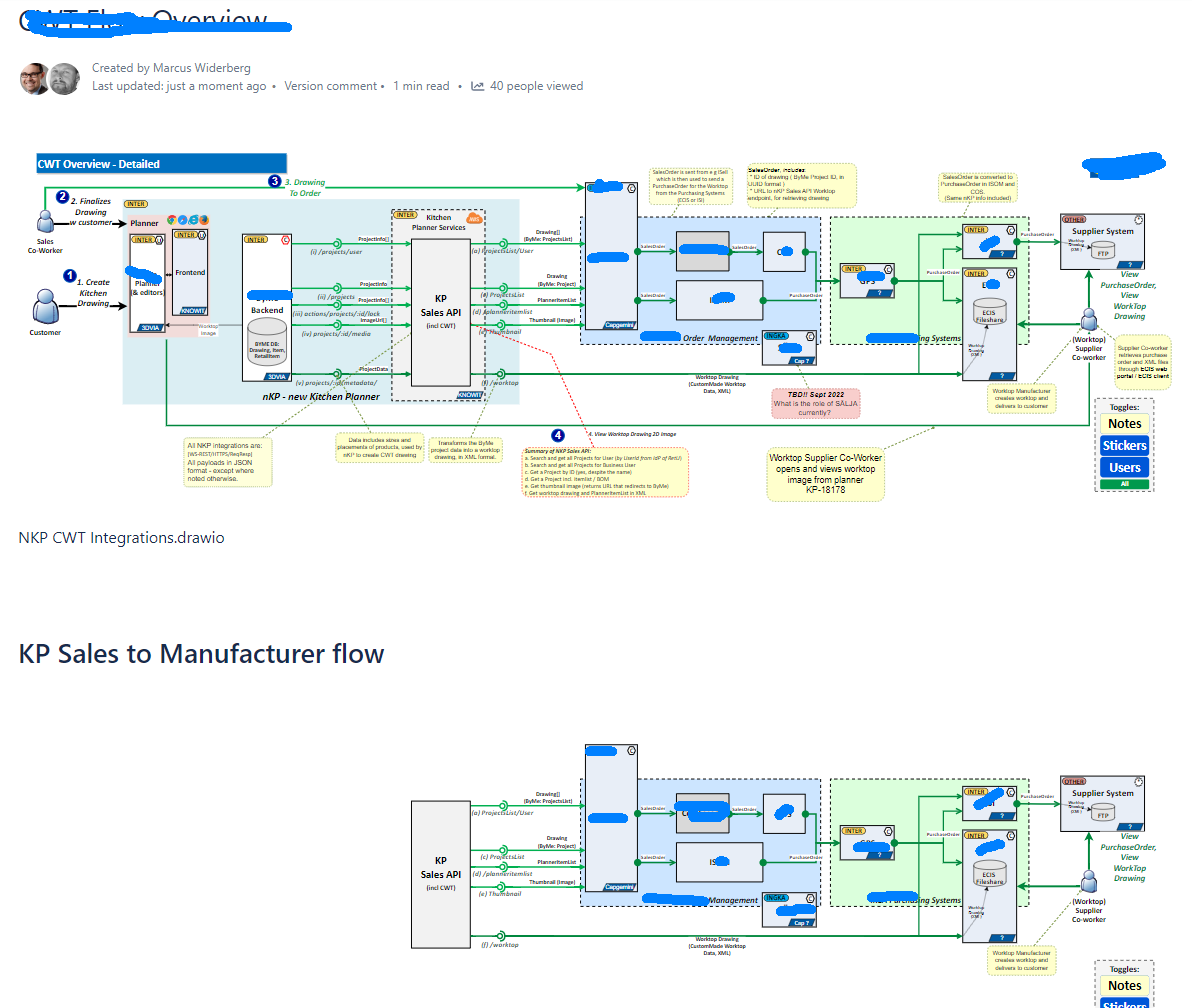
Bug: Embedding a diagram with layers toggled off now no longer shows only visible content Confluence: I embed a diagram, toggling off some layers to make them invisible. This makes the resulting diagram smaller. Previously, it seems that only visible content was shown in the visible canvas. Now, the canvas is sized exactly like the original image, so I get alot of whitespace.
I would like to have only the visible content displayed, and the whitespace omitted.
To Reproduce Steps to reproduce the behavior:
- Create a diagram with a flow where say half of the flow is in one layer, and the other half is in a second layer.
- Embed the diagram using the confluence embed drawio diagram macro, select to only display second layer with second half of the flow.
- Publish page
Expected behavior The second half of the flow is displayed and whitespace where the first half is no longer there, is not displayed
Actual behavior Whitespace is displayed.
Screenshots
draw.io version (In the Help->About menu of the draw.io editor):
- draw.io version 20.5.1
Desktop (please complete the following information):
- OS: Microsoft Windows [Version 10.0.19042.2130]
- Browser chrome
- Version 107.0.5304.88
Additional context I am not 100% sure if this is a bug - I seem to remember it displaying just the visible parts before, when doing this, but I can be wrong. In which case, maybe this can be considered a feature request... :-)

This issue has been automatically marked as stale because it has not had recent activity. It will be closed if no further activity occurs. Thank you for your contributions. See the FAQ for more information.
![stale[bot] avatar](https://avatars.githubusercontent.com/in/1724?v=4 "Published by a pub.dev verified publisher")