

 jgraph
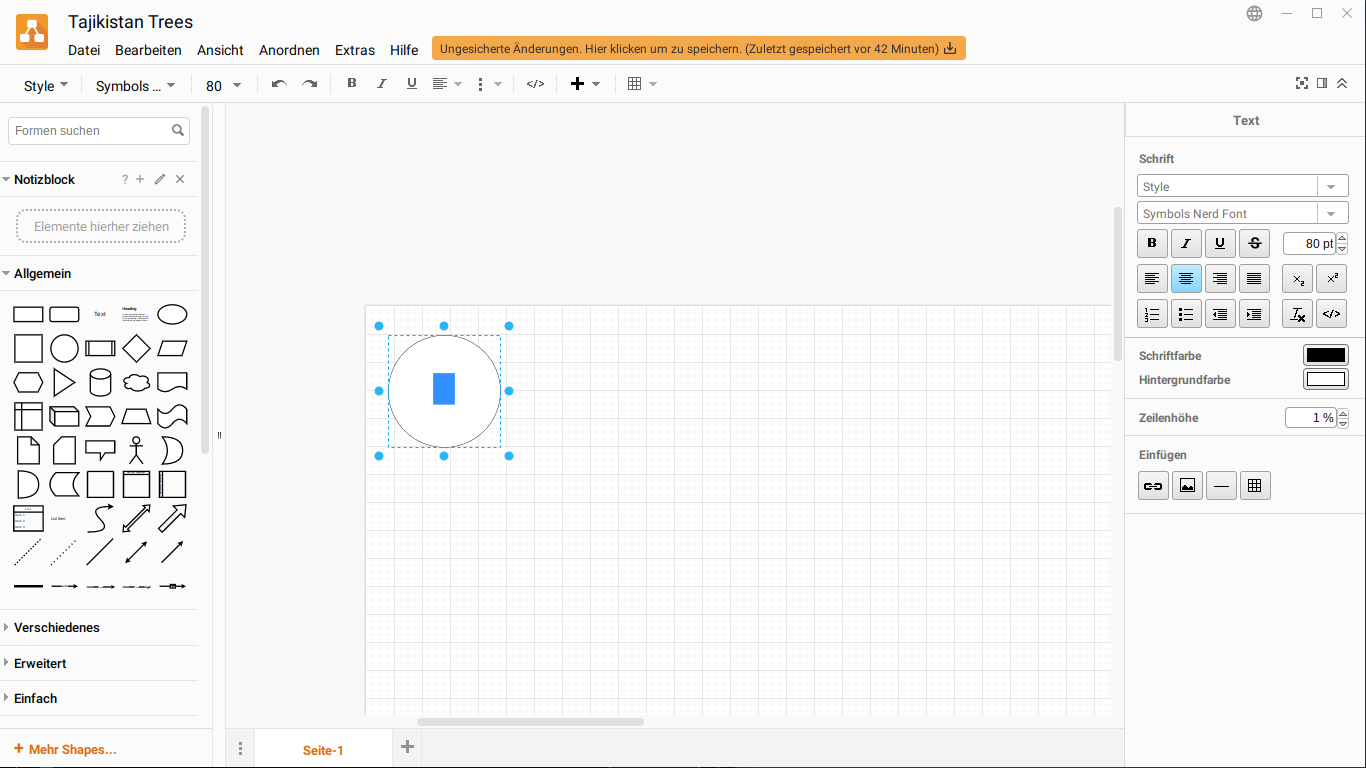
Rendering U+Exxx unicode block does not work
Preflight Checklist
- [ x] I agree to follow the Code of Conduct that this project adheres to.
- [ x] I have searched the issue tracker for a feature request that matches the one I want to file, without success.
Describe the bug Rendering U+Exxx, such as U+E21C in a custom font like Symbols Nerd Font does not work. This issue flowss over to part of U+FA30. The nerdfonts may be found herehere .
To Reproduce
Steps to reproduce the behavior:
- Copy the character U+E21C from a font viewer, libreoofice, etc.
- Create a Rectangle in Draw.io desktop version
- Double click to add text in the rectangle
- Paste the copied element from clipboard. This will show a box with a cross in it, a glyph for undefined font
- Keep this glyph selected
- Go to "Text" tab
- Click on "Font" of Schrift Drop down menu
- Select "custom" or "Benutzerdefiniert"
- Paste the name "Symbols Nerd Font" (exactly as it appears in font viewer or libreoffice) in the textbox
- Select ok / Anwenden
- See error
Expected behavior A font that looks like a tree to be rendered, as per Nerdfonts website above.
Screenshots
draw.io version (In the Help->About menu of the draw.io editor):
- draw.io version 19.0.3 Desktop Linux
Desktop (please complete the following information):
- OS: Linux Artix
- uname -a output : Linux myname 5.18.10-artix1-1 #1 SMP PREEMPT_DYNAMIC Fri, 08 Jul 2022 07:26:22 +0000 x86_64 GNU/Linux
I hope the error description is useful for debugging. I am not sure if this is a bug, or whether it is unsupported, and thus should fill under feature request. Let me know please.


This issue has been automatically marked as stale because it has not had recent activity. It will be closed if no further activity occurs. Thank you for your contributions. See the FAQ for more information.
![stale[bot] avatar](https://avatars.githubusercontent.com/in/1724?v=4 "Published by a pub.dev verified publisher")