

 jgraph
[IBM2 Request] Can access be allowed inside non-containers when nesting containers and non-container shapes
Preflight Checklist
- [x] I agree to follow the Code of Conduct that this project adheres to.
- [x] I have searched the issue tracker for a feature request that matches the one I want to file, without success.
Describe the bug For the container and non-container interaction with IBM2 Shape Diagrams, a Zone shape (only expanded shape with container=0 set) is used to drop over groups of other shape which works correctly, but then nothing inside the Zone shape can be edited.
When the diagram needs to be edited the Zone shape can be moved out of the way, edit the diagram, then move Zone shape back into place.
On IBM1 diagrams issue 2219 resolution may have fixed this previously but trying the fix on IBM2 Shape Diagrams doesn't allow shapes inside a Zone shape to be edited.
To Reproduce Steps to reproduce the behavior:
- Open IBM2-enabled diagrams.net.
- Go to Create New Diagram, select Cloud on left pane, select IBM, select the only diagram there.
- On the first tab called Infrastructure select the VPC Default SG (outermost security group which is internally a Zone shape with container=0 set).
- Try to select Public ALB icon on the left side of the security group but can't be selected for edit.
- Select the outermost security group again.
- alt-click (as mentioned in issue 2219 resolution) on the Public ALG icon.
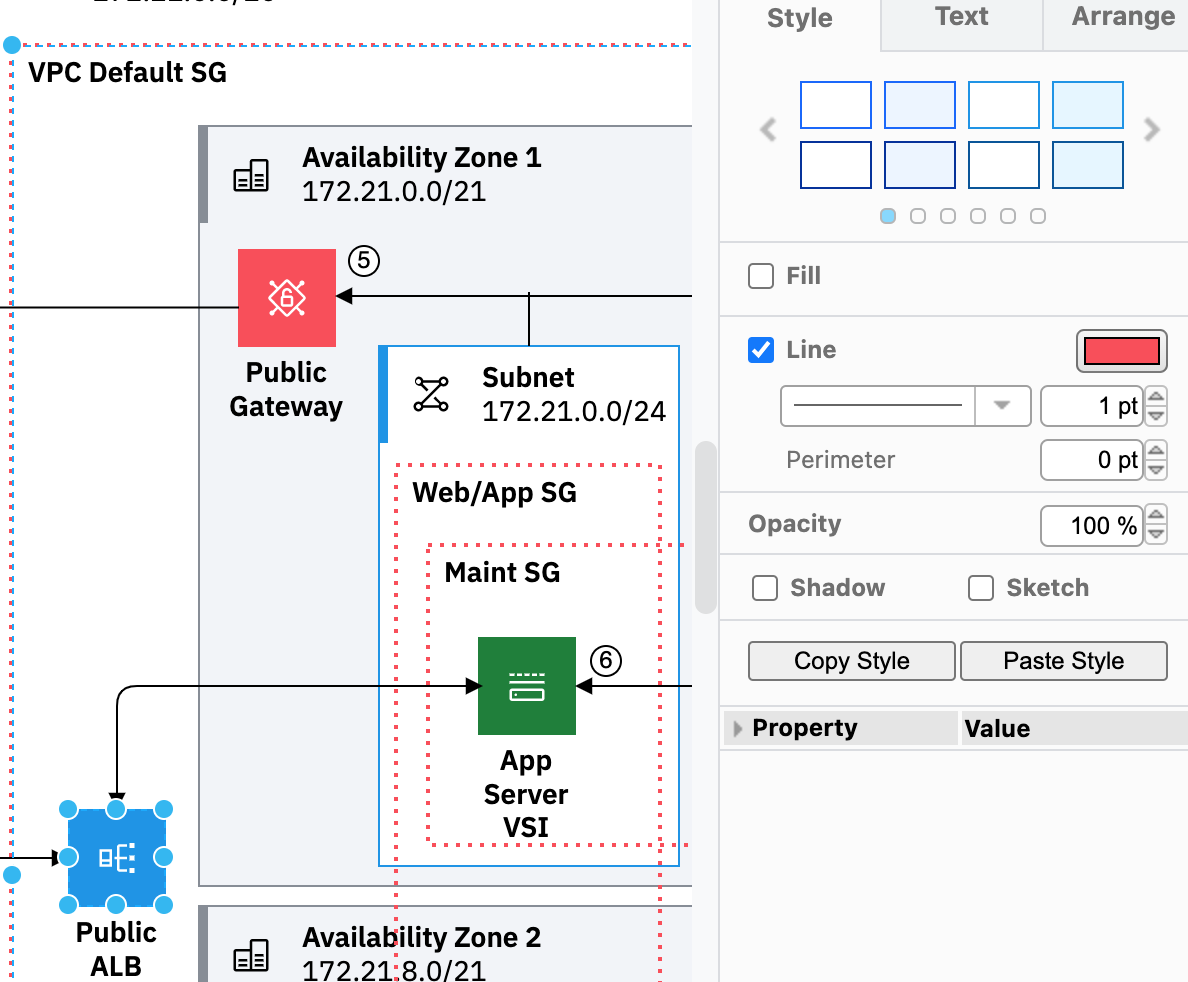
- Both the outermost security group and the Public ALG icon are now selected.
- Format Panel Style shows the style for the outermost security group.
- The Public ALG icon can't be updated, only the outermost security group can be updated.
- Also tried moving the Public ALG to the top of the z order as mentioned in issue 2219 resolution but didn't seem to help.
Expected behavior The Public ALG icon can be updated with the outermost security group still surrounding the Public ALG icon.
Screenshots
Following screenshot shows the drawio canvas at step 7 above.
draw.io version (In the Help->About menu of the draw.io editor):
- draw.io 18.1.3
Desktop (please complete):
- MacOS Monterey
- Chrome
- 103.0.5060.53
Smartphone (please complete the following information):
- N/A
Additional context Medium to higher priority because this issue makes it difficult for users to update IBM2 Shape diagrams. May not be obvious to users to alt-click as mentioned in issue 2219 resolution so we need to document the resolution for this. If nothing else can be done besides what was done for issue 2219 resolution we will have to accept that too, but it looks like issue 2219 resolution partially helps so hoping maybe more can be done such as step 7 above would only select the Public ALB icon instead of drawio selecting both the Public ALG icon and the outermost security group at the same time.
