

 jesseduffield
Filter by path doesn't show diff for moved files
Describe the bug Filter by path doesn't show diff for moved files in quick view (Patch) window.
To Reproduce Steps to reproduce the behavior:
- Make a folder A with some file named B.txt inside
- Commit both of them
- Rename folder 'A' to 'Folder A'
- Commit all changes
- Go to 'Commits' section
- Press Ctrl + S, then Enter
- Type B.txt, press Tab, then Enter
- Select first commit and you won't see any changes
Expected behavior All commits showing correct diffs for moved files too
Screenshots
Latest commit where we renamed folder
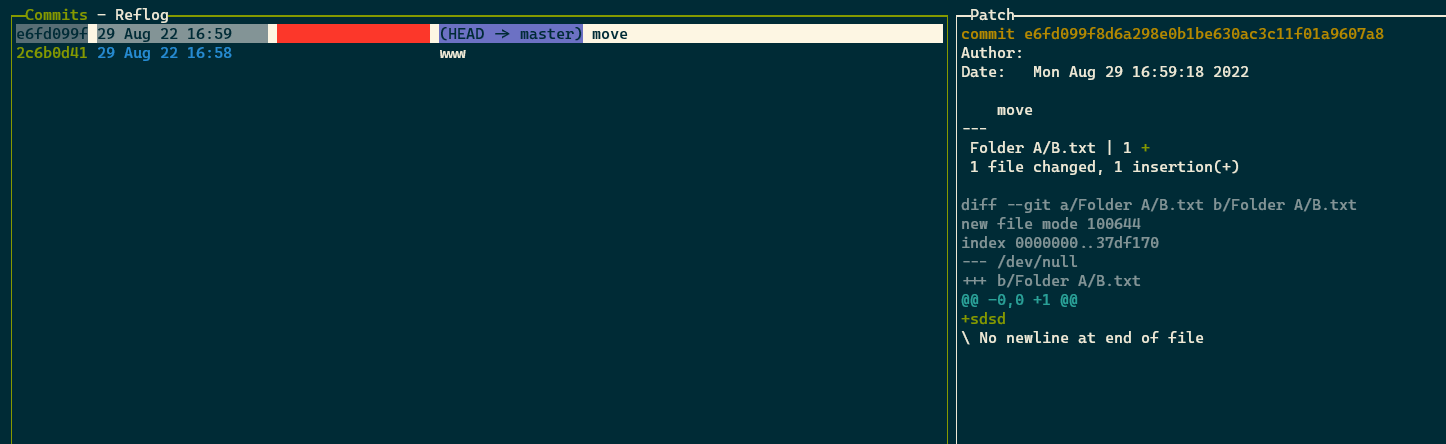
Initial commit with empty diff on the right side

But if we open our initial commit we can see the diff correctly

Version info:
Run lazygit --version and paste the result here
commit=367b0d331836c90c015bf0c45f88612f3d94d08a, build date=2022-07-20T09:27:56Z, build source=binaryRelease, version=0.35, os=windows, arch=amd64
Run git --version and paste the result here
git version 2.23.0.windows.1
Additional context This issue arises quite often for me, as in our code base big chunks of files can be moved to address some issues. My pet project has same issue as opening each commit is not really pleasable thing want to do (:

You need to enter a path relative to the Git root directory in filter by path. If nothing is displayed, it is because <root>/B.txt does not exist.

You need to enter a path relative to the Git root directory in
filter by path. If nothing is displayed, it is because<root>/B.txtdoes not exist.
Yes, that happens because <root>/Folder A/B.txt was previously in <root>/A/B.txt.
p.s. Fixed description a little, since I forgot to fill expected behavior