

 jasongin
Sourcing in .zhsrc is problematic
The installation procedure puts this in .zshrc:
export NVS_HOME="$HOME/.nvs"
[ -s "$NVS_HOME/nvs.sh" ] && . "$NVS_HOME/nvs.sh"
I've had this in my .zshrc for a while but now that I'm trying to migrate to a new plugin manager, Znap, it's problematic:
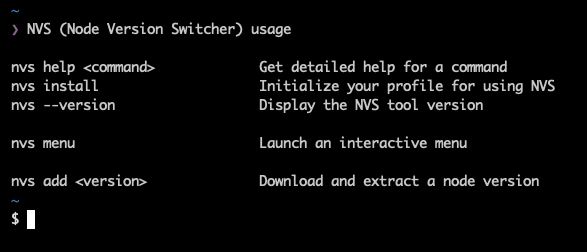
For a while, there's even a full nvs help output visible.
I think that the core issue is that sourcing the nvs.sh script ends with non-zero exit code:
$ . "$NVS_HOME/nvs.sh"
NVS (Node Version Switcher) usage

nvs help <command>             Get detailed help for a command
nvs install                    Initialize your profile for using NVS
# etc.

$ echo $?
127
The exit code is set here:
https://github.com/jasongin/nvs/blob/70384d4b5b59fed3df1e03f58c3bf59cdfd45b44/lib/help.js#L17
I don't know much about how nvs or Zsh work but printing a lot of text and returning a non-zero exit code is probably problematic for sourcing.
My workaround is to only source nvs manually when I need it via source-nvs, like this:
  export NVS_HOME="$HOME/.nvs"
- [ -s "$NVS_HOME/nvs.sh" ] && . "$NVS_HOME/nvs.sh"
+ alias source-nvs=". \"$NVS_HOME/nvs.sh\""
Of course I would prefer if I didn't need to do it 😄.
BTW thanks for nvs, it's a great piece of software!

Workaround for when I need to load nvs in each shell (to get the Node.js version set by nvs link ...):
export NVS_HOME="$HOME/.nvs"
[ -s "$NVS_HOME/nvs.sh" ] && . "$NVS_HOME/nvs.sh" --version >/dev/null
@borekb This appears to have been fixed. I currently see no output from . "$NVS_HOME/nvs.sh".
PS: You can reduce your shell's startup time by using znap function to wrap your code in a lazy-loading function.
znap function nvs nvsudo '
  export NVS_HOME="$HOME/.nvs"
  [ -s "$NVS_HOME/nvs.sh" ] && . "$NVS_HOME/nvs.sh"
'
Instead of being executed on startup, the code now runs only once invoke nvs or nvsudo.

@marlonrichert I still experience the same issue as of 024dea3, the workaround is still required on my machine.