jacobslusser
Problem With Shortcut Keys
Using a class derived from ScintillaNet / VS 2019 / VB.Net
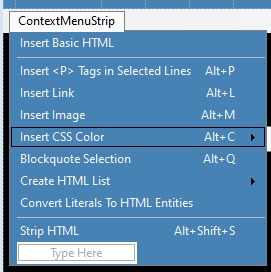
Using ScintillaNet.KeyDown I've added several shortcuts for generating HTML tags. These all work fine except 3 that open dialogs. I have an HTML menu in the app, and the shortcut keys call up the related sub, like so: Case Keys.M appWin.menuHTML_InsImage_Click() Case Keys.L appWin.menuHTML_InsLink_Click() End Select`
Problem is I get the annoying beep when the dialog opens. Is there a practical way to avoid the beep?
Thanks - AB

Why aren't the shortcut keys assigned to the menu items? Setting e.SuppressKeyPress = true; should prevent the beeps. Ps. that is a good way to obfuscate your code by calling click handlers...

All the shortcut keys that require a dialog are assigned to menu items. But none of it works if I don't handle the KeyDown event (that's weird, too). I tried SuppressKeyPress but that doesn't prevent the beep. It should I would think, but doesn't. Not sure what to try at this point.