
salinger-theme
 salinger-theme copied to clipboard
 jacksalici
A clean and minimalistic Hugo theme for personal blogs and portfolios. Built with TailwindCSS and DaisyUI.





Salinger Theme 📻
Salinger Theme has been featured at HugoConf2023! 🥳
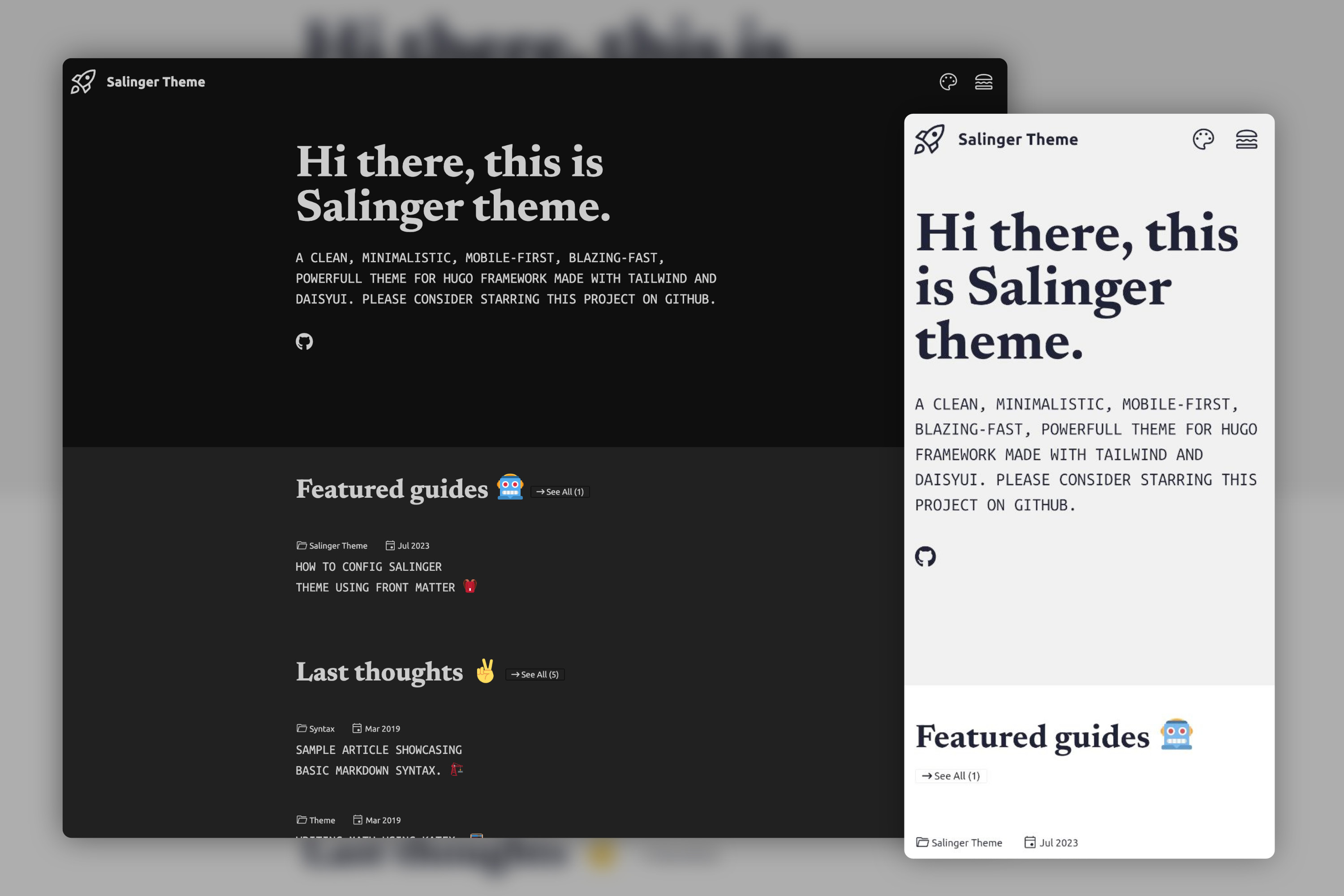
Clean and minimalistic Hugo theme built with DaisyUI and TailwindCSS.
Salinger is a clean, minimalistic, mobile-first, blazing-fast, fancy and lightweight theme for the Hugo framework.
Born as the theme for my website, recently it has been completely rebuilt using Tailwind and DaisyUI. A demo can be seen on the example site.
Why this name? During the design of the light mode homepage, I was inspired by the Italian edition cover by Einaudi of The Catcher in The Rye by J.D. Salinger.
Features 🗂️
- [x] TailwindCSS and DaisyUI 🌼 framework
- [x] Responsive and mobile-first 📲
- [x] Google Analytics 📈
- [x] Custom visibility of meta
- [x] Dark, Auto and Light Mode 🌚
- [x] 2️⃣ hamburger Menu with custom icon
- [x] Tweemoji Emoji support 🐧
- [x] SEO support (100% score on PageSpeed) 🚀
Quick Start ⚠️
Preview the example site
# prerequisites: git, hugo, and npm.
git clone https://github.com/jacksalici/salinger-theme.git salinger
cd salinger
npm install
cd example-site
hugo server -t ../..
A demo can also be seen on the example site.
Install the theme
-
Prerequisites: Please, check to have installed a recent version of hugo, git, and npm.
-
Add the repository to your Hugo Project repository as a submodule:
git submodule add https://github.com/jacksalici/salinger-theme.git themes/salinger -
Configure your
hugo.toml. I suggest copying the demo file present in the example site folder. Please note that some parameters are mandatory for the theme to work properly. -
Install the dependencies in the theme folder and the main folder.
cd themes/salinger npm install cd ../.. hugo mod npm pack npm install -
You can build your site with
hugo serverand admire the result athttp://localhost:1313/.
Update your installation
If you want to get the latest update of the Salinger theme please execute this command:
git submodule update --remote --merge
Please note that during the development of the new major version (v2.x.x - Jul 23) a rebase has been made and the commit history is not so clean. If you came from the legacy version, updating it can be a bit annoying. I suggest removing completely the submodule and adding it again.
Usage 📐
Check out the wiki and the example site.
License 📜
The Salinger theme code is licensed under the MIT license.
Metadata
Owner
 jacksalici
Metadata
A clean and minimalistic Hugo theme for personal blogs and portfolios. Built with TailwindCSS and DaisyUI.