
LetMeReShade
 LetMeReShade copied to clipboard
 itsOwen
ReShade plugin for Steam Deck - Enhanced version with improved shader and game management.
LetMeReShade 🎮




🚀 Ultimate Steam Deck Graphics Enhancement Suite - Advanced shader customization with ReShade and VkBasalt support for next-level visual fidelity

✨ Features
🎨 Dual Enhancement Engines
- ReShade - Industry-standard post-processing for DirectX/OpenGL games
- VkBasalt - High-performance Vulkan-native shader pipeline
🛠️ Core Functionality
- ⚡ One-click installation and management
- 🎯 Automatic game detection and configuration
- 🔧 Manual DLL patching capabilities
- 🌐 Global preset management with custom shader support
- 🎮 In-game overlay accessible via HOME key
- ⚙️ Steam Deck–optimized configurations
- 🖥️ Supports AUTO HDR for Oled Screens
- 🎪 Full support for Heroic Games (Epic Games, GOG, Amazon Games)
📋 Prerequisites
| Requirement | Description |
|---|---|
| 🔌 Decky Loader | Must be installed on your Steam Deck |
| 🌐 Internet Connection | Required for initial setup and shader downloads |
| 💾 Storage Space | 500MB+ recommended for shader libraries |
| 🖥️ Compatible OS | SteamOS or compatible variants (Bazzite/ChimeraOS) |
🚀 Installation
📦 ReShade Installation
-
📥 Download Latest Release
# Navigate to releases and download the latest version -
📁 Extract and Install
# Extract files to: homebrew/plugins/<LetMeReShade-folder> -
🔄 System Restart
# Restart Steam Deck to complete installation
⚠️ Important Note: ReShade conflicts with FGMOD due to shared DLL files. Uninstall or unpatch one before enabling the other.
⚡ VkBasalt Installation
Automatic installation through the plugin interface - no manual configuration required.
⚙️ Configuration
🎨 VkBasalt Configuration
-
📝 Configuration File Setup
Create or edit
~/.config/vkBasalt/vkBasalt.conf:# Core Effects Configuration effects = cas:denoise # Path Configurations reshade_effect_paths = path here reshade_texture_paths = path here reshade_include_paths = path here # Effect Parameters [cas] sharpness = 0.65 [denoise] radius = 2 -
📂 Custom Shader Placement
Engine Shader Location ReShade ~/.local/share/reshade/shaders/VkBasalt ~/.config/reshade/Shaders/ -
🎛️ Adding Custom Effects
# Append custom shader names (without .fx extension)
effects = your_custom_effect
🎮 Usage
🏁 Initial Setup
-
🔍 Access Plugin Interface
- Open Quick Access Menu → Navigate to LetMeReShade
-
🎯 Select Enhancement Engine
- ReShade: For DirectX/OpenGL titles
- VkBasalt: For Vulkan-based games
-
🎛️ In-Game Access
- Launch game → Press HOME key for overlay
🎨 Shader Management
| Action | Method |
|---|---|
| Enable Effects | Plugin interface toggle |
| Adjust Settings | In-game overlay (HOME key) |
| Load Presets | Global preset manager |
| Custom Shaders | Drop files in designated folders |
🔧 Manual Patching
📖 Stardew Valley Example
💡 Use Case: When automatic patching doesn't work out of the box
Step-by-Step Process:
-
🔌 Plugin Installation
# Install latest LetMeReShade version -
🗑️ Clean Installation
# Uninstall Stardew Valley completely -
⚙️ Compatibility Configuration
Game Properties → Compatibility → Force Compatibility → Proton Experimental -
📥 Windows Version Install
# Reinstall game (Windows version will download) -
🎨 Manual Patch Application
LetMeReShade → Manual Patching → Select Game → Select DLL (OpenGL) → Apply Patch -
🎪 Additional Enhancements
# Download Fadedew preset → Place in Stardew Valley folder
🔧 Troubleshooting
📚 Comprehensive Guide: LetMeReShade Complete Wiki Guide
🚨 Common Issues & Solutions
| Issue | Solution |
|---|---|
| 🚫 Overlay Not Appearing | • Verify DLL override selection • Check Vulkan launch settings • Confirm HOME key mapping • Validate engine compatibility |
| 💥 Game Crashes on Launch | • Try alternative DLL override • Check shader compatibility • Verify game support |
| 🐌 Performance Issues | • Disable intensive shaders • Update plugin version • Verify shader repositories |
🔍 Advanced Troubleshooting
# Check log files
~/.local/share/Steam/logs/

# Verify installation
homebrew/plugins/LetMeReShade/

# Reset configuration
rm ~/.config/vkBasalt/vkBasalt.conf
📺 Video Guide
New video Guide

Old guide (still relevant)
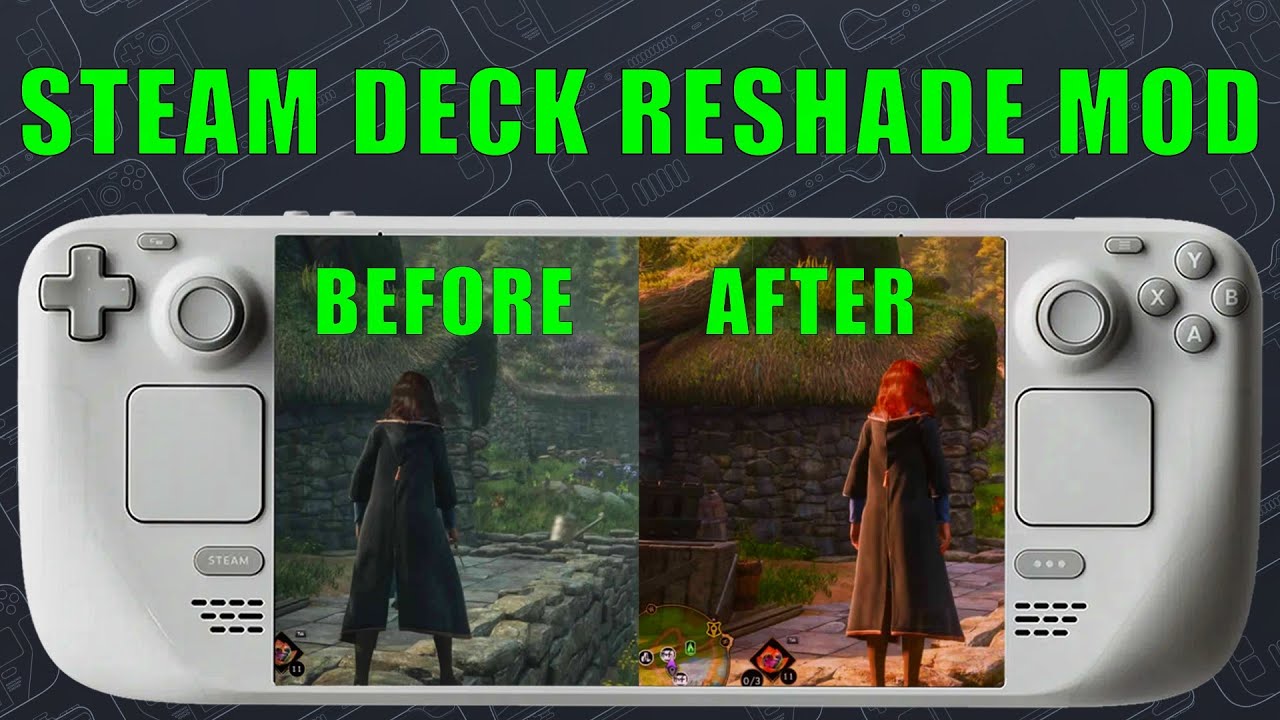
Click to watch the comprehensive setup and usage tutorial
🤝 Contributing
We welcome community contributions! Here's how you can help:
🐛 Bug Reports
- Use GitHub Issues with detailed reproduction steps
- Include system specifications and error logs
💡 Feature Requests
- Propose new functionality via GitHub Discussions
- Provide use cases and implementation suggestions
🔧 Pull Requests
- Fork the repository and create feature branches
- Follow existing code style and documentation standards
🎨 Shader Presets
- Share custom presets with the community
- Include screenshots and compatibility notes
🔄 Automatic Updates
The plugin provides seamless updates for:
| Component | Update Method |
|---|---|
| 🎨 ReShade/VkBasalt | Automatic version checking |
| 📚 Shader Repositories | Background synchronization |
| 🔌 Plugin Core | Integrated update system |
⚖️ License
This project is licensed under the BSD-3-Clause License.
Copyright (c) 2024 LetMeReShade Contributors
All rights reserved.
See the LICENSE file for complete terms and conditions.
🙏 Acknowledgments
👨💻 Core Contributors
- ZigmA - Project inspiration and extensive testing support
- xXJSONDeruloXx - Foundation framework from Decky Framegen plugin
- kevinlekiller - reshade-steam-proton repository integration
- DadSchoorse - VkBasalt repository and Vulkan expertise
- Gizzburt - Special thanks to my buddy Gizz for helping me add AutoHDR support and also for his Detailed Guide
🌟 Community Support
Special thanks to the Steam Deck homebrew community for continuous feedback and testing.
📞 Support & Help
🆘 Getting Help
-
📖 Documentation First
- Review this README thoroughly
- Check the Wiki Guide
-
🔍 Search Existing Issues
- Browse GitHub Issues
- Check closed issues for solutions
-
🆕 Report New Issues
- Provide detailed system information
- Include reproduction steps
- Attach relevant log files
📱 Community Channels
- GitHub Discussions - Feature requests and general discussion
- GitHub Issues - Bug reports and technical support
🎮 Made with ❤️ for the Steam Deck Community 🎮
Enhancing your gaming experience, one shader at a time
 itsOwen